{"componentChunkName":"component---src-pages-blog-js","path":"/blog/","result":{"data":{"site":{"siteMetadata":{"title":"Afosto: de Alles in één Retail Oplossing"}},"allStrapiBlog":{"nodes":[{"author":"Ton Koop","title":"What is the D2C Business Model? Meaning, Examples, Benefits and Limitations","published_at":"2022-07-26T06:49:49.768Z","reading_time":"00:06:00","seo_description":"Learn in this blog what D2C means and what the advantages and limitations might be for your business. ","seo_title":"What is the D2C Business Model? Read our BLOG to learn more | Afosto","slug":"what-is-d2c-ecommerce","body":"As more and more businesses are looking to achieve profitable growth and stay on top of their industries amidst increased competition, the Direct-to-consumer (D2C) eCommerce model is growing rapidly.\n\nAccording to [eMarketer's forecast](https://www.insiderintelligence.com/content/how-d2c-brands-diversifying-consumer-experience-disrupt-retail-industry), D2C eCommerce sales are estimated to reach $151.2 billion in 2022 in the United States alone, up 16.9% from the 2021 sales.\n\nMore B2B brands are also embracing the D2C business model and incorporating it into their sales strategy due to its high profitability.\n\nIn this article, you will learn what D2C eCommerce is about and why it is gaining more popularity. \n\n## What Does Direct-to-Consumer Mean?\n\n\n\nDirect-to-Consumer (D2C) marketing is an eCommerce strategy where manufacturers directly control their goods' production, marketing, distribution and sales to their end customers.\n\nIn other words, D2C eCommerce simply refers to a model where businesses sell their products directly to their end consumers without needing any third party.\n\nIn the traditional retail model, there is a need for intermediaries - distributors, wholesalers, and retailers, before the products get to the consumers. But, the D2C model is disrupting this traditional approach and bridging the gap between manufacturers and the final users of the products. \n\n## D2C vs B2C \n\n\n\nBusiness-to-Consumer (B2C) and Direct-to-Consumer (D2C) business models are similar since both involve selling products to end consumers. However, there are subtle differences between the two terms.\n\nD2C marketing focuses on selling products directly to consumers, whereas B2C depends on intermediaries to sell products to their customers.\n\nAnother significant distinction between them is that D2C companies produce and sell their products to customers while B2C brands sell products from several manufacturers.\n\nIn summary, B2C and D2C have the same target audience - end consumers, but different supply chain or order fulfilment methods.\n\nIn B2C, the manufacturer sells to the wholesaler, who in turn sells to the retailer from who the consumer buys. In contrast, consumers buy directly from manufacturers without intermediaries in the D2C model.\n\n## 7 Benefits of Direct-to-Consumer (D2C) eCommerce\n\nIn recent times, there has been a significant change in the world of commerce. More brands are adopting new sales strategies like the D2C business model to maximize profit and retain more customers. And you, like everyone else, are probably wondering why? How does the elimination of intermediaries mean more profit for brands? Let's take a look.\n\n### Better control over profit margin\n\nManufacturers can increase their profit margins and reduce distribution costs by eliminating intermediaries.\n\nWholesalers, distributors and retailers drive up overhead costs and reduce the profit achieved by brands. They sell to customers at higher prices since everyone in the supply chain will add an extra fee to the selling price to make their gain.\n\nHowever, with the D2C business model, producers can control all the funds without splitting them with third parties. Since they sell their products to customers directly without needing an intermediary or reseller, they can sell at the same price as the retailers or a bit less and raise their net profit margin.\n\n### Direct contact with customers\n\nIn D2C marketing, brands can interact directly with their end-users and maintain good business-customer relationships. They can learn more about their needs, behaviours, and how best to serve them. But, when manufacturers sell through middlemen, they miss out on the benefits of using direct relationships with their customers. \n\n### Omnichannel experience\n\nCreating an omnichannel experience for your customers refers to selling and marketing your products across multiple channels to provide a unified customer experience, no matter where your customers shop.\n\nFor example, your customers can shop for your products via your website, Instagram page or physical store, and the sales experience should be consistent.\n\nNearly [80% of customers](https://blog.clerk.io/omnichannel-stats-2021) want an omnichannel experience due to the seamless service between communication methods. In fact, companies with the strongest omnichannel strategies retain about [89%](https://www.invespcro.com/blog/state-of-omnichannel-shopping/) of their customers.\n\nAs you can deduce from these statistics, many customers want a unified customer experience. And to achieve this, you must stay in touch with your customers in every interaction they make with your brand.\n\nSadly, this is not possible for manufacturers in the traditional sales model. But, in the D2C model, brands have direct access to their customers and can create an incredible omnichannel experience.\n\n### Access to valuable customer insights\n\nManufacturers can gather data about who is buying their products by having a direct relationship with them. For example, they can learn about their reaction to a product, locations, past purchases, buying preferences, buying habits etc.\n\nWith the D2C model, brands can collect relevant information about their customers that can improve the products and further increase brand sales. \n\n### Direct control over brand reputations\n\nMore brands are adopting the DTC marketing strategy because it gives them absolute control over their reputation, messaging, sales, marketing, and customer services.\n\nThe traditional approach of selling products to middlemen leaves little or no room for the manufacturers to influence how their products are sold, marketed or how the retailers relate with the consumers.\n\nThe best thing brands can do is to spend so much on advertisements, but if the retailers cannot sell the goods, they will incur huge losses.\n\nIn contrast, the D2C eCommerce model allows for a high degree of autonomy in sales and marketing of goods till the items are purchased.\n\n### Product testing and development\n\nD2C eCommerce brands enjoy receiving immediate feedback or reviews from their customers and using it to improve their products.\n\nTheir research team can regularly ask their customers for their opinions about their products and suggestions on what to improve.\n\nTheir production team can, in turn, create new products using feedback from the consumers.\n\nAlso, D2C brands can quickly test new products on customers since they can gather enough information on their customers' needs and wants. \n\n### Better Opportunities to Innovate\n\nSelling directly to end consumers allows you to offer different selling methods or freebies to your customers. You can offer discounts, bundles, offers, subscription services, flash sales etc., to your customers, which is impossible if they buy from third parties. \n\n## What are the Limitations of D2C eCommerce?\n\nDespite the several benefits of the D2C model, there are disadvantages to it. Let's consider a few.\n\n### Shipping and logistics\n\nWithout the middlemen, D2C companies are now responsible for sorting orders, shipping their products and ensuring that the items are delivered to the correct location on time. This can be overwhelming, especially when competing with big marketplaces like Amazon. \n\n### Increased Competition\n\nSince the entry barrier into the D2C market is low; more brands are embracing it.\n\nWith the increasing number of D2C brands, you should expect increased competition since more businesses will be marketing the same products to the same audience.\n\nEventually, this puts pressure on brands to build a unique presence and identity to help them acquire or retain more customers.\n\nAlso, D2C brands have to compete with retailers who have a good understanding of the retail market and are experienced in selling to customers.\n\n## Best D2C Brands to Look Out for\n\nDTC brands bypass retailers and marketplaces and sell their goods directly to consumers through their eCommerce websites. A few of these brands are:\n\n[Warby Parker](https://www.warbyparker.com/): Before the launch of Warby Parker, people buy eyeglasses at retail shops or optometrist offices. But with the arrival of Warby Parker, people can upload their prescription details on the websites, choose their desired frames, try a few demo pairs from the comfort of their homes and have them delivered for free.\n\n[Casper](https://casper.com/): Casper is a D2C brand that sells mattresses, pillows, bed sheets, etc. They ship mattresses to their customers' doorsteps with opportunities to return if there are complaints.\n\n[Dollar Shave Club](https://www.dollarshaveclub.com/): Dollar Shave Club started as a monthly subscription service for men where they receive a personalized set of shaved tools - razor, after-shave cosmetics and cream, as often as they want. The items were shipped to them regularly, which helped save the costs and stress of going to retail shops.\n\n[Allbirds](https://www.allbirds.com/): Allbirds is a footwear brand known for making everything from shoes to sandals for both men and women. Besides their environmentally friendly practices, Allbirds offers a free 30-day trial on every pair.","locale":"en","primary_image":{"url":"https://qcqcdn.com/afosto/artem_beliaikin_G_Lg0z5z8_EQU_unsplash_cec21343d3/artem_beliaikin_G_Lg0z5z8_EQU_unsplash_cec21343d3.jpg"}},{"author":"Ton Koop","title":"What is GraphQL?","published_at":"2022-07-21T07:31:41.491Z","reading_time":"00:04:00","seo_description":"Read all about the advantages of GraphQL over, for example, a regular REST API in our blog. ","seo_title":"What is GraphQL | Read the benefits of GraphQL ","slug":"what-is-graphql","body":"GraphQL is a query language that allows searching and working across multiple APIs (application programming interfaces) simultaneously. This language ensures that clients get exactly the data they ask for and no more than that. For any application, it is important to send data as efficiently as possible between client and APIs with as little load as possible. This is exactly what GraphQL caters to. \n\n \n\nGraphQL is designed to make APIs fast, flexible and developer-friendly. With GraphQL, developers can compose requests that retrieve data from multiple data sources in a single API call. \n\n\n \n\nIn addition, GraphQL gives API administrators the flexibility to add or remove fields without affecting existing queries. Developers can build APIs with the methods they prefer, and the GraphQL specification will ensure that it can function in a predictable way.\n\n \n\n\n## Rest vs GraphQL\n\nDevelopers use application programming interfaces, or APIs, to bring together or transfer data and functionality within or between applications. When it comes to working with APIs, developers are often faced with two popular options: REST or GraphQL.\n\n\nREST is a software architecture style that APIs conform to so that developers can interact with services in a standard way. GraphQL is a query language for APIs and a runtime for executing those queries. REST and GraphQL are similar in that they identify data sources as URLs that the application can use to retrieve data or functionality. However, there are many differences.\n\n\n\n\n1. GraphQL exchanges data on a single endpoint, while REST often has multiple endpoints. GraphQL resolvers retrieve the data for the fields that are needed. If one resolver fails, the rest of the query can still retrieve and return useful data. In many cases, one GraphQL query often replaces multiple REST queries.\n\n\n\n\n2. GraphQL prevents over-fetching and under-fetching of data - that is, an endpoint responding to a call with too much or too little information, respectively, compared to what the app needs. REST APIs are offered in different levels of resolution. Some levels fetch more data and others less. This means that an app may receive too much data. Take as an example getting back the entire customer profile, when only the customer's name and email address were needed. It may also be that too little data is retrieved, causing the app to have to make multiple API calls instead of just one.\n\n\n\n\n3. GraphQL uses a custom query format called Schema Definition Language (SDL), and although that custom query language is used for the request, JSON is returned. This makes it easier for clients to use the response. GraphQL client libraries have native integration with the ReactJS UI framework (and many other libraries) making GraphQL accessible to many front-end and back-end developers today.\n\n\n\n\n4. The developer experience differs between GraphQL and REST. To understand how REST APIs work, the developer usually uses a portal (docs environment) to discover and interact with the APIs. In GraphQL, this portal is often a built-in playground that is also suitable for development. (See: https://afosto.app/graphql ). It allows developers to explore new queries in an interactive way. The documentation is also different. REST usually uses OpenAPI specs and portals. Some extensions to OpenAPI exist. For example, Swagger Docs builds interactive documentation based on those OpenAPI specs. GraphQL developers typically use schema-based interactive documentation, such as Apollo to discover, develop, and interact with GraphQL endpoints.\n\n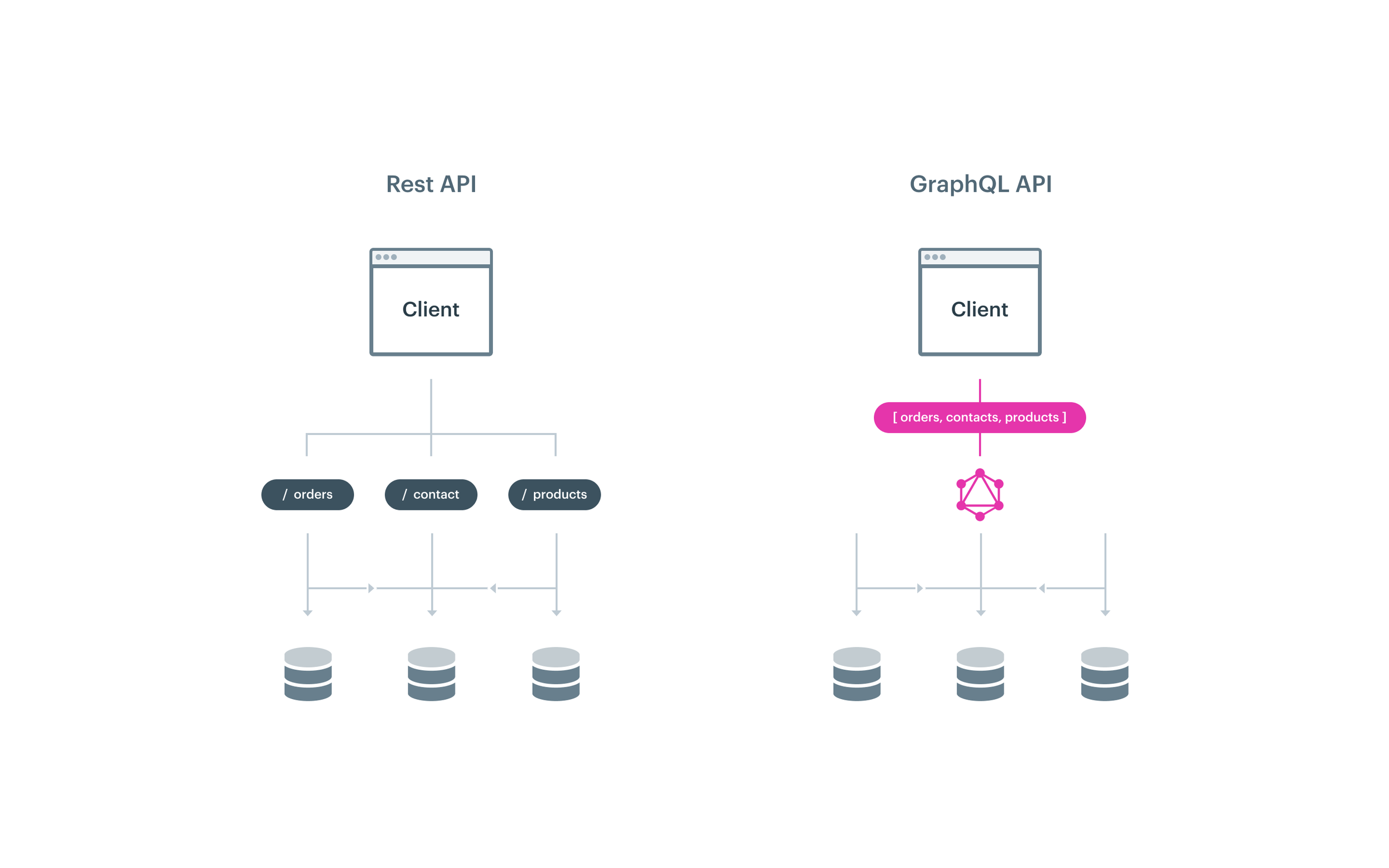\n\n\n\n## GraphQL Query Example\n\nBelow is an example of a GraphQL query. In this query, we retrieve certain data from a contact. As explained above, this query also returns only the requested data as response and no further contact details. So in this case you will only get the email, first name, middle name and last name of a contact based on the ID of that contact.\n\n```\nquery identityWelcome($contact_id: String!) {\n contact(id: $contact_id) {\n email\n given_name\n additional_name\n family_name\n }\n}\n```\n\n\n\n\nIf you want to know more about the application of GraphQL vs. REST within the Afosto platform please contact us!\n\nOther articles you might be interested in: \n\n- [What is Jamstack?](https://afosto.com/blog/what-is-jamstack/) \n- [What is NextJS?](https://afosto.com/blog/what-is-next-js/)\n- [Avif vs WebP](https://afosto.com/blog/avif-vs-webp-format/)","locale":"en","primary_image":{"url":"https://qcqcdn.com/afosto/what_is_graphql_4feb9f306d/what_is_graphql_4feb9f306d.jpg"}},{"author":"Gijs Boddeus","title":"What is a headless CMS? Explained in 5 minutes","published_at":"2022-07-21T07:05:07.595Z","reading_time":"00:05:00","seo_description":"What is Headless? What is a headless CMS? In this article, we'll explain in 5 minutes what headless is and why we think it's the future! ","seo_title":"What is a headless CMS? Explained in 5 minutes","slug":"what-is-headless-cms","body":"A lot of technologies and platform have been added in the last few years. They have all been created to simplify separate parts of e-commerce and web development. For example, the term **headless** is mainly linked to a CMS (Content Management System), but can therefore also be used for e-commerce. \n\n## What does headless mean?\nThe term headless is pretty clear: without a head. So a headless CMS is a CMS without a head or face. The only thing you can do with it is manage and read content. You are completely free to do with your content wherever and however you want. So you can use the same content in an app as well as on your site. So the front end and back end are separated and you can exchange.\n\nThe way this is done is based on APIs. Through these APIs you can access your content and use it in your application or site. This gives the developers on the front end more freedom in what technology they use to create the website or web store.\n\nTraditional e-commerce platforms, including the current Afosto platform, make the choice for you. The language in which you have to build your web store is then already chosen for you. So you will have to learn this language and you are limited in plugins you can install.\n\n## Why is headless better?\nBecause the developers are free in how they build the front end they can use the latest techniques. Take an example of the site you're on right now. [Afosto.com](https://afosto.com/nl/) is built with [Strapi](https://strapi.io/), a popular open source headless CMS. This is where we manage our pages, blogs and menus. The site itself was created in [GatsbyJS](https://www.gatsbyjs.com/), a widely used Static Site Generator (SSG). The creators of Gatsby have combined all the modern techniques and best practices of the web into one platform. This allows you to create super fast websites that score high for pagespeed. If you test afosto.com with Lighthouse (the technique behind Google's Pagespeed Insights), you'll see that all the gauges are green. \n\n[full report](https://googlechrome.github.io/lighthouse/viewer/?psiurl=https%3A%2F%2Fafosto.com%2F&strategy=desktop&category=performance&category=accessibility&category=best-practices&category=seo&category=pwa&utm_source=lh-chrome-ext)\n\nSo since the content is separate from the site itself, we could also replace Gatsby for another platform. We at Afosto use [ReactJS](https://reactjs.org/) for the frontend, since GatsbyJS also uses this it was quick for us to learn. Another widely used framework is [VueJS](https://vuejs.org/). For this there is also an SSG made called [Gridsome](https://gridsome.org/). So you have free choice in technology and CMS.\n\n## What is headless e-commerce?\nThe CMS is responsible for the content, but that's not enough for a webshop. Your products must also have a place ([PIM](https://afosto.com/products/ \"PIM Afosto\")), your customers must be registered ([CRM](https://afosto.com/solutions/customers/ \"CRM Afosto\")) and a [shopping cart](https://afosto.com/orders/ecommerce-order-management/ \"Order Management Afosto\") must be maintained. Nowadays there are separate platforms created for each part that specialize in, for example, product management or order management. This gives you the freedom to choose the platform that best meets your needs. Many traditional e-commerce platforms offer everything in one, so-called **monolith**. In this, the front end and back end are intertwined. With headless, the front end only issues commands to the back end to update an order, for example. Read this blog to learn more about [headless commerce](https://afosto.com/blog/headless-commerce-what-is-it/). \n\n## Afosto & Headless \nAfosto has its own CMS system along with a brand new [order management system](https://afosto.com/orders/ecommerce-order-management/), [warehouse management system](https://afosto.com/products/ecommerce-inventory-management-software/) and [a fulfillment solution](https://afosto.com/orders/orderpicker/) for managing and fulfilling your orders. This system is built on decades of experience in the rapidly developing world of E-commerce. Headless is a development of recent years that we follow closely and with which we are currently experimenting with some of our customers. Are you also curious about the possibilities of working with Afosto? Then check out the various possibilities on the site or [request a demo](https://afosto.com/request-demo/)! ","locale":"en","primary_image":{"url":"https://qcqcdn.com/afosto/what_is_a_headless_cms_5f88752f7a/what_is_a_headless_cms_5f88752f7a.jpg"}},{"author":"Pieter Versloot | Plate","title":"What are the real costs of a Headless CMS implementation?","published_at":"2022-07-21T06:25:45.666Z","reading_time":"00:06:00","seo_description":"Want to know how much it costs to implement a headless CMS? In this article we will give you the full explanation! ","seo_title":"The REAL costs of Headless CMS implementation | 2022 |","slug":"headless-cms-costs","body":"Many companies and organizations are considering whether to develop their next website on a traditional CMS or a [headless CMS](https://afosto.com/blog/what-is-headless-cms/). This is not a surprise with the growing popularity of headless CMSs. And yes, a thorough comparison is time well spent because there are many differences between the two types of systems. Not only in use and implementation but also when it comes to costs.\n\nIn this article we emphasize on the latter: what are the factors that determine the real cost of a headless CMS implementation?\n\n\n## 1. License\n\n[WordPress](https://wordpress.org/) is probably the most well-known traditional CMS of this century. One of the biggest advantages of WordPress is that it is free of charge, at least you don't have to pay a license fee to use it. Behind WordPress is a community that takes care of further development and improvements. Although WordPress is free, you should realize that you can incur considerable costs for hosting and maintenance of this CMS.\n\nUnlike WordPress, most headless CMSs are (further) developed by a ([SaaS](https://afosto.com/blog/what-is-saas/)) vendor. The investments in the software are covered through licensing costs. New developments can be made with the license income.\n\nOften headless systems have a freemium model to lower the threshold for new customers. In many cases you will only pay if you actually start using the CMS (on a larger) scale. You often pay per user, module or per use (eg API requests). This can increase your license costs fairly quickly.\n\nIf you have set up the (headless) CMS, you will not switch to another CMS quickly, so make sure you get a good understanding (in advance) of the license costs and which variables cause a possible increase. Don't assume that if you don't pay anything for a traditional CMS now, you will also find a headless CMS that you can use for pennies on the dollar. Often the license prices of a headless system that is used by several (marketing) employees and receives many API requests will cost a minimum of thousands of euros annually. \n\n\n## 2. Implementation\n\nThe fact that a headless CMS builds on a different vision than a traditional CMS is strongly reflected in the implementation. Here you often see a conflict arise. A headless CMS is purchased because the vision seems future-proof, but if the organization is not ready for an omnichannel content strategy and continues to work 'traditionally', a headless CMS is of little use. The implementation has two factors that determine the cost price:\n\n1. your internal employees and their knowledge and skills,\n2. the expertise you need to purchase for a successful implementation.\n\n\n### What expertise do you need for a Headless implementation?\n\nI assume that you want to implement a headless CMS for an omnichannel content strategy. Omnichannel means that a company serves a seamless customer experience across all channels (offline, online, app, etc) making it seem like one channel. You often see that organizations buy a headless CMS, but implement the implementation in a traditional way.\n\nWith a headless implementation you need at least two roles or functions more than with a traditional implementation: **the content architect and the content curator.**\n\nThe content architect helps organize content and advises the best approach to structure the content so that it can be easily reused in different situations and on different channels and devices.\n\nThe content curator collects, selects and filters the content and places it in context. Content curation is increasingly needed, because companies produce a lot of content, but a lot of valuable content is also lost as a result.\n\nThere is so much information these days and most consumers don't have the time (or the inclination) to dig through all this content. That is exactly what the content curator focuses on. They look at what is relevant to the target group, and what content they care most about and then present it in a perfect arc.\n\nA mistake many companies make is to view the curatorial role as a coordinating role. However, the curator actually has strategic skills to analyze the connections between content and to know to which 'buyer persona' the content belongs and to determine where the content belongs within the 'marketing funnel'.\n\nFew companies and organizations have the role of content architect and content curator internally. Within marketing and communication, content is still often seen as ordinary production work, while a successful headless implementation requires you to look at content differently.\n\nIf you look now to the other roles, they are quite 'traditional'. Think of: a (content) marketer, strategist, SEO expert, designer, developer, etc. If you do not have one or more roles available, you will have to hire them externally. Headless trajectories are often substantial in terms of impact in hours, so free up your budget.\n\n\n## 3. Customizations\n\nAnother factor that can drive up the cost of a headless CMS implementation is the need for customizations. A headless CMS gives you a lot of freedom for the front-end but because you can't just get to the source code of the CMS (there is a company behind it), you can't just make a few modifications to the system. So if you want to customize the dashboards, buttons, functions, etc this isn’t as ‘hack-savvy’ as a traditional CMS where you can access the source code. \n\nIn many cases you do not want this either, but if you have specific wishes about how a solution should work, it is wise to do good research into this.\n\n\n## 4. Apps\n\nThis part isn't relevant to everyone, but we've seen it popping up a few times over the years: an app. If a company has its own app, it is often developed as a 'monolith' next to the existing communication (portal, website, etc). If a company follows the 'omni-channel content' philosophy, this app must 'suddenly' be included in the headless process. It is therefore better to think about this in advance than halfway or at the end of the process.\n\n\n## 5. Integrations\n\nA website or app rarely stands alone, especially not within a headless CMS implementation. Often (raw) data has to come from other sources, or, for example, from a phased out CMS, a CRM system or a Customer Data Platform. The more integrations, the more hours you have to spend developing the integrations as well as any modules you need to purchase to make connections.\n\nCheck in advance whether a headless CMS can integrate through a [GraphQL](https://afosto.app/graphql), REST API, webhooks and/or Zapier or Mulesoft. The more connectable a CMS is, the less time you need to spend on expensive integrations.\n\n\n## 6. Hosting / Security / Upgrades\n\nThe last part concerns hosting, security and further development. If a headless CMS is also a 'hosted CMS' then hosting, security and upgrades are often taken care of centrally (multi-tenant). The costs for this are then discounted in the license price. In some cases you have to pay extra for use and hosting if you override the 'fair use policy'.\n\nIf you choose a 'self hosted' headless CMS, you will have to take care and responsibility of these matters yourself. This can have a significant impact on your budget. Security and cyber security is certainly an area that requires attention.\n\n## Plate\nThis article is submitted by Pieter Versloot, Pieter is the co-founder of [Plate](https://www.getplate.com/) one of our proud partners in the headless community. \n\nPlate is a hosted Content Management Platform helping you deliver content straight to your sites, -shops, apps, portals and other channels. Content editing can be done in an easy and flexible manner.","locale":"en","primary_image":{"url":"https://qcqcdn.com/afosto/headless_cms_costs_60b957d6a8/headless_cms_costs_60b957d6a8.jpg"}},{"author":"Ton Koop","title":"What is B2B SaaS? Top 5 B2B eCommerce Platforms","published_at":"2022-07-20T14:14:38.529Z","reading_time":"00:06:00","seo_description":"Read our blog about B2B SaaS and the best B2B SaaS e-commerce platforms. ","seo_title":"What is B2B SaaS? Top 5 B2B eCommerce Platforms ","slug":"b2b-saas-ecommerce-platform","body":"What is B2B SaaS? Top 5 B2B eCommerce Platforms\n\nB2B SaaS refers to software as a service for businesses, not end-users. Read on to learn more about B2B SaaS and the best five eCommerce platforms for B2B companies.\n\n\n\nMore than ever, the SaaS industry has gained so much prevalence in today's world. By the end of 2022, the industry is expected to experience [its largest annual growth](http://gartner.com/en/newsroom/press-releases/2021-08-02-gartner-says-four-trends-are-shaping-the-future-of-public-cloud), reaching a worth of approximately $172 billion.\n\nAccording to [BetterCloud](http://pages.bettercloud.com/rs/719-KZY-706/images/2020_StateofSaaSOpsReport.pdf?mkt_tok=NzE5LUtaWS03MDYAAAF8LQdmoC7u54xbqxNwp0au4Zk7SiYaaqq2vupXFxCvaP5vY8gSQtlGFsUsRI8oj5Fl2m5PwIZUUAlzVZL_-hUEQ2RdNqgEzDAmZA5bZtowS_v-zMs), it is also speculated that by 2025, 85% of applications used by organizations will be SaaS-based. This figure has increased year-over-year and is projected to skyrocket in the coming years.\n\nThis article will examine everything you need to know about B2B SaaS, including its definition, how it differs from B2C SaaS and the top 5 B2B eCommerce platforms worldwide. \n\nWhat is B2B SaaS?\n=================\n\nThe term \"B2B SaaS\" consists of two key acronyms---B2B and SaaS.\n\nB2B, an acronym for Business to Business, refers to companies selling products and services to other companies. In other words, a business would be involved in a B2B transaction if it sells its goods or services to another business.\n\nOn the other hand, SaaS stands for Software as a Service. It refers to a software delivery model where a cloud provider---a third-party provider or the software vendor---hosts software applications and makes them accessible to the users via the internet and a web browser.\n\nWhen explaining what SaaS is, it is better understood by comparing it to on-premise software like Microsoft Word.\n\nTo use Microsoft Word, you must pay a one-time license fee, download the program and install it on your computer. But, with Google Docs---an example of a SaaS application, you can access it via your internet without downloading it onto your device. This is because SaaS-based applications are provided via the cloud.\n\nSince software vendors take over the tasks of deploying, installing, maintaining, and virtualizing the applications, users can easily access a copy version of the app via the internet anytime, anywhere.\n\nNow that you understand B2B and SaaS, you can probably guess what B2B SaaS is all about.\n\nB2B SaaS refers to cloud-based software solutions sold by businesses to other businesses on a subscription basis. These solutions are designed to help companies automate their processes, function effectively and boost their revenues.\n\nBusinesses require software for various tasks, including managing customer relationships, accounting, word processing, surveillance, etc. And B2B SaaS companies, in turn, provide cloud-based solutions to these businesses to solve their problems.\n\nThe applications are developed, managed and updated from a hub and accessed by the businesses via the internet.\n\nThe companies then subscribe and pay a monthly or annual fee to use and access the solutions.\n\nAn example of B2B SaaS is the Customer Relation Management (CRM) tool. CRM is software for managing interactions with customers and prospects. It allows business owners to track and consolidate all communications, interactions, and purchases associated with their customers in one place. \n\nB2B SaaS vs. B2C SaaS\n=====================\n\n\n\nEarlier, we mentioned that B2B companies sell products and services to other businesses. In contrast, B2C ---which stands for Business-to-Consumer---companies sell their goods and services to the end-users. So, B2C SaaS companies sell their software as a service to customers buying it for personal use.\n\nAlthough both business models have certain things in common, like the subscription basis, they have many differences. Let's examine a few.\n\nSales Cycle\n-----------\n\nIt is almost impossible to see B2B buyers making spontaneous purchases. They can, at most, register for a free trial but would not make a purchase immediately.\n\nThe B2B sales cycle takes way longer than B2C. This is because it has to go through a list of approvals before it is completed.\n\nBusinesses do not buy solutions in haste; they consult and weigh their options before deciding.\n\nFor B2C SaaS, the cycle is substantially shorter. B2C buyers make impulsive purchases and cancel the subscription later if it doesn't work for them.\n\nSocial Media Channels\n---------------------\n\nAnother difference between B2B and B2C SaaS companies is their preference for social media channels.\n\nWhile both categories use social media platforms to engage their clients and prospects, they have differences in the platforms they tend to gravitate towards.\n\nB2B SaaS companies will prefer to use professional channels like LinkedIn, while B2C SaaS companies will more likely prefer less official channels like Instagram.\n\nMarketing Strategies\n--------------------\n\nB2B and B2C marketing techniques differ. B2C brands tend to deliver their content in a more fun and less formal way---in layman's terms, whereas B2B marketers focus more on formal and educational techniques, using industry terminologies. \n\nBudget\n------\n\nBusinesses that require SaaS have budgets set aside for subscription fees, unlike an average consumer who is most likely not prepared to pay ahead for services when making B2B purchases.\n\nThis is why B2C SaaS marketers persuade prospects to sign up for free services, with the option to upgrade to premium services later at fair prices.\n\nTop 5 B2B Platforms to Consider for Your Business\n=================================================\n\nWe've talked extensively about B2B SaaS---the definition and how it differs from the B2C SaaS model. Now, let's examine a few popular B2B eCommerce Platforms.\n\nIn the past years, B2B eCommerce has grown tremendously. The global B2B eCommerce market was valued at [$14.9 trillion](https://www.statista.com/study/44442/statista-report-b2b-e-commerce/)---about five times that of the B2C market in 2020.\n\nIt is also projected that by 2023, B2B eCommerce will account for [17% of all B2B sales](https://www.forrester.com/report/US-B2B-eCommerce-Will-Hit-18-Trillion-By-2023/RES136173) in the United States.\n\nDue to this rapid growth, more business owners are moving from having physical storefronts to online stores. To help you choose the right B2B eCommerce platform for your online business, we have put together this list of top B2B digital commerce platforms.\n\n[Shopify Plus](https://www.shopify.com/plus/enterprise-ecommerce)\n-----------------------------------------------------------------\n\nShopify Plus is an upgraded version of Shopify.\n\nWhile Shopify is a go-to eCommerce solution for small and midsize businesses, Shopify Plus is designed for larger businesses selling thousands of products daily.\n\nIt combines all the best features of Shopify alongside advanced features required to satisfy the requirements of B2B sales.\n\nFor instance, Shopify offers flat pricing, free shipping, and calculated delivery rates when shipping items. But with Shopify Plus, you can use a shipping script and alter your shipping choices based on your customers' purchases.\n\nIn summary, Shopify Plus offers better flexibility for large-scale businesses than Shopify.\n\n### Features of Shopify Plus\n\n- Customizable checkout page\n\n- Unlimited staff accounts\n\n- Flexible API integrations\n\n- Shipping script editor\n\n- Dedicated analytics dashboard\n\n- Merchant success program\n\n[BigCommerce](https://www.bigcommerce.com/)\n-------------------------------------------\n\nBigCommerce is a top B2B eCommerce platform for mid-market and enterprise brands worldwide.\n\nInitially, it was known for its B2C eCommerce services. In fact, more than 60000 businesses use BigCommerce for their B2C sites.\n\nBut, since the launch of the B2B edition in 2021, BigCommerce now provides over 400 eCommerce features that support the complexities of B2B businesses.\n\nOne of its major selling features is its easy integration with other eCommerce platforms. BigCommerce allows users to sync their data across multiple tools like ERP, PIM, CRM, etc. \n\n### Features of BigCommerce\n\n- Customizable shipping costs\n\n- Reordering\n\n- Quote generation tools\n\n- Account Management\n\n- API integrations for ERP, OMS, and CRM\n\n- Multiple shopping lists\n\n[Adobe Commerce](https://business.adobe.com/products/magento/magento-commerce.html)\n-----------------------------------------------------------------------------------\n\nAdobe Commerce, formerly called Magento, is another popular eCommerce platform designed for B2B brands. It provides eCommerce businesses with flexible shopping cart systems, SEO tools, product catalogue management and customizable online stores.\n\nAdobe Commerce provides everything you need to manage B2B eCommerce websites for numerous brands.\n\nThe platform has a website builder with a drag-and-drop interface, which business owners can easily use to create customized web pages without prior knowledge of coding. Business owners can customize their storefronts to suit the style and feel of their brand, and provide excellent user experience for their customers. \n\n### Features of Adobe Commerce\n\n- SEO-friendly\n\n- Customizable websites\n\n- ERP integration\n\n- 1500+ Adobe Commerce extensions\n\n- Multi-sales channel management\n\n- Multiple payment gateways\n\n[WooCommerce B2B](https://woocommerce.com/products/b2b-for-woocommerce/)\n------------------------------------------------------------------------\n\nWooCommerce B2B is a WordPress eCommerce plugin library designed for B2B brands to optimize and customize their online store for their customers. And the best part is that it is free.\n\nB2B merchants can get all the eCommerce features they need in the WooCommerce B2B plugin instead of installing multiple plugins. The plugin was built by integrating five best-selling plugins on WooCommerce and adding additional B2B features.\n\nWith B2B WooCommerce plugins, users can hide goods from nonmembers, provide discounts, remove taxes etc. \n\n### Features of WooCommerce B2B Plugin\n\n- Product visibility by user roles\n\n- Quotes request\n\n- Prices & Tax Display\n\n- Tax exemption\n\n- Enable/Restrict Shipping methods\n\n- Configure different payment options\n\n- Price configuration for Different User Roles\n\n### [NetSuite Commerce](https://www.netsuite.com/portal/products/ecommerce/products/ecommerce/b2b.shtml)\n\nNetSuite is another popular eCommerce platform committed to providing top-notch eCommerce and Point Of Sale (POS) solutions for B2B and B2C organizations.\n\nThe cloud-based solution offers businesses tools to provide customers with customized pricing, existing credit memos, invoices, etc.\n\nWith NetSuite, you can expand your company, cut unnecessary costs, and boost efficiency.\n\nB2B buyers can also request price estimates from the brand's webpage and convert the quote into an online order without contacting the brand.\n\n### Features of NetSuite Commerce\n\n- POS solutions\n\n- Effective orders management\n\n- Customer Relationship Management (CRM)\n\n- Support multiple sales channels\n\n- Unified inventory management system","locale":"en","primary_image":{"url":"https://qcqcdn.com/afosto/banner_27e7e3e4cc/banner_27e7e3e4cc.jpg"}},{"author":"Ton Koop","title":"What is Jamstack?","published_at":"2022-07-05T09:09:19.988Z","reading_time":"00:06:00","seo_description":"Jamstack is a software architecture pattern based on client-side JavaScript, reusable APIs, and prebuilt Markup (JAM). But will it be the future of development?","seo_title":"What is Jamstack? | Is it the FUTURE of Development?","slug":"what-is-jamstack","body":"Jamstack has become extremely popular among the developers' community in recent times. If you have heard people talk about it and are wondering what it means or what the buzz is all about. Read on to find out.\n\nWe will help you understand what Jamstack is and how you can take advantage of its benefits.\n\n## Jamstack Definition\n\n\n\nJamstack is a software architecture pattern based on client-side JavaScript, reusable APIs, and prebuilt Markup (JAM). It is an approach designed for building websites and applications that differ from the traditional CMS. But why is it important?\n\nIn the traditional web development architecture, everything - the content, design, and database, is managed together. And as a result, every component of the website is interdependent.\n\nThe backend interface is where the web site's content is created and managed, while the database is where the code is stored on the server.\n\nAnd whenever the website is visited, the page is put together by the server and shown to the user.\n\nAlthough there is nothing fundamentally wrong with this approach (as it is helpful most times), it has limitations on functionality and performance, which is what Jamstack was built to solve.\n\nJamstack offers better performance, security, and scalability of websites than the traditional approach. It is built on many existing tools and workflows and offers better productivity.\n\nIn addition, Jamstack websites do not rely on the server to build the content of every request made by the client. Instead, it uses cached content.\n\nA static website generator is used to prebuild the site markup in the form of highly optimized static pages and assets. Then, it is sent to a Content Delivery Network (CDN), where its content is served. And as such, the server only has to work when new changes are made to the content or files.\n\n## Jamstack Architecture\n\n\n\n\nJamstack is not a specific framework or technology but an approach to building web applications.\n\nWith Jamstack websites, the code (JavaScript), the site infrastructure (APIs), and the content (Markup) are separated.\n\nWhen Jamstack was built, it was designed to make web development as serverless as possible. That is, to shift as many tasks as possible from the server-end to the client-side and dramatically reduce the number of server requests.\n\nEventually, this resulted in better performance and reduced waiting time associated with server requests.\n\nAs we have mentioned, there are three components on which Jamstack is based. Let's discuss each one briefly.\n\n### Javascript\n\nIf you are a web developer, you will be familiar with Javascript and what it does.\n\nJavascript is a programming language used to make web pages interactive. Without Javascript, we won't be able to add interactions to our websites like clicking a button, submitting a form, etc.\n\nIn Jamstack, unlike the traditional web development architecture, Javascript is decoupled from the content, and as a result, it has total freedom for its performance.\n\nFurthermore, Jamstack apps can use Javascript to communicate with backend services, enhancing better user experiences.\n\n### APIs\n\nApplication programming interfaces (APIs) are used to communicate between 2 software components.\n\nInitially, APIs were designed to be consumed by server-end applications, but with the advancement in Javascript, web APIs were developed.\n\nWith web APIS, all the activities were moved to the client-end. In addition, developers can now build more complex apps than they could before because there are domain experts who offer their products and services via web APIs.\n\nWith this advancement, developers can now outsource services like payments, authentication, management, and data services without taking on the burden of doing it alone.\n\n### Markup\n\nMarkup is the first part of your website that is served to the client. It could be handwritten or compiled HTML code. With Jamstack websites, the HTML is not rendered from a server but is served statically.\n\nStatic site generators like Gatsby, [Next.js](https://afosto.com/blog/what-is-next-js/), Hugo, Jekyll, etc., generate static HTML files during the build process. This process lowers the expenses, complexity, and risk of dynamic servers.\n\n\n\nWith Jamstack, pre-rendered content is provided to a Content Delivery Network (CDN) and made dynamic using APIs and serverless functions.\n\nThe technologies involved in building Jamstack applications include CDNs, headless CMSs, static site generators, and JavaScript frameworks.\n\n## Jamstack the Name\n\nMatt Biilmann and Chris Bach came up with the name \"Jamstack\" (initially JAMstack) since they wanted to give a name to a different approach to building static websites.\n\nThe name was coined while working on projects and developing modern web development workflows and features at Netlify.\n\nTo make it easier to discuss the architectural approach incorporating several pre-existing web tools, they came up with the word Jamstack.\n\n## What are the Benefits of Jamstack?\n\nJamstack websites have several benefits over the traditionally built ones. Here are a few:\n\nSecurity: Since the client and server ends are separated, any security issues in the frontend code won't result in a breach in the backend. Plus, since your website is server-less, you do not have to worry about database or server vulnerabilities.\n\nScalability: With Jamstack, scaling is easy and affordable. Your web content is served off of CDN, and you do not have to rely on servers or databases. So, there are no issues even when there is massive traffic to your website.\n\nImproved Performance: Websites built with Jamstack load super fast for visitors because they are not dependent on servers or databases. Most procedures typically required while generating a web page are bypassed because the web content is cached on a CDN.\n\nMaintainability: Jamstack websites do not require you to maintain a server since your files are not stored there. Your static website is maintained for you without any hassle.\n\nImproved developer experience: Developers can freely choose their preferred tech stack without being limited to a specific technology.\n\n## Jamstack for e-commerce Solutions\n\nMore than ever, online retailers are faced with a lot of challenges.\n\nWith the increasing number of online shops, retailers have to compete to stay relevant and meet their customers' never-ending demands.\n\nAnd as a result, they are faced with concerns on how to provide a better customer experience, increase their traffic, incorporate new features, and many more. Fortunately, these issues can be resolved with Jamstack e-commerce.\n\nBelow are a few solutions provided by Jamstack for online retailers:\n\nFlexibility: Since the client and server sides are separated in a Jamstack e-commerce app, there is the freedom to sell your goods on multiple e-commerce platforms simultaneously.\n\nUnique Shopping Experience: Jamstack allows you to create personalized shopping experiences for your buyers so that you can be unique. For example, Shopify provides Javascript SDKs that can be used to create a user-friendly experience.\n\nImproved Developer Experience: Developers do not have to be full-stack experts before building Jamstack e-commerce applications. They can use APIs from e-commerce solutions like Shopify while they focus on designing the websites. Thus, there is reduced cost and time of development.\n\n## Jamstack Tools to Get Started\n\nBelow are the tools you can use to build your Jamstack applications:\n\nStatic Site Generators (SSGs): These tools are used to generate static HTML pages. Examples of popular SSGs are - [Gatsby](https://www.gatsbyjs.com/), [Hugo](https://hugotech.co/), [Jekyll](https://jekyllrb.com/), [Next.js](https://nextjs.org/), and [Eleventy](https://www.11ty.dev/).\n\nHosting Services: These services allow you to publish your application on the internet - [Firebase](https://firebase.google.com/), [Netlify](https://www.netlify.com/), [AWS Amplify](https://aws.amazon.com/amplify/), [GitHub Pages](https://pages.github.com/), [Heroku](https://www.heroku.com/).\n\nHeadless CMS: Headless CMS tools are content management systems that allow you to manage your content in a place and deploy it across your desired frontend interface. Examples are [Strapi](https://strapi.io/), [Contentful](https://www.contentful.com/), [GraphCMS](https://graphcms.com/), [Netlify CMS](https://www.netlifycms.org/), and [CloudCanoon](https://cloudcannon.com/).\n\nNo Code Forms: Create interactive forms without writing a piece of code with [Google Forms](https://docs.google.com/forms/), [Formstack](https://www.formstack.com/), [JotForm](https://www.jotform.com/), and [Typeform](https://www.typeform.com/forms/).\n\nUser Authentication: You can use the following websites to authenticate users on your Jamstack websites: [Auth0](https://auth0.com/), [Firebase](https://firebase.google.com/), [Netlify Identity](https://www.netlify.com/blog/2021/12/30/manage-and-authenticate-users-with-netlify-identity/), and [Cloudflare Access](https://www.cloudflare.com/products/zero-trust/access/).\n\nE-commerce: You can use the following tools to set up an e-commerce store: [Shopify](https://www.shopify.com.ng/), [Snipcart](https://snipcart.com/), [and Commerce Layer](https://commercelayer.io/).\n\n## Jamstack Sites / Examples\n\nThe following are examples of websites built according to the Jamstack architectural pattern.\n\n- [Azalp](https://www.azalp.nl): Built with Next.js.\n\n- [DiamondsByMe](https://diamondsbyme.com): Built with Next.js.\n\n- [freeCodeCamp](https://www.freecodecamp.org/): Built with Gatsby.\n\n- [HoodieHut](https://www.hoodiehut.co.uk/): Built with Gatsby.\n\n- [Sprucehill](https://sprucehill.ca/): Built with Gatsby","locale":"en","primary_image":{"url":"https://qcqcdn.com/afosto/Saas_explained_in_5min_blog_6_b55feba9ad/Saas_explained_in_5min_blog_6_b55feba9ad.jpg"}},{"author":"Sander Kah","title":"Client Side vs Server Side Tracking","published_at":"2022-05-12T14:24:27.003Z","reading_time":"00:06:00","seo_description":"Server side tracking, what is it and how does it work? In this article we explain the differences between client vs server side tracking and compare the results!","seo_title":"Client Side vs Server Side Tracking | Comparison & Results","slug":"server-side-tracking-vs-client-side","body":"## What is Server Side Tracking?\n\nServer side tracking means that the events that take place on your website are measured through the server. This is in contrast to what most websites do through an on-page tracking pixel.\n\n\n## What is an event?\n\nAn **event** is an occurrence on a website. Many events take place on websites, for example, a visitor viewing a product page, adding a product to his shopping cart, or placing an order on the website; all these occurrences are events. \n\nOn most websites, these events are measured by means of a tracking pixel on the website and passed on to external tools such as Google Analytics, Facebook, E-mail marketing tools or other analytical tools. \n\nBecause these events are sent to external tools, these tools can use the data to make analyses and optimize campaigns. For example, you could create a campaign for people who have added a product to their cart but have not yet purchased it. Since these people are already pretty close to a purchase, the chances of them converting (making a purchase) are much higher than, say, someone who has never been to the website. So the quality of this data is very important and that's what we will be looking into in this blog.\n\nIn this article we compare the difference between **Client Side and Server Side tracking** in other words: **_Who passes the data to an external tool like Google Analytics for example?_**\n\nThere are 2 options: the computer of the user (client side) or the server of the webshop (server side).\n\n\n## Server side vs client side tracking\n\n\n### What is Server Side? \n\nServer side means that the above mentioned events are forwarded from the server where the shop is running on as opposed to client side.\n\n\n### What is client side?\n\nWith Client side tracking, the user's computer sends the visitor data directly to an external tool. Client side tracking has a number of disadvantages which we will highlight below.\n\n## What are the problems of Client Side tracking?\n\n### Adblockers ensure that client side events are not forwarded\n\nMore and more users are installing so-called ad-blockers to prevent their data from being shared with websites. Many ad-blockers block the forwarding of visitor data. \n\n\n### Pixel measurement on website success page (client side)\n\nAlso, in order to measure conversions, for example, a pixel on the relevant (success) page must be loaded by the user. So if a user quits after the payment process, leaves his payment app, and does not return to the success page of the website, the conversion will not be passed on even though it took place. \n\nThe above ensures that the number of events that actually take place differs from the number of events that are measured via client side tracking. \n\n\n## Marketing automation depends on good data\n\nMarketing tools are increasingly using automation, in which campaigns are automatically bid up or down based on the results of the campaign. \n\nThink for example of Google Smart Shopping but also in Facebook or Instagram marketing there is usually bidding on a certain conversion (event) on which the campaign is optimized. \n\nThese conversions are the events that are measured, some examples are: \n\n\n\n* Purchase\n* Add to cart\n* Product view\n* Page View\n\nThis means that the measurement of these events is becoming increasingly important and the success of your marketing campaigns largely depends on it.\n\n**The more accurate the data is that you put in, the better the results of the campaign will be.**\n\n\n## How does Server Side Analytics Tracking work?\n\nIn the case of Server Side Tracking the events are sent from the server of the website to the various analytical and marketing tools at the moment an event occurs (e.g. the order is paid). Because this happens on the server, things like ad-blockers and the failure of a visitor to return to a successful page do not affect the number of measured events. \n\nThe event is sent when the item is added to the shopping cart or the order in the webshop is paid instead of depending on a pixel on the website. \n\n\n## What are the results of Server Side Traking vs. Client Side Tracking?\n\nBelow you will find a comparison of Google Analytics server side tracking versus client side tracking. To do this comparison, we set up 2 Google analytics properties on a site of one of our clients. The data of one property is measured via the pixel (client side) and the data of the other property is measured via the server of the website (server side). We are comparing the results of April side by side so we are looking at the same data over the same period on the same website.\n\n\n### E-commerce overview Google Analytics comparison\n\nFirst we are going to look at the overall E-commerce view in Google Analytics, this is an overview of all purchases measured through analytics. \n\nIn the screenshots below you can see a comparison between client side and server side tracking over a month. \n\n\n#### Client-Side Tracking E-commerce Overview\n\n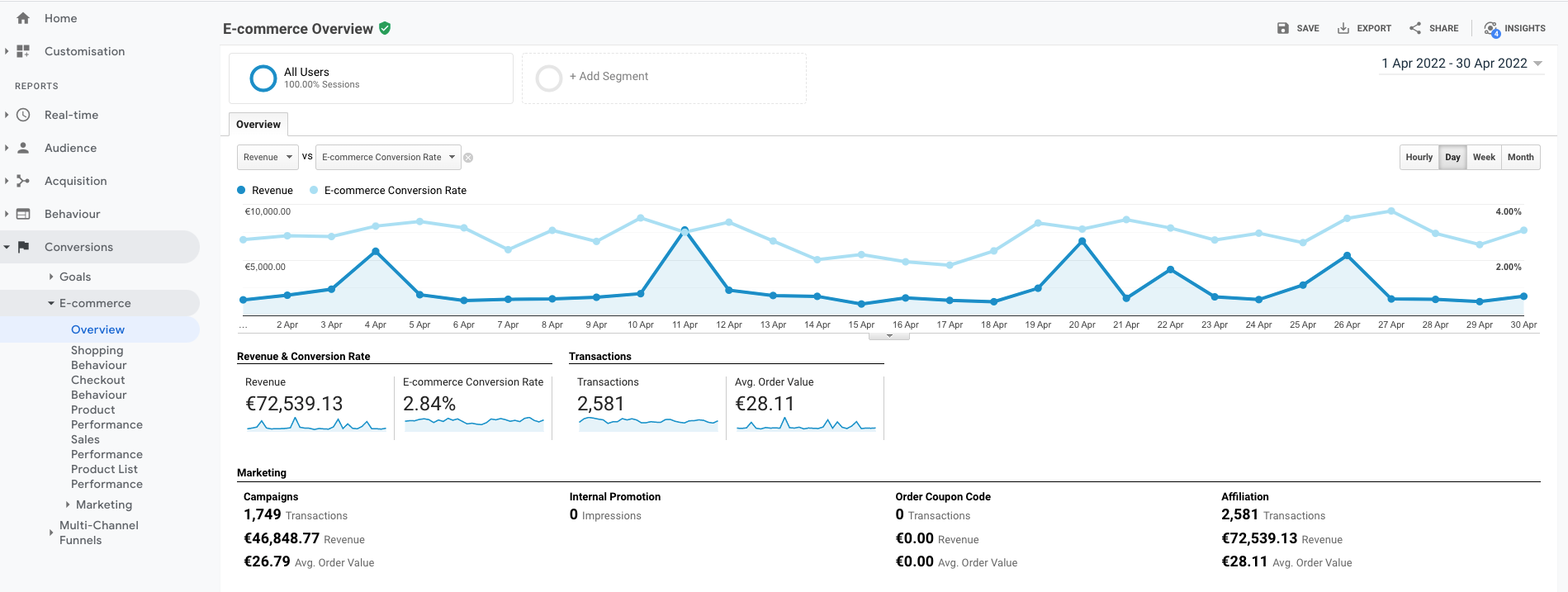\n\n\n#### Server Side Tracking E-commerce Overview\n\n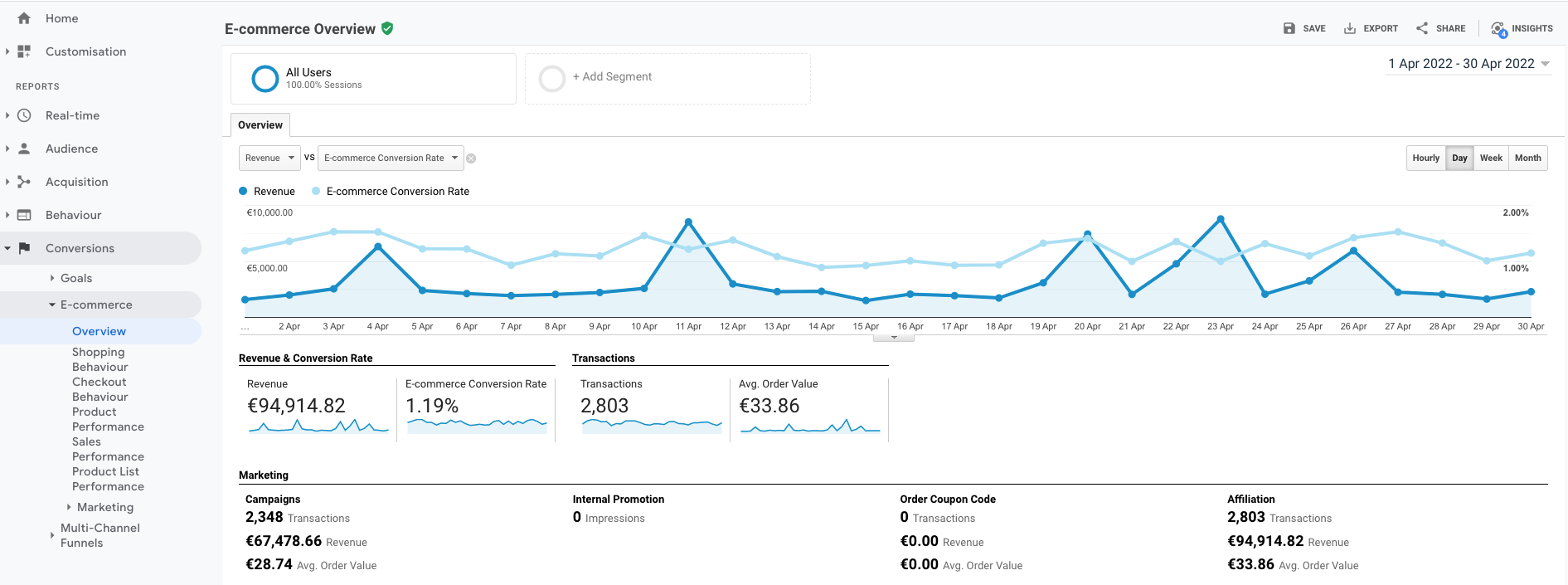\n\nIn the table below you can see the differences explained in absolute values and percentage:\n\n| | **Client Side** | **Server Side** | **Difference** |\n|------------|-------------|-------------|----------|\n| **Conversions** | 2581 | 2803 | 8,6% |\n| **Revenue** | € 72.539 | € 94.914 | 30,8% |\n\n\n\n\nHere you can already see significant differences in both the number of conversions and the total revenue measured. \n\n\n### Google Ads Campaigns Overview comparison\n\nTo assign a conversion to a campaign, Google Adwords works with a so-called Google Click ID, this is a string that is added to the url of an ad, which measures whether a click on an ad leads to a conversion. Google assigns visitors and conversions to a certain campaign. \n\nIn Google Analytics (if you have linked your Google Ads account) you will find a report under Acquisition > Google Ads > Campaigns that shows you which campaigns have yielded conversions.\n\n\n#### Client Side Tracking Campaign Overview\n\n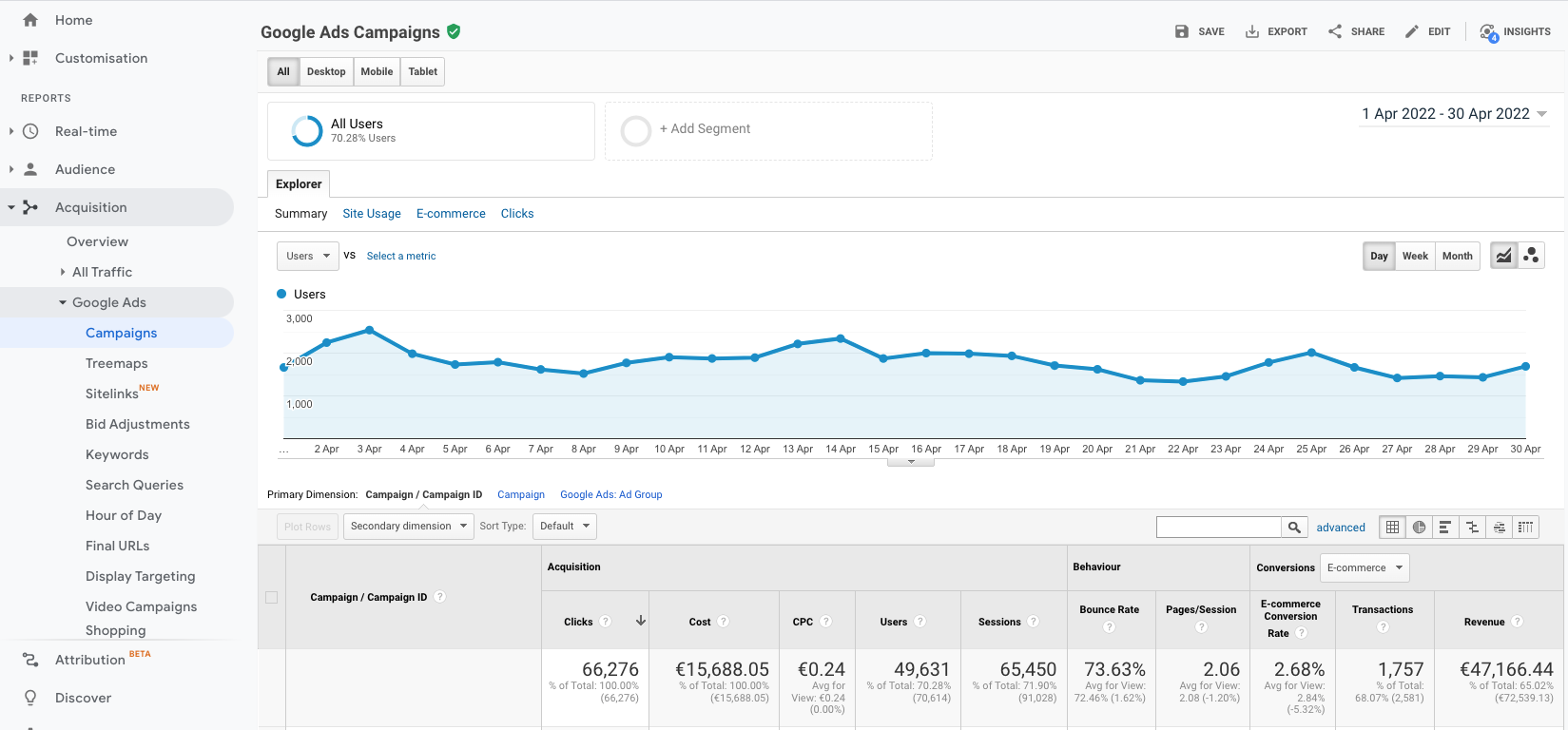\n\n#### Server Side Tracking Campaign Overview\n\n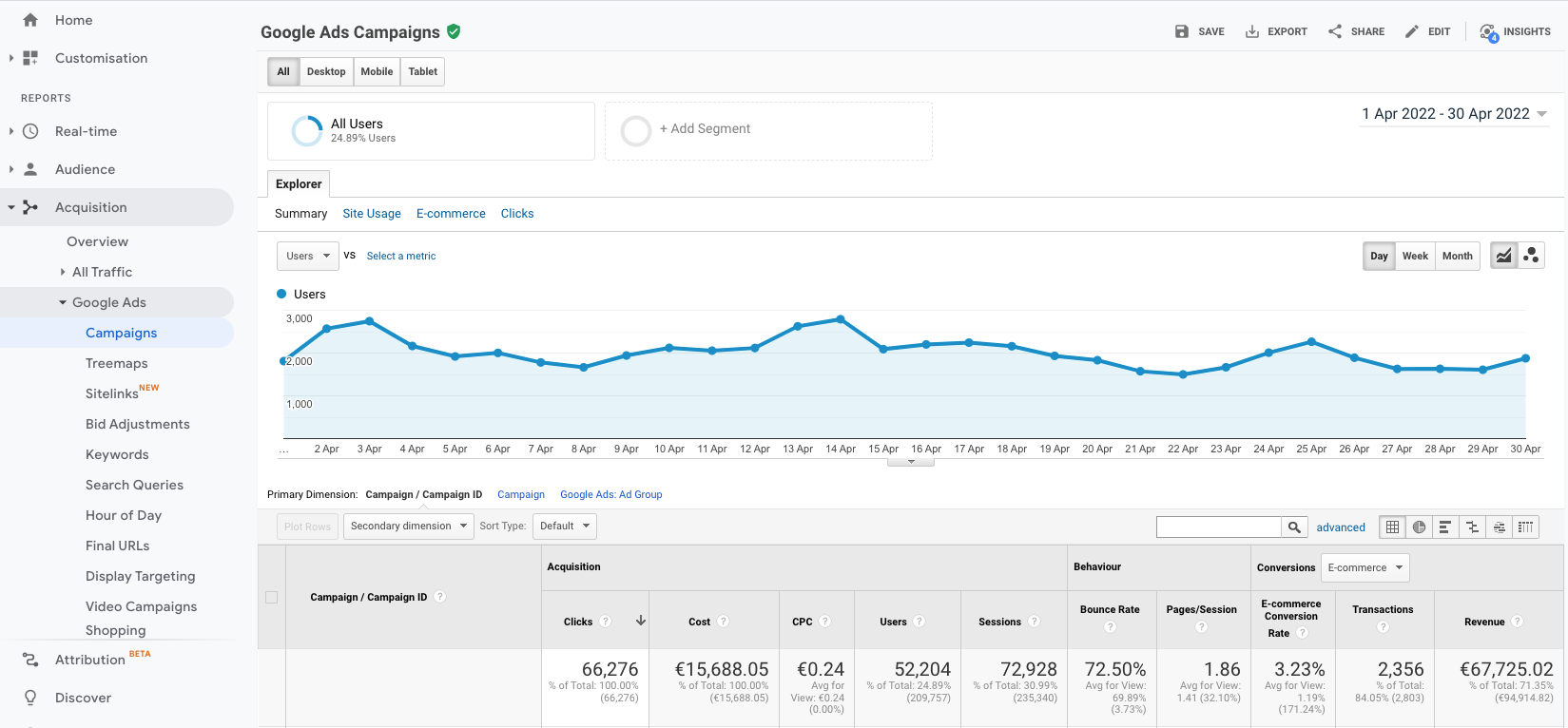\n\nIn the table below you can see the differences explained in absolute values and percentage:\n| | **Client Side** | **Server Side** | **Difference** |\n|------------|-----------------|-----------------|--------------|\n| **Conversions** | 1757 | 2356 | 34,1% |\n| **Revenue** | € 47.166 | € 67.725 | 43,6% |\n\n\n\n\nAs you can see, here the differences are even greater. So this means that if you are using Google Ads you are missing out on a huge amount of data here if you are not using Server Side Tracking. \n\n\n### What does Server Side Events do to your results?\n\nFor this client, we forwarded the conversions from Google Analytics to Google Ads on March 24th, which meant that the campaigns started receiving more data. As of the following week, we have seen a 40% increase in purchases and a 67% increase in sales. \n\nThe only adjustment we made during this period was turning on SSE. Below is a screenshot of the results from March 25 to 31, compared to the previous period.\n\n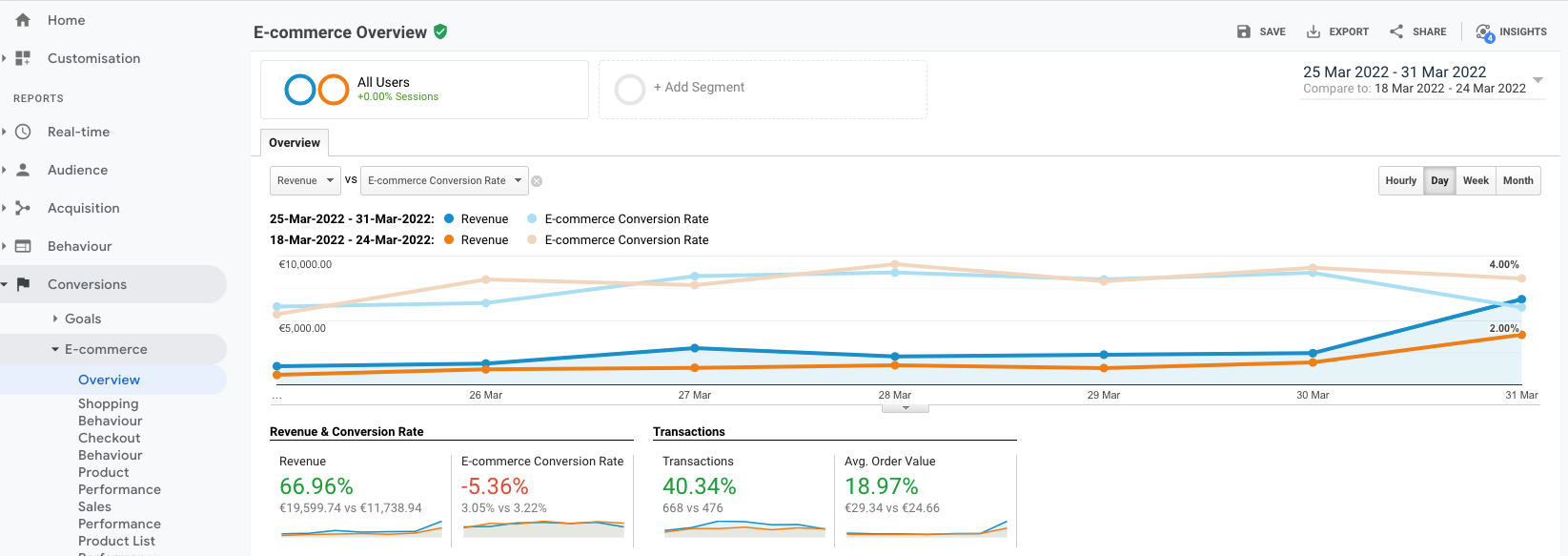\n\nAs you can see, the number of **purchases increased by 40%** and the **revenue of this webshop increased by a whopping 67%**.\n\n## How can I use Server Side Events from Afosto?\n\nCurrently we offer Server Side Tracking for both Google Analytics and Facebook Business (Facebook and Instagram advertising).\n\nIn order to use SSE you need to create an account on Afosto via [this link](https://afosto.com/register/). \n\nYou also need to have an [Afosto webshop](https://afosto.com/apps/webshop/) and a [Google Analytics](https://analytics.google.com/analytics/web/) or [Facebook Business](https://www.facebook.com/micro_site/url/?click_from_context_menu=true&country=NL&destination=https%3A%2F%2Fbusiness.facebook.com%2Foverview&event_type=click&last_nav_impression_id=3KE18LTBLfY9MMvS1&max_percent_page_viewed=42&max_viewport_height_px=877&max_viewport_width_px=1743&orig_http_referrer=https%3A%2F%2Fwww.google.com%2F&orig_request_uri=https%3A%2F%2Fwww.facebook.com%2Fbusiness%2Fhelp%2F1710077379203657&primary_cmsid=1710077379203657&primary_content_locale=nl_NL®ion=emea&scrolled=true&session_id=2SJbNje1GT5kLzksu&site=fb4b&extra_data[view_type]=v3_initial_view&extra_data[site_section]=help&extra_data[placement]=%2Fbusiness%2Fhelp%2F1710077379203657) account. You can create these for free.\n\nIf you're already using Google Analytics, we recommend putting a new property next to your existing property. By doing this you can compare your current results with the new way of measuring, just like I did above. \n\nOnce you have created an account you can send us an email at [support@afosto.com](mailto:support@afosto.com) with your Tracking ID for Google Analytics (UA code). For Facebook tracking we need a Pixel ID and access token from your Facebook Business account.\n\n ## Interesting marketing articles\nAre you interested in marketing, creating campaigns and improving your online sales? Then the articles below might also be interesting for you to read: \n- [How to write perfect meta titles & descriptions for SEO](https://afosto.com/blog/perfect-meta-titles-and-descriptions/)\n- [What does SEO mean?](https://afosto.com/blog/what-does-seo-mean/)\n- [The Best WordPress Image Optimizer Plugins 2022](https://afosto.com/blog/best-wordpress-image-optimizer-2022/)\n","locale":"en","primary_image":{"url":"https://qcqcdn.com/afosto/Server_side_tracking_banner_79e95b8f87/Server_side_tracking_banner_79e95b8f87.jpg"}},{"author":"Sander Kah","title":" What is an order management system? The ultimate guide for choosing the best solution.","published_at":"2022-05-09T10:00:00.045Z","reading_time":"00:09:00","seo_description":"Learn what an order management system is, where you need it for and how they work in this extensive guide","seo_title":"What is an order management system?| ULTIMATE 2022 Guide","slug":"what-is-an-order-management-system","body":"Most e-commerce companies aren't deliberately careless about fulfilling orders. It's possible that none of them intentionally persuades customers to buy products, only to have their purchases delayed or mixed up. So why do some online retailers use inefficient systems to manage orders? While many e-commerce businesses are switching to order management systems, many have no idea what they're getting into or why they should. \n\nIf you're thinking about establishing an order management system, this article will provide you with all the information you need to make an informed decision. You need a way to organize and track orders, and a piece of software can help you do just that. But what precisely is an order management system?\n\n\n## **What Is an Order Management System (OMS)?**\n\n\n\n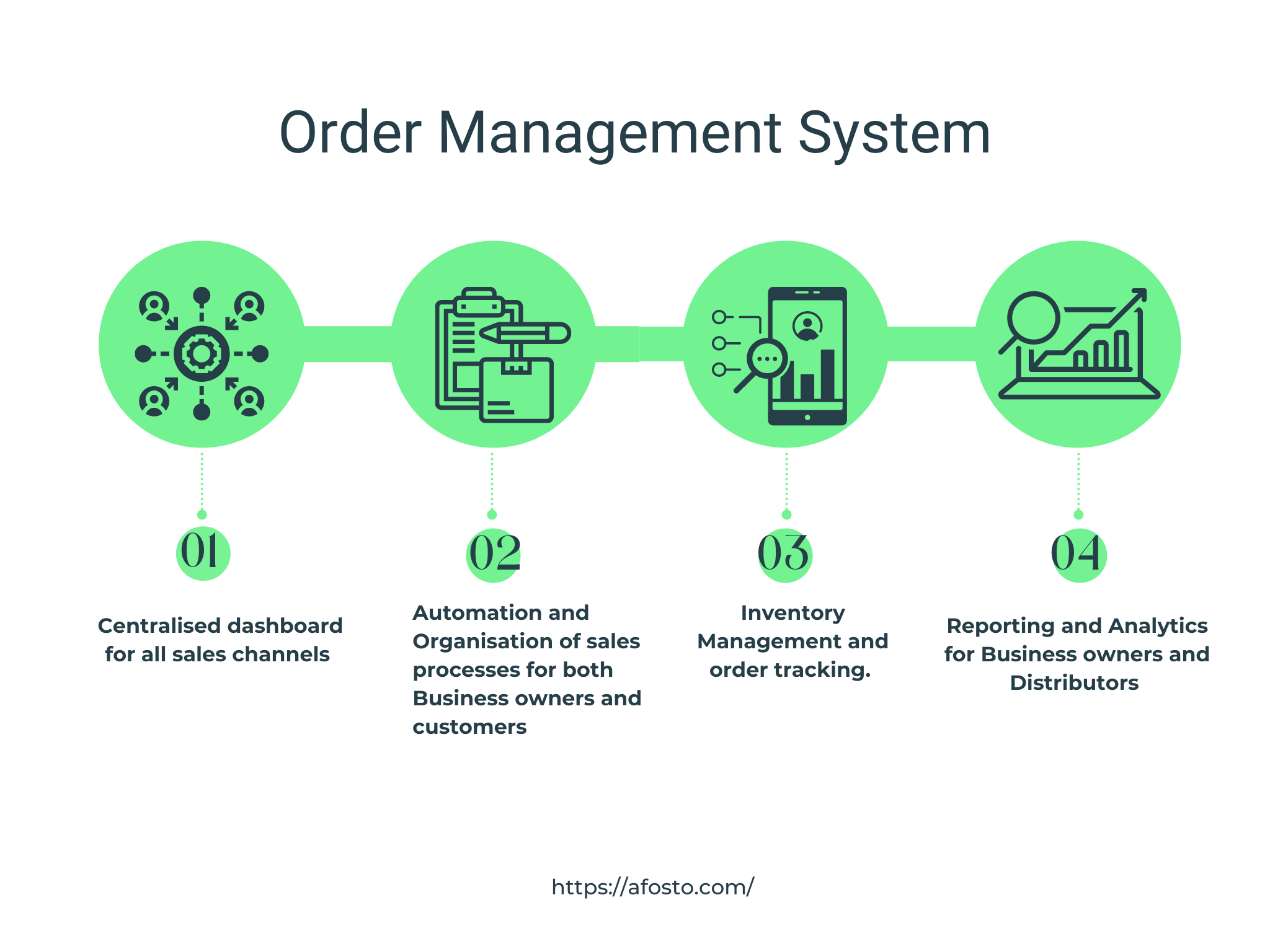\n\n\nAn order management system is a platform that helps businesses keep track of orders from different sales channels in one dashboard. These sales channels include for example POS systems and marketplaces like Amazon and eBay. An OMS provides several solutions to business owners. First, it provides a centralized system for managing orders from multiple sales channels, including brick-and-mortar locations, websites, marketplaces, mobile apps, social media platforms, and in-store screens. \n\nSecondly, an OMS assists companies in organizing and automating essential aspects of their purchasing/fulfillment processes for themselves and their customers across all sales channels. An OMS solution provides the features that help you manage tiny details in order fulfillment, whether optimizing shipping routes from the nearest and cost-effective location or prepping items for in-store pickup.\n\nThirdly, an OMS can help companies monitor inventory levels and track orders on delivery across all sales channels to avoid stockouts and backorders. Suppose a customer buys one of your products on Amazon or eBay; in that case, the system automatically updates all records on other channels and provides dashboards to help you keep track of the order status. \n\nFinally, A robust OMS provides fulfillment reporting and analytics, allowing retailers and distributors to monitor key performance indicators (KPIs). For example, advanced OMS solutions allow you to track order fill time, fulfillment costs such as picking, packaging, and shipping, and even product defect and return rates. Monitoring these and other key performance indicators (KPIs) is the first step toward identifying inefficiencies and developing a plan to fix them.\n\n\n[](https://afosto.com/request-demo)\n\n\n\n\n## **How does order management work?**\n\n\n\n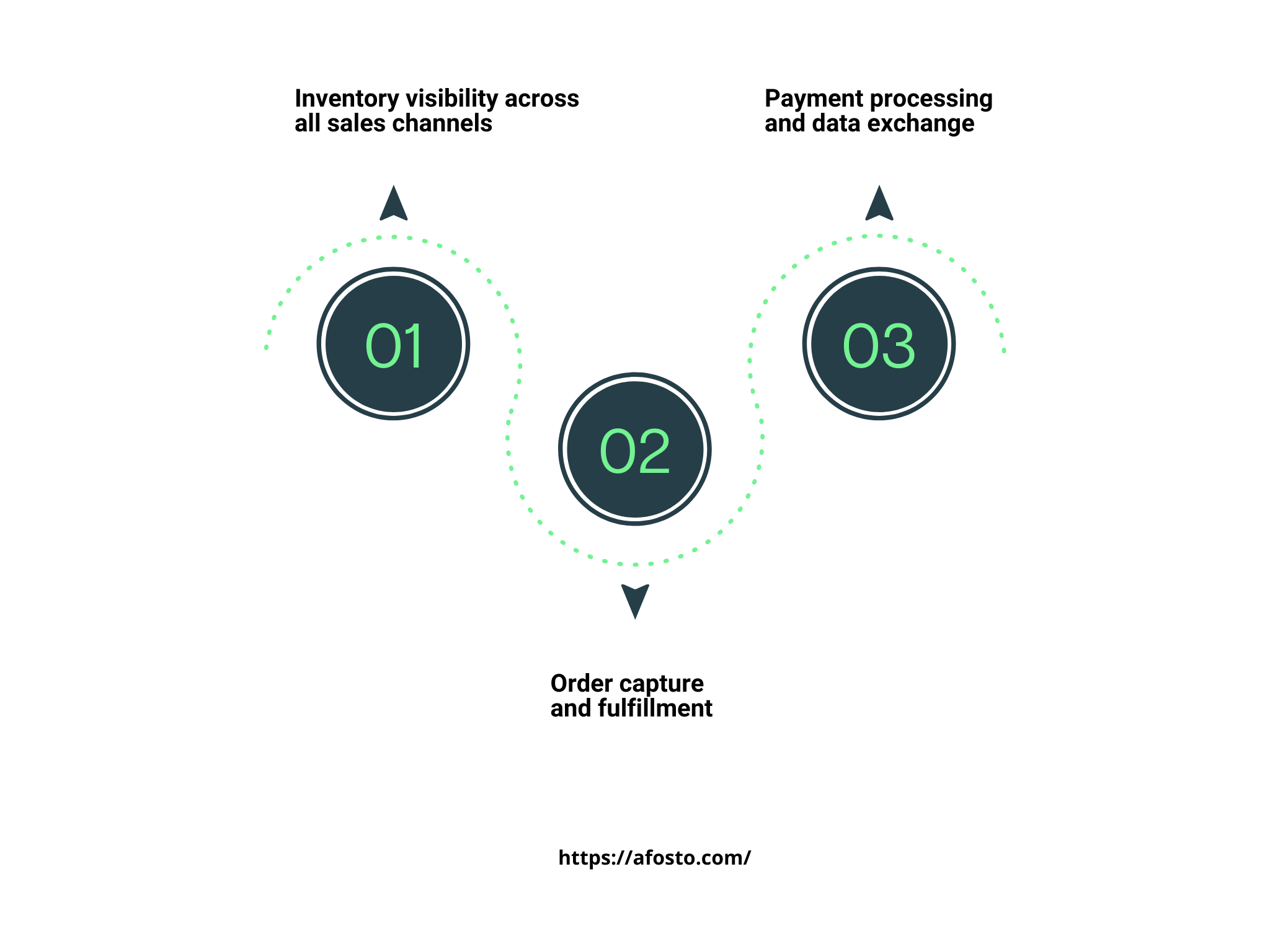\n\n\n\nAn order management system executes multiple business processes regularly. These processes can be grouped into three broad steps. \n\nIn the first step, the OMS provides visibility into inventory across stores, warehouses, logistics firms, and drop-ship locations. The record of the inventory is synced across all sales channels. \n\nNext, when an order comes through any sales channel, the OMS captures the order details, optimizes the customer's preferred shipping option, and fulfills the order. The customization options are predefined to meet the customer's needs, and many of the workflows are automated so that the business owner can focus on more important matters. \n\nFinally, a full-featured OMS facilitates payments and communicates data with financial systems after the order has been placed. If, after delivery, a customer wants to return an item, the OMS establishes rules for processing returns from all channels, completing exchange requests, crediting the customer account, and managing the dispositioning process.\n\nThese functionalities are part of any advanced headless commerces software that provides an API-first OMS which simplifies order capture and fulfillment for business owners and their customers. Using a headless system puts you above[ 42% of retailers](https://www.statista.com/statistics/1224037/retail-inventory-management-solutions-united-states/) who claim that their business OMS needs an upgrade. \n\n\n## **Types of Order Management Systems**\n\nWhen it comes to order management systems, there are many options. From handwritten ledgers to computerized spreadsheets, everything in between has been tried and tested throughout the years. Today, order management systems have grown in complexity, effectiveness, and use, and they fall under two broad categories.\n\n\n\n### **Enterprise Software:**\n\nSome OMS platforms are standalone modules that do not interact with other parts of a company. A standalone tool of this type provides all of the main features of order management. It enables businesses to centralize and track order data while making customer and transaction information readily available. Some of the better systems also include additional inventory and warehouse management functionalities.\n\nThe main drawback of standalone software is its lack of integration. \n\nAs previously stated, the ideal software should work in tandem with various other solutions. Aligning your order management with shipping, accounting, inventory demand forecasting, POS, and other tools can be difficult. As a result of a failure to communicate, data silos might form, and scaling issues can arise.\n\n\n\n### **Cloud-based SaaS Model:**\n\nA [SaaS order management software](https://afosto.com/orders/ecommerce-order-management/) tailored to retail is a great option for brands serious about order management and other back-office operations. These systems provide all aspects of the order process that we discussed earlier. That includes both the e-commerce and fulfillment processes.\n\nThis OMS model allows for faster and easier deployment, \"pay as you grow\" alternatives for better scalability, and access through a browser or mobile app from anywhere there is an internet connection. Furthermore, an OMS solutions provider maintains and hosts the software, resulting in a better user experience and increased reliability.\n\nThe ideal SaaS OMS would have all the necessary features for processing orders from multiple channels, managing inventory, logistics, and supply chain, and providing analytics and inventory projections. This OMS can be integrated with CRM and accounting software to provide even more comprehensive data for a complete customer experience.\n\n\n## **Why Online Sellers Need an OMS**\n\nThere are many steps in the purchasing process of online retail businesses, from the point where an order is received to the point where the order reports are generated. Online retailers can increase efficiency by organizing these and other essential processes in one digital space with an OMS. In addition to increasing the bottom line, OMS software can improve the customer experience.\n\nUnlike traditional order management systems, where processing many orders results in a high error margin, OMS software uses task automation and warehouse and inventory data centralization to remove errors and prevent data loss.\n\nAnother vital reason online sellers need an OMS is that selling on several platforms can make inventory tracking challenging, especially if the systems don't sync in real-time (or at all). When an order is handled through an order management system, inventory is automatically updated, making the software excellent for multichannel businesses.\n\n\n## **How to choose an OMS**\n\nChoosing an OMS for your company is not a decision to be made lightly. The right one can save time, decrease expenses, and provide better experiences to your customers—experiences that will entice them to return regularly. \n\nThere are many factors to consider in making that decision, both in terms of possible software integrations and workflows that you can automate on the system.\n\nHere are three critical factors to consider when choosing an OMS:\n\n\n\n### 1. Technology Stack\n\n\n\n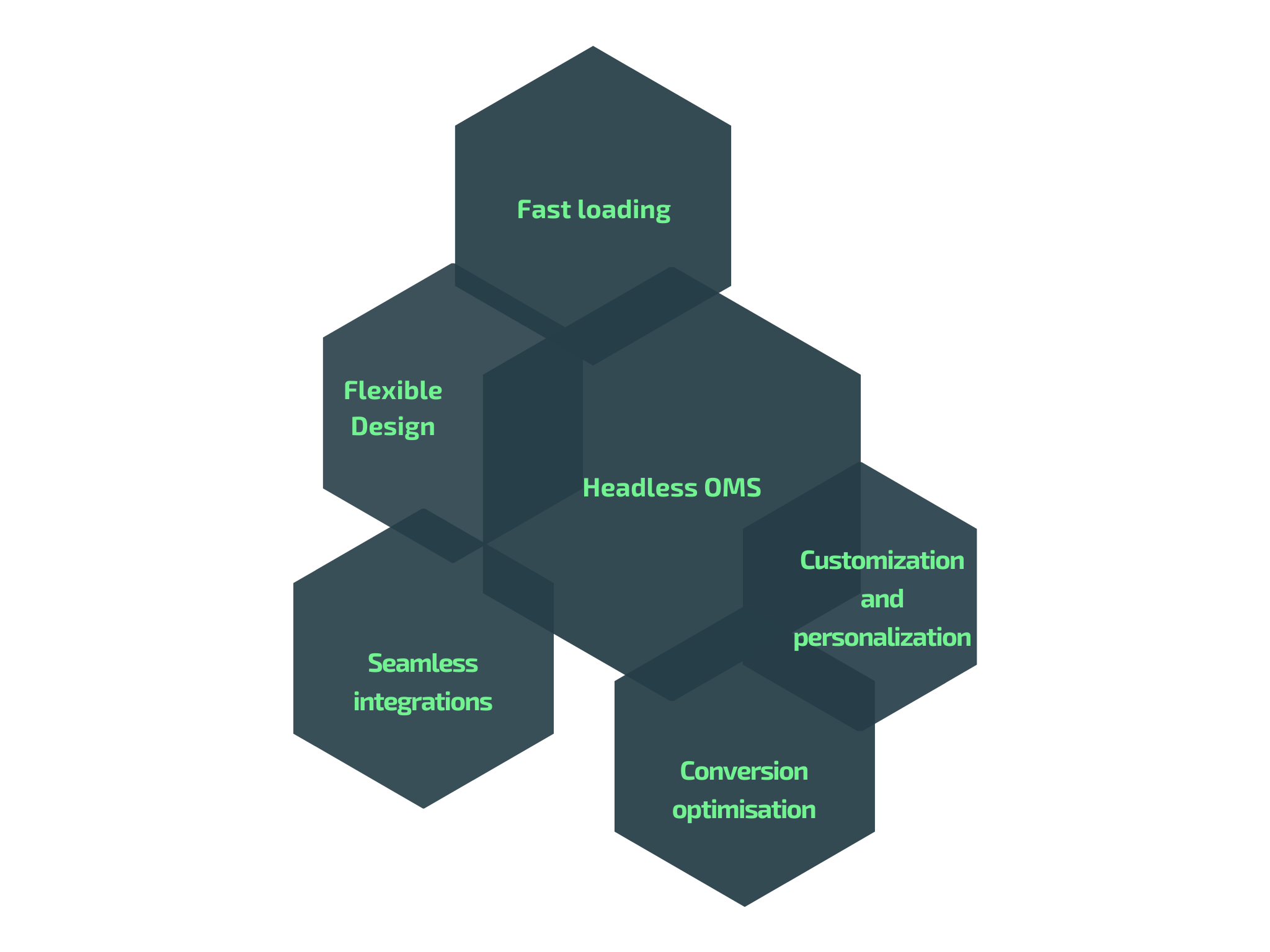\n\n\n\nA critical factor to consider when choosing an OMS is the technology stack used in developing the Platform. The tech stack provides a clue into how fast and flexible the Platform is and what you can expect in terms of performance. The best OMS types are built with the API-first headless architecture, which ensures that the images and pages of the system are well optimized. \n\nEvery retail brand is unique and requires a technology stack designed to fit. With a headless commerce system, every brand has the chance to customize its user experience and deliver what customers want more quickly and improve conversion. You may not be able to see how a headless OMS can help your bottom line until you [schedule a demo.](https://afosto.com/request-demo/)\n\n\n\n### 2. Integrations\n\n \n\n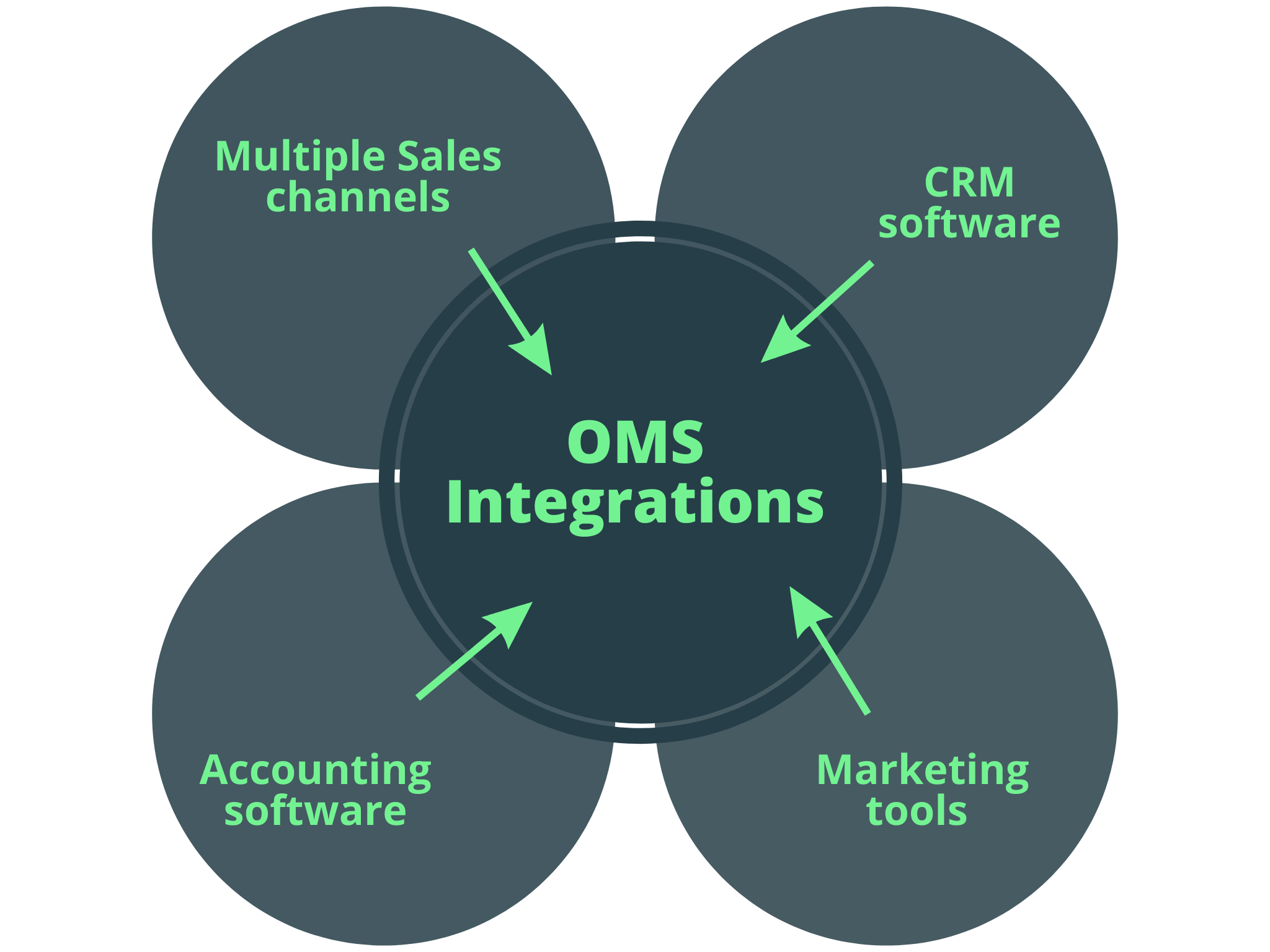\n\n\n\n\n\nBefore deciding on a system, consider how it will work with other programs you already use. The data from your OMS software should seamlessly integrate with your accounting and CRM to generate a comprehensive perspective of your business. \n\nAlso, ensure that your OMS is multichannel; integrations for Sales channels, marketing tools, and other components should all be part of this system. This factor is especially critical for retail brands with many sales channels. The best OMS for your brand doesn't necessitate a complete overhaul of your current system; it should be able to incorporate any software you need without putting your business at risk.\n\n\n\n### 3. Business Analytics and Reporting\n\n\n\n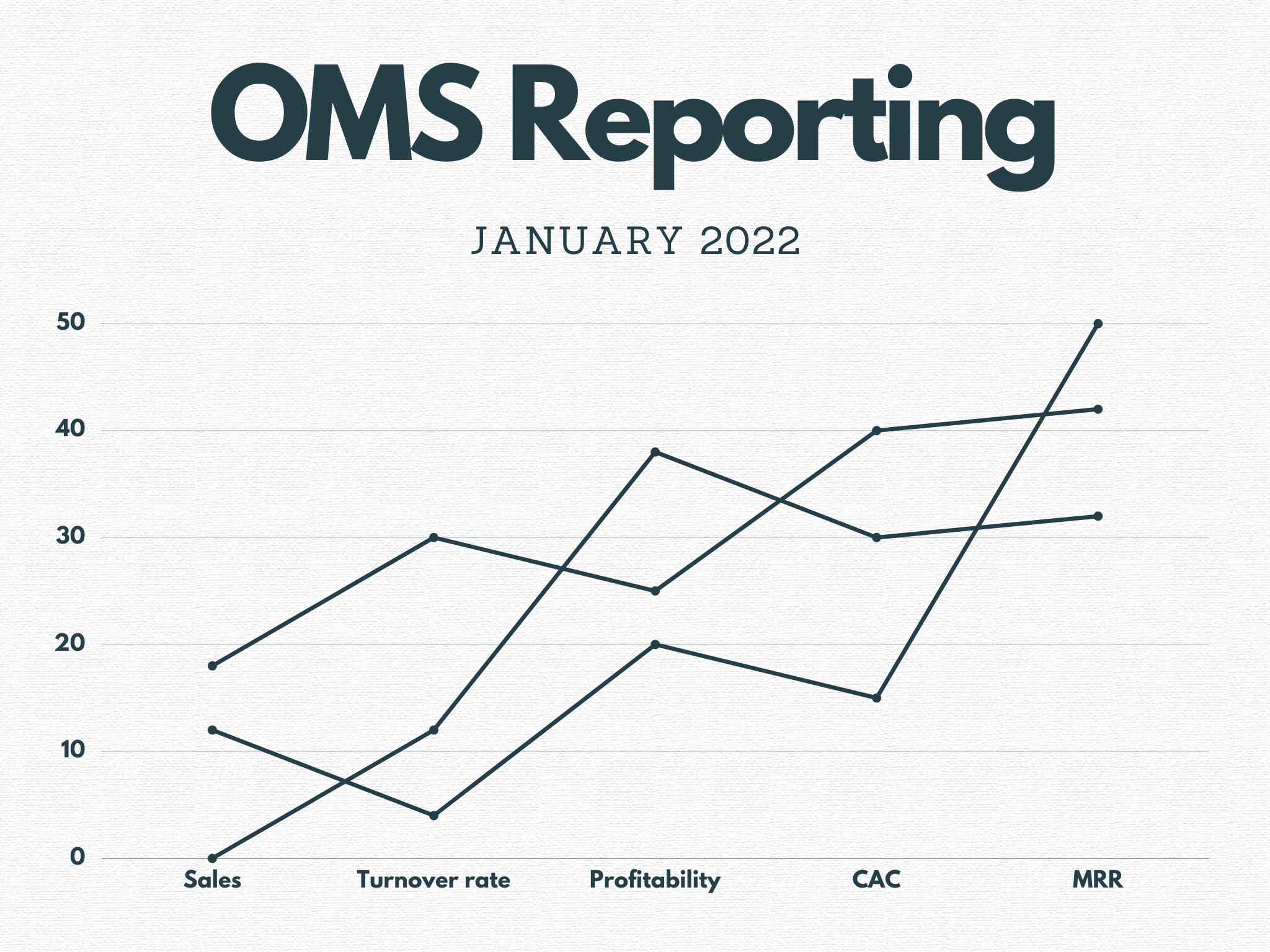\n\n\nHaving a robust reporting feature on your OMS can help you in many ways:\n\n\n\n1. Customer data will provide insight into your target persons during marketing activities.\n2. Accurate sales numbers will help you optimize inventory management.\n3. On the other hand, profit and loss reports will allow you to dig deeper into your entire financial health. \n\nExamine the analytics and reporting functionalities of an OMS before making that final decision. Here are some questions to ask the OMS reps to ensure that you're making a good decision.\n\n\n\n* Is it possible to track product and channel performance over time with this Platform?\n* Can you see detailed customer demographic reports?\n* Can you track your sales in other ways to better understand my company's performance?\n* Can you have a real-time view of your financial metrics?\n* Can you make inventory forecasts using the data available on the OMS?\n\nOrder management software is helpful for more than just keeping track of your current position. it should be able to assist you in analyzing larger patterns and trends and keeping track of current orders across all channels. To observe this reporting in action, [schedule a demo](https://afosto.com/request-demo/).\n\nYou're missing out if your system doesn't allow for this level of reporting.\n\n\n## **Benefits of an Order Management System**\n\nA company's decision to implement an OMS usually results in a review of its supply chain to identify problems and opportunities for improvement. Faster fulfillment times, for example, have resulted solely from this kind of analysis. Additional OMS benefits include reducing labor costs, optimizing fulfillment across all channels, and enhancing sales and profitability. \n\nNow that you know the work of an OMS, the different types of OMS, and how to choose one, here are some benefits of implementing an OMS:\n\n\n\n###. **Reduced data entry error.**\n\nWith an OMS, the potential for processing error is nearly completely removed. This error-free system is achievable because the same data is utilized in all sections of the sales and fulfillment process; it is possible to limit data entry, which reduces the risk of data input errors.\n\n\n\n### **Order tracking visibility.**\n\nWith an OMS, everyone in your company that has backend access can track the status of orders, which enhances customer service. You'll need this access to deliver excellent customer service to your consumers at every stage of the purchasing process. Customers can also use OMS to check on the status of their orders.\n\n\n\n### **Smart inventory management.**\n\nImproved sales visibility allows you to optimize inventory levels to match customer demand while eliminating overstock. A centralized view prevents you from missing a sale due to inventories spread across multiple locations. With inventory adequately managed, you can increase profitability while improving customer experience and inspiring loyalty.\n\n\n\n### **Analytics and reporting**\n\nOMS analytics dashboard provides metrics that will empower you to make data-driven decisions. There is no need to make random guesses about what needs to be worked on when you have a tool that provides complete visibility into the correlation of your sales patterns, KPIs, projections, and inventory levels.\n\n\n\n[](https://afosto.com/request-demo)\n\n\n\nTo scale your online retail business, you need to take orders from multiple channels. Whether your customer finds your product on Amazon, Facebook, or your online store, they should have an outstanding experience, not minding where they placed the order. If you want to achieve this, your inventory and fulfillment operations must be efficient and accurate.\n\nOMS software is a critical tool for managing inventories, accepting orders from various channels, fulfilling orders, and processing refunds. \n\nThe Platform is most useful when other critical systems like ERP, CRM, and accounting are integrated. [Schedule a demo](https://afosto.com/orders/ecommerce-order-management/) if you want to see how an OMS works with all these systems. \n\n\nIn today's digital world, customers can approach retailers in various ways and make purchases via websites, apps, marketplaces, and more. Order Management systems are a single point of entry for all sales, orders, inventory, and fulfillment, independent of how the order is received or how the product is delivered, instead of having separate programs for each way of ordering.\n\n### More Exciting Articles around Orders\nLooking for more interesting content around order management, or online retailing? Then you might be interested in this articles as well:\n\n- [Omnichannel vs Multichannel: Which is best for your eCommerce Retail Business?](https://afosto.com/blog/omnichannel-vs-multichannel-ecommerce/)\n- [Headless Commerce: What is it?](https://afosto.com/blog/headless-commerce-what-is-it/)\n- [What is Next.js?](https://afosto.com/blog/what-is-next-js/)\n- [What is SaaS? Software as a service explained](https://afosto.com/blog/what-is-saas/)\n","locale":"en","primary_image":{"url":"https://qcqcdn.com/afosto/what_is_an_order_management_system_banner_50e0bffbe8/what_is_an_order_management_system_banner_50e0bffbe8.jpg"}},{"author":"Sander Kah","title":"Omnichannel vs Multichannel : Which is best for your E-commerce Retail Business","published_at":"2022-05-04T10:35:49.885Z","reading_time":"00:10:00","seo_description":"The ULTIMATE omnichannel vs multichannel eCommerce comparison for retail. How to manage several online marketplaces from one channel","seo_title":"Omnichannel vs Multichannel E-commerce | 2022 Comparison","slug":"omnichannel-vs-multichannel-ecommerce","body":"In recent years, customers have used many options for getting in touch with a business, including the company's website and online marketplaces like eBay and Amazon. Getting in touch with a business can sometimes be as simple as sending an email, calling on phone, or visiting a physical location in person. For this reason, online retailers have designed systems that integrate all of these channels into their e-commerce platforms so that customers can get the most out of their shopping experience.\n\n**Multichannel retail** and **Omnichannel retail** are the two most common types of integrated systems. As companies try to figure out which strategy will work best for their specific business model, the argument over which integrated system is better rages on. However, in practice, only certain businesses can benefit from the use of omni channel and multi channel technologies.\n\n\n\n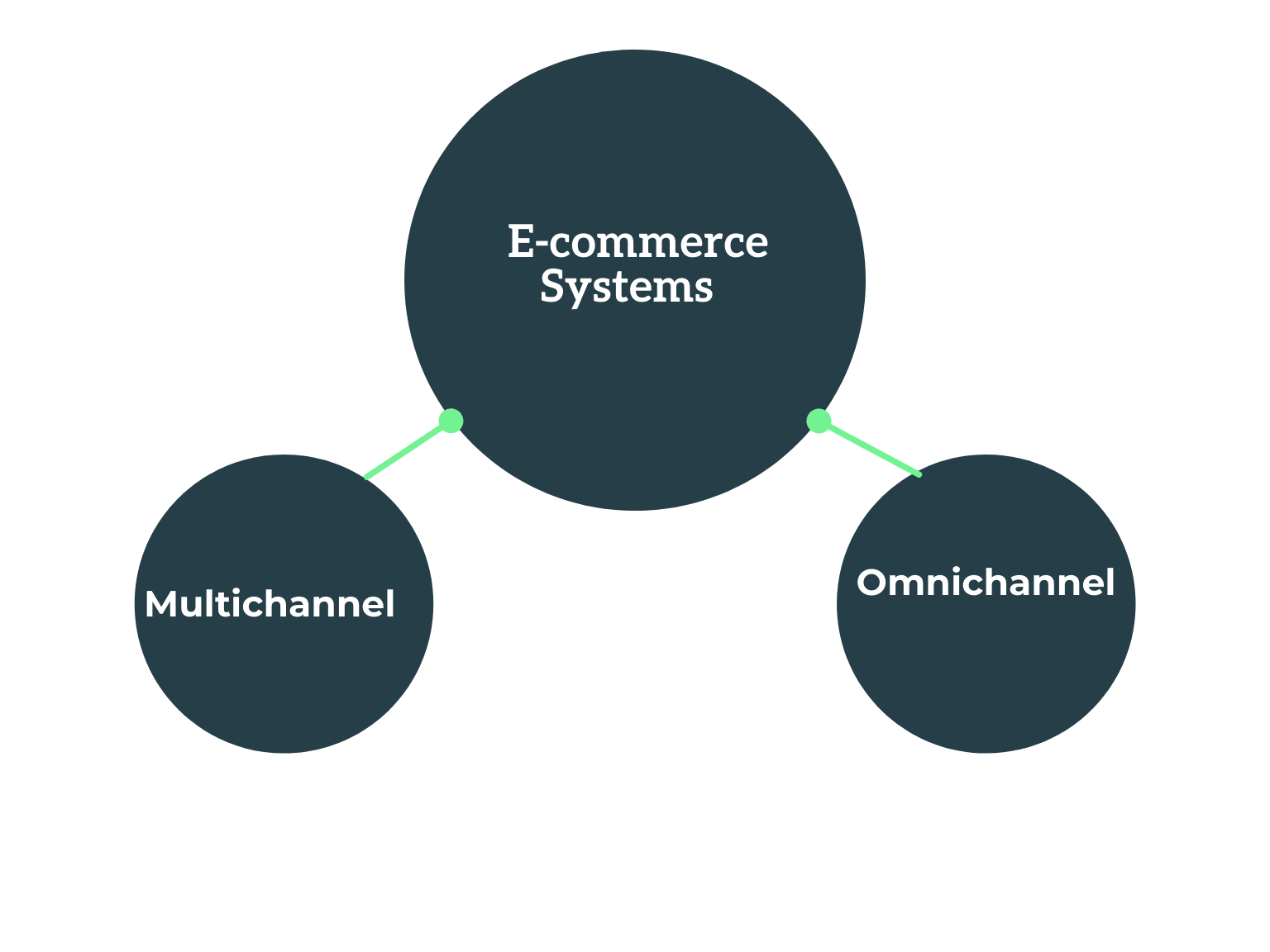\n\n\n\nWe'll look at both multichannel and omnichannel e-commerce in this post, compare the two, and suggest the best use cases for a business.\n\n\n## **What is Multichannel e-commerce?**\n\n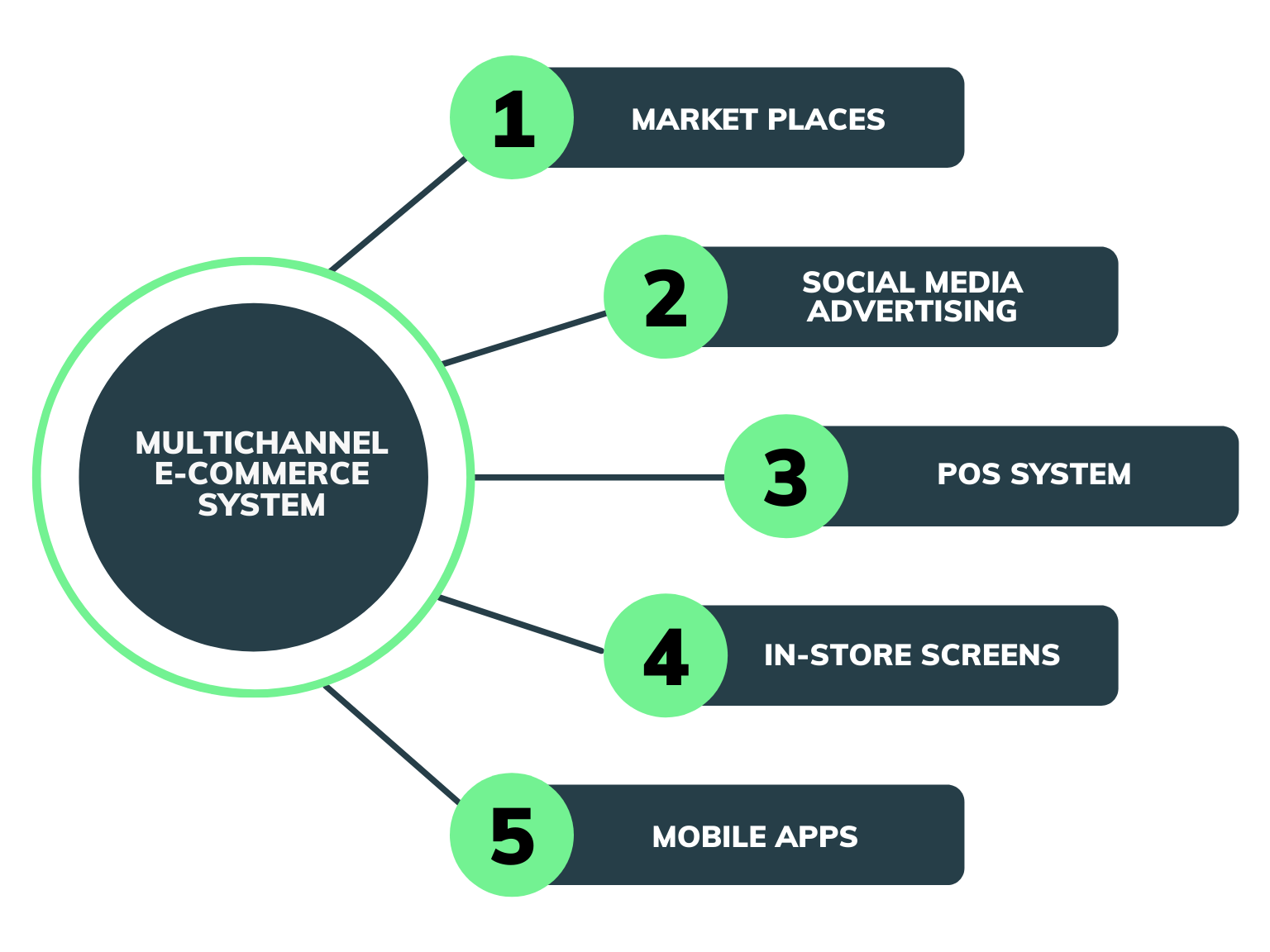\n\nMulti channel e-commerce is the process of selling products on numerous marketplaces and platforms rather than just one. For instance, a brand can list a product on its online store, list the product on Amazon, have the product in its physical locations, and advertise the same product on Facebook and other social media platforms. \n\nThis is a popular strategy for sellers that want to increase their brand’s reach and attract new customers. According to [emarketer forecasts](https://www.emarketer.com/content/multi-channel-ecommerce-sales-pick-up-speed), multichannel sales will make up close to 46% of e-commerce sales by 2023. In the United States, e-commerce [sales generated by multichannel ](https://www.statista.com/statistics/483982/multichannel-e-commerce-sales-united-states/)online retailers in 2020 exceeded 350 billion dollars. By 2023, the total sales from multichannel e-commerce are predicted to reach 575 billion.\n\nIt's clear why so many online brands use a multichannel approach to e-commerce. Instead of managing orders on each channel separately, many brands use multichannel [e-commerce software](https://afosto.com/apps/webshop/) or order management solution to manage orders and optimize operations.\n\n\n## **Why Is multichannel platform necessary for e-commerce?**\n\nIf your team uses spreadsheets and performs manual inspections, you're working hard, not smart. Multichannel stores can benefit from software solutions designed specifically for their needs.\n\nThis means that tasks that would otherwise have to be performed on many platforms can be consolidated with multichannel e-commerce software. In addition to streamlining your operations, multichannel e-commerce software lets you better serve your clients. Meanwhile, you're keeping track of your inventory levels, sales, and client interactions.\n\nYour primary priority should be ensuring that your customers receive the best service possible. This is especially critical if you are a marketplace seller because bad reviews could harm your chances of enjoying seamless product sales and growth.\n\n\n## **How does multichannel e-commerce work?**\n\nThe first step in multichannel e-commerce starts by utilizing the right e-commerce software platform. With the ideal platform, all sales channels of a company's e-commerce system will be connected to the multichannel platform via APIs to a single dashboard. When customers order on any of the channels, the order will reflect on the main dashboard of the Multichannel platform. In this way you can serve your products on multiple channels and still keep your inventory in control.\n\n**The ideal multichannel platform works in three simple steps:**\n\n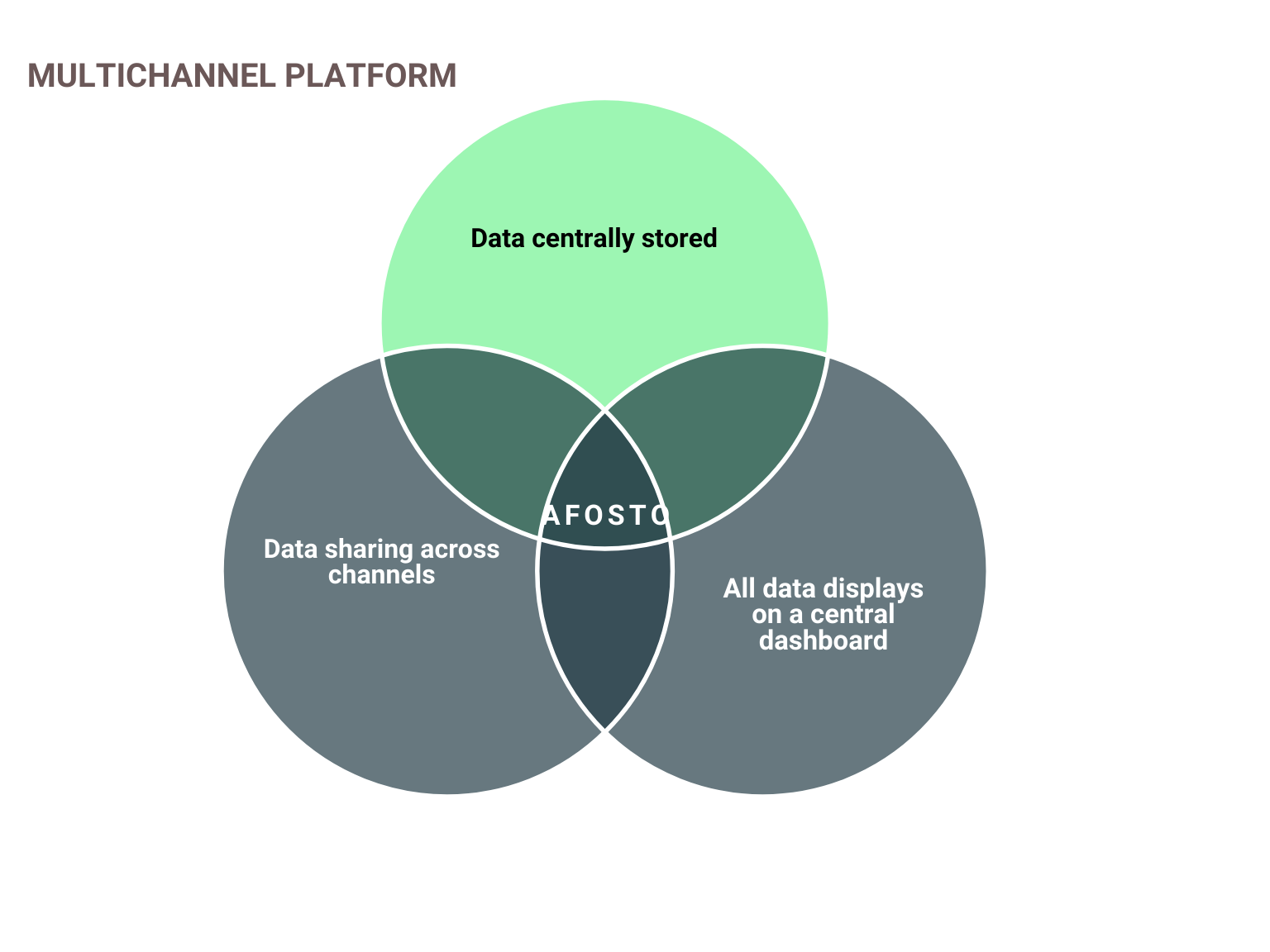\n\n### Product data is housed in a central multichannel platform\nData about a product must already exist before it can be transferred to other channels. In this first step, the e-commerce brand will upload product data to the central platform, including photos, descriptions, UPCs, variations such as different colors and sizes, prices, and stock availability. There is only one source of truth for all of the product data, and it is this repository.\n\n\n### Product data is organized and shared to other channels\nData requirements, integrations, and policies vary widely between channels. Therefore a company's product data cannot be exported to any of the web's various channels without modification. Utilizing a world-class technology solution, especially for organizations with many SKUs in their catalogs, simplifies this process.\n\nThe company uses the multichannel platform to share product data across several channels, adjust product listings to improve performance on each targeted channel, and then use APIs to sync data across all channels and the central point. The product feed is updated on a regular basis with the most up-to-date product information, such as availability, new products, and price changes.\n\nSome brands consider creating the multichannel platform in-house. However, it will take a considerable investment in terms of time and money to create internally, acquire channel expertise, and maintain ongoing data feed maintenance.\n\n### All Channels are Monitored and Managed from One Dashboard\nTo fulfill orders from a marketplace, a company must first receive the order, then match the ordered item to the relevant product, ship it, and provide tracking information to the marketplace so that the consumer is notified. Using the multichannel platform, this is accomplished effectively.\n\nFulfilling orders will become even more efficient when more marketplace channels are added to the mix because some processes will be automated, allowing a company to dramatically optimize its operations and online sales.
Orders will be processed efficiently through this multichannel network, whether they come from Amazon, eBay, or a company's physical store. Stock inventory will also be updated across all channels.\n\n## **Types of Multichannel E-commerce Software**\n\nWhen managing many channels, you can use software to simplify many aspects of your sales process. Let's look at some of the critical tasks that multichannel e-commerce software may help with and a few industry-leading technologies.\n\n\n* **Multichannel Order Management Platform**\n\nThe Multichannel Order Management platform is a software system designed for retail businesses that sell both online and offline. This software addresses two significant issues. First, the software collects orders from all channels and displays them in one dashboard. Second, when prices change, they update all channels with the new prices. \n\nSome Multichannel order management platforms go above and beyond to provide complete commerce management solutions. [Afosto’s order management software](https://afosto.com/orders/ecommerce-order-management/) provides a central connection between a physical store, marketplaces, [POS systems](https://afosto.com/apps/point-of-sale-software/), social media sales channels, [In-store screens](https://afosto.com/apps/in-store-screens/), and a company’s [webshop](https://afosto.com/). Managing all business sales channels is a sure way to guarantee that your customers will have a seamless experience with your brand. \n\n\n\n* **Multichannel Inventory Management Software**\n\nMultichannel inventory management software lets you keep track of all your stock and orders from a single location. With this tool, you won't have to cancel any customer's orders if you run out of stock on any platform you sell on. It's much easier to keep track of all of your inventory and orders when they're all funneled through a central system.\n\nInventory management is on another level with [Afosto’s inventory management system](https://afosto.com/products/). A retailer or wholesaler using this system will save time because they can manage product texts, images, prices, and specifications in one place for all sales channels. \n\n\n## **Key Benefits of Multichannel Selling?**\n\nYou're undoubtedly aware of all the advantages of utilizing a multichannel platform at this time. However, just to put things in perspective, we've included a couple more benefits.\n\n\n### **Increases potential revenue**\n\nA multichannel e-commerce platform gives you extra sales channels, which means your brand's visibility improves dramatically while also allowing you to explore a broader range of market segments. This will assist you in attracting more potential customers and increase your sales. It also offers a variety of chances to upsell your customers, ranging from everyday necessities to impulse purchases and personalized recommendations, all of which contribute to your bottom line.\n\n\n### **Reach a broader audience**\n\nA multichannel order management system increases your customer base and helps you reach a broader audience by increasing your mass-market distribution. Even if you're a tiny business, you may reach a far broader audience by leveraging the enormous reach of giants like Amazon to promote your products and services. This additional exposure would lead to more money with the simple fulfillment and checkout processes provided by multichannel selling software.\n\n\n### **Easy access to customer information**\n\nWhen you have a lot of sales channels, you'll have a lot of data to work with to build a thorough profile of your target clients. Demographics, purchasing history, time zone, location, shopping devices, and interests are all examples of data. This data can assist you in developing a more precise sales strategy and a more effective marketing strategy to improve your conversion rate.\n\n\n### **Improved forecasting**\n\nEach year, overstocks cost businesses around the world a lot of money. Often, overstocking is caused by lousy purchasing and planning decisions resulting from inaccurate forecasts and incomplete data. A multichannel inventory software lets you see every performance and sales statistic from your sales channels. As a result, your company's sales forecasts are more accurate, and inventory management is more precise, improving performance.\n\n\n## **What is Omnichannel E-commerce?**\n\nOmnichannel commerce is a multichannel commerce strategy that emphasizes a personalized shopping experience for customers. An omnichannel strategy integrates sales and marketing to ensure that customers smoothly transition from one channel to the next if there's a need. These platforms try to retain their customers by providing personalized experiences through their websites, apps, and some marketing channels. \n\n\n## **Key difference between Omnichannel and Multichannel E-commerce**\n\nThere are a few differences between Multichannel and omnichannel. The decision to use one of the two platforms boils down to a company's business model, marketing, and customer requirements.\n\nMultichannel is channel-centric; such platforms ensure that a brand's entire sales channels are effective and well managed. Order and inventory management are the same in a multichannel system, whether at a physical store, webshop, or marketplace. Customization happens in a multichannel platform, but these platforms don't lead with it. A multichannel e-commerce system is ideal for retail brands. \n\nOmnichannel is customer-centric and focuses on personalizing a client's experience by understanding where they are in the buyer's journey and interpreting their behavior across several touchpoints. The goal of omnichannel platforms is to increase customer retention by prioritizing customer follow-ups across all channels.\n\nSubscription-based brands such as Netflix and Spotify, as well as some retail brands such as Nike, come under this category. Nike employs an omnichannel approach to ensure that marketing and customer experience are consistent and customized across numerous touchpoints such as their online store, mobile apps, and in-store screens.\n\n\n## **Key Similarities between Multichannel and Omnichannel E-commerce.**\n\nThere are some striking similarities between multichannel and omnichannel e-commerce systems. First, in both systems, store owners can integrate multiple sales channels like marketplaces, physical stores, and social media stores, to reach far and wide for new customers. \n\nSecondly, inventory and order management and product shipping on both omnichannel and multichannel platforms are done from a single dashboard. Whether a customer purchases a product from a marketplace or through a social media platform, both multichannel and omnichannel systems process orders from a central point. \n\nIn addition, in both e-commerce systems, the only way to track customer behavior is through cookies or a registered email address. For instance, unless a customer visits a product website and receives browser cookies or registers with their email address on the website, the website owner has no way of tracking the customer if they decide to go to a different sales channel.\n\nFinally, CRM integration is possible with both platforms. When a customer purchases something from Amazon, information about the customer's order, identity, and location are sent via API to the seller's commerce system, whether it's omnichannel or multichannel. Both commerce platforms can generate customised campaigns to communicate with the buyer using their data saved in the CRM.\n\n\n## **What is the Most Effective Strategy?**\n\nIn many aspects, multichannel and omnichannel are similar. An omnichannel strategy is still a multichannel strategy because it provides clients with more than one sales and marketing channel. The primary distinction between the two systems is based on which one best fits a company’s business model. Subscription businesses such as Hulu, where retention is an essential aspect of the business strategy, can benefit from an Omnichannel system.\n\nRetail brands require a multichannel system that efficiently manages many sales channels, the easy integration of relevant software, and a world-class inventory management system. [Afosto](https://afosto.com/orders/ecommerce-order-management/), a robust multichannel e-commerce system, is an easy way to ensure that channels are connected to your CRM and current customer interaction channels. [Schedule a free demo today!](https://afosto.com/request-demo/)","locale":"en","primary_image":{"url":"https://qcqcdn.com/afosto/omnichannel_vs_multichannel_banner_abcd7281d8/omnichannel_vs_multichannel_banner_abcd7281d8.jpg"}},{"author":"Sander Kah","title":"Algolia vs Elastic vs Afosto Instant Search","published_at":"2022-04-25T14:05:28.069Z","reading_time":"00:16:00","seo_description":"Looking for the best website search software to improve your user experience? In this article we compare 3 giants: Algolia, Elastic and Afosto","seo_title":"Algolia vs Elastic vs Afosto Instant Search | Comparison","slug":"algolia-vs-elastic-vs-afosto-instant-search","body":"## Why is website search important?\n\nIf you run a website for your business, improving the search experience for customers should be one of your major concerns. It can help you make your business more visible to customers. This translates to more conversions and sales, which is good for the growth of your business. \n\nYou can improve the search experience for your website or app via search engines. Search engines index your data, making it quick to search. Choosing the right search engine for your business can be tricky as you will be puzzled by the many options that are available on the internet. Algolia vs Elasticsearch vs Afosto are some of the common search engines today. To help you choose the right solution for your business, we have decided to do a three-way comparison between these search engines. But first, let's have a brief overview of each of the tools. \n\n## Algolia\n\nAlgolia is an API platform that helps businesses to maximize the speed of search and discoverability and solve the problem of relevance tuning through Artificial Intelligence. It was designed in C++. With Algolia, accessing content or product on websites and mobile apps is faster and more intuitive. \n\n\n\n\n\nIt enriches the search experience using features such as autocomplete, query suggestions, filters, and infinite scrolling. Algolia can deliver the right content to users in milliseconds. It also \ncomes with analytics features, allowing developers to customize the relevance of the user experience and gain insights into how users interact with their content. \n\n## Elasticsearch\n\nElasticsearch is a search and analytics engine that is based on Apache Lucene. It is free, open-source, highly scalable, and was designed in Java. With Elasticsearch, you can store and analyze huge volumes of data faster and in near real-time. Elasticsearch is used as the underlying technology or engine to power applications with complex search features and requirements. \n\n\n\n\n\n\nElasticsearch gets unstructured data from different sources, stores and indexes it based on user-specified mapping and makes it searchable. It has a distributed architecture which allows it to analyze huge data volumes in near real-time. You can start with only one machine and scale to hundreds with time. It can be run on-premise as well as in the cloud. \n\n## Afosto\n\nAfosto's Instant Search is a powerful search engine for your website. It is designed to do searches on every keystroke. Instant Search delivers as-you-type results right from the first keystroke, helping you to double your conversion with fast search. Instant Search makes it easy for web visitors to find what they are looking for and website owners to customize search results based on analytics. You can also adapt the search results based on the needs of your site visitors. \n\n[](/apps/instant-search/demo)\n\n\nInstant Search offers an instant search experience with features such as typo handling, custom ranking, filters, and many others. It allows you to do a one-time setup in the management environment and the day-to-day operations in the app. \n\nNext, we will be discussing how the above three search engines compare with each other in different areas.\n\n## Algolia vs Elasticsearch vs Afosto\n\nThe comparison will consider the following core areas:\n\n- Hosting\n- Speed\n- Pricing\n- Scalability\n- Indexing\n- User Experience\n- Search Relevance\n\n### Algolia vs Elasticsearch vs Afosto: Hosting\n\nBefore choosing a search engine for your website or app, it’s good to know whether it’s a hosted or a self-hosted solution. This will help you know whether you will incur the cost of purchasing a server and the burden of managing it, or not. \n\n**Algolia Hosting**\n\n[Algolia is a hosted SaaS (Software-as-a-service) option, meaning that they handle all data storage and hosting of the indexing system](https://www.javatpoint.com/elasticsearch-vs-algolia) . Algolia isn't a database, but it's a hosted search engine that can be accessed through an API. \n\n**Elasticsearch Hosting**\n\nElasticsearch is free, but you will incur some costs to host. You can set up a server and host it, but you will have to pay for hosting and managing the server. It also has a hosted solution whose cost starts at around $40/month. If you have a server and you possess the technical know-how, then Elasticsearch will be an attractive alternative. You will also have to buy the plugin at a fee of $99. \n\n**Afosto Hosting**\n\nJust like Algolia, Afosto is a hosted option, which means that they are responsible for all data storage and hosting of the indexing system. \n\n### Algolia vs Elasticsearch vs Afosto: Speed\n\nSpeed is an important factor as far as search engines are concerned. A good search engine should provide a fast response in real-time or near real-time. Let’s see how the three search engines compare to each other in terms of speed. \n\n**Algolia Speed**\n\nAlgolia was designed to reduce latency. It's super-fast, and it shows search results as you type without the need to hit the Enter key. Most of the queries take less than 20 milliseconds to return results. \n\n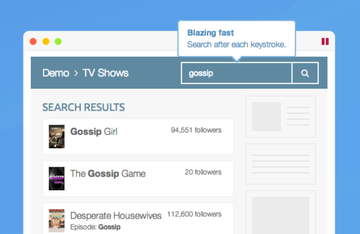\n\n\nAlgolia’s search after each keystroke (Source-techcrunch.com)\nThey have a Distributed Search Network (DSN) which allows you to duplicate your data in many locations across the world. User queries reach the closest data center, reducing latency significantly. It also shows a snippet of the content once you hover over the search results. \n\n**Elasticsearch Speed**\n\nElasticsearch performs very well for document search out-of-the-box, but an extra investment is required to offer a fully-featured and user-friendly search. \n[In a benchmarking test to determine Algolia vs Elasticsearch performance, Algolia returned results 200X faster than Elasticsearch](https://www.javatpoint.com/elasticsearch-vs-algolia). Elasticsearch can also sometimes be too slow if you want to provide a full instant search experience. Most of the time, it is significantly slower in returning search results compared to Afosto. Elasticsearch heavily depends on the filesystem cache for fast search speed. Thus, you should ensure that at least half of the available memory is allocated to the filesystem cache to help Elasticsearch store hot regions of an index in physical memory. \n\n**Afosto Speed**\n\nAfosto's Instant Search has the search-as-you-type feature which delivers a lightning-fast speed, returning results in less than 30 milliseconds. It performs search on every keystroke. Every keystroke generates a new query in the search engine. For example, if a user types \"sources\", Instant Search will perform seven queries, that is, \"s\", \"so\",\"sou\", \"sour\", \"sourc\", \"source\", and finally \"sources\". Thus, your site visitors are able to find results very fast. Afosto is a perfect choice if you need a simple and easy tool to deploy a typo-tolerant search bar that provides a prefix searching capability, makes search intuitive for users, and returns them their results instantly with near-perfect relevance. \n\nWith Instant Search, you can search through many sources with just one search query. For example, you can search through product catalogues, pages, and helpdesk articles with a single user search field. \n\n### Algolia vs Elasticsearch vs Afosto: Pricing\n\nAlgolia, ElasticSearch, and Afosto have different approaches to pricing, and this can influence your choice of a search engine for your business. This forms the subject of our discussion in this section. \n\n**Algolia Pricing**\n\nAlgolia offers three pricing plans namely Free, Standard, and Premium. \n\n\n\n\nIn algolia, each keystroke is a search request. [The Standard plan costs $1 per unit search](https://www.prefixbox.com/blog/algolia-vs-elasticsearch/). So 1000 keystrokes is one dollar, capped on 1000 documents. \nThe Premium plan charges $1.50 per unit search every month. The Premium plan comes with advanced AI-powered search features such as personalization, rules and more.\nAlgolia also offers you a 14-day free trial period for the Standard plan upon signing up without the need to provide credit card information. \n\n**Elasticsearch Pricing**\n\nElasticsearch is a free and open-source tool, so you don't have to pay anything to use it. Thus, on whether algolia or Elasticsearch considering pricing, [Elasticsearch is the cheapest](https://purrgroup.com/insights/blog/super-powered-search-algolia-vs-elasticsearch/). \n\n**Afosto Pricing**\n\nAfosto's Instant Search is both a free and a paid search engine. It has a free plan named \"Free Forever\" which doesn't require you to pay anything to use. It accepts up to 100 documents. \n[Instant Search has three other paid plans namely Starter, Serious, and Pro plans](https://afosto.com/apps/instant-search/pricing/). \n\n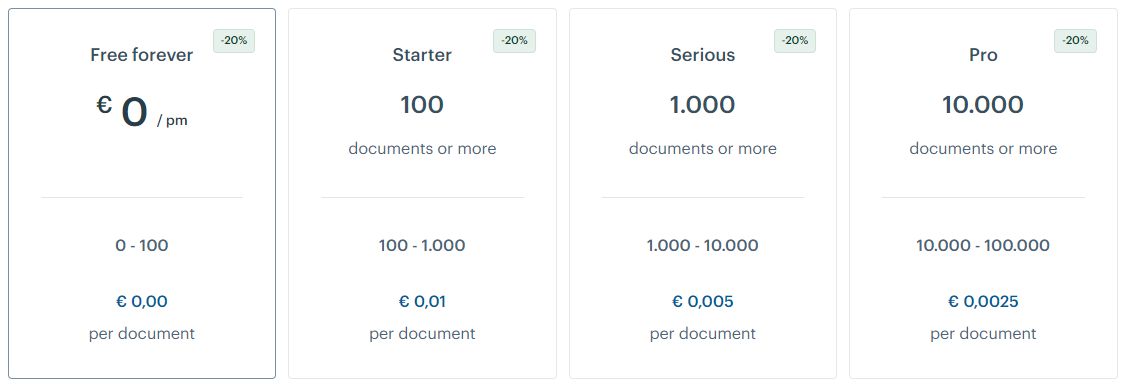\n\n\nThe Starter plan accepts between 100 and 1,000 documents and costs €0.01 per document. \nThe Serious plan accepts between 1,000 and 10,000 documents and costs €0.005 per document. \nThe Pro plan supports up to 100,000 documents and costs €0.0025 per document. \n\nWe can compare Algolia vs Afosto in terms of pricing based on 10,000 documents and 250,000 requests (that’s 250,000 keystrokes). For Algolia, the user will be charged $250, which is only €100 for Afosto's Instant Search. Thus, an Algolia user will pay more than double of what an Instant Search user would have paid. \n\n### Algolia vs Elasticsearch vs Afosto: Scalability\n\nSearch engines should possess the capability to quickly process huge volumes of data, with records running up to hundreds of millions. Thus, scalability is an important feature to consider when comparing Algolia vs Elastic vs Afosto. \n\n\n**Algolia Scalability**\n\nAlgolia, Elasticsearch, and Afosto's Instant Search support the sharding feature which allows for the scaling of data across multiple indices. Algolia handles sharding behind the scenes, making it invisible to the users. Rebalancing of the shards can be done dynamically to avoid hot spots. Algolia recommends that you notify them when you plan to index a massive quantity of data. They will help you to monitor the infrastructure and engine, and optimize the configuration of indices and machines. \n\n**Elasticsearch Scalability**\n\nElasticsearch is designed to support horizontal scaling, which makes it better in supporting scaling and cluster management. However, this comes with a disadvantage in that you cannot increase the shards once they have been created, but you can reduce the shards using a shrink API. In case a shard or a node fails, Elasticsearch will do cluster rebalancing on its own, that is, without the need for manual intervention. \n\n**Afosto Scalability**\n\nJust like Algolia, Instant Search distributes the shards behind the scenes, making them invisible to the users. In addition, their clusters support autoscaling, relieving users from most of the tasks involved in scaling clusters. \n\n### Algolia vs Elasticsearch vs Afosto: Indexing\n\nAn index is an entity that gathers a set of documents with its own settings. It can be compared to a table in SQL, or a collection in MongoDB. In this section, we will be discussing how the three search engines approach indexing. \n\n**Algolia Indexing**\n\nAlgolia doesn't require you to create an index explicitly, but it automatically creates it after you add an object for the first time. It also separates search from indexing and assigns them different CPU priorities. Algolia indexes are good for managing huge data volumes. They are also easy to configure, thus, users can fine-tune them to improve the search experience. \n\n**Elasticsearch Indexing**\n\nElasticsearch is schemaless, which makes it easy to index dynamic fields and unstructured data without the need to define the index schema in advance. The Elastic Common Schema feature helps users to consolidate data types and field names to avoid conflicts. \n\n**Afosto Indexing**\n\nAfosto automatically creates an index once you add an object for the first time, thus, you don't have to create it explicitly. Its indexes are also good for managing large data volumes. The indexes are easy to work with and fine-tune for a better user search experience. \n\n### Algolia vs Elasticsearch vs Afosto: User Experience\n\nA good search engine should be easy to use, even by non-technical users. Algolia, Elasticsearch, and Afosto have implemented different features to improve user experience as discussed below. \n\n**Algolia User Experience**\n\nAlgolia comes with front-end widgets and APIs to improve the user experience. Its dashboard has several filters, making it easy to use by all users. You can configure these filters to view the user data such as history or behavior in a simplified manner. Algolia also leverages AI to deliver a more personalized user experience. \nOther Algolia features that help improve user experience include Autocomplete, infinite scrolling, and query suggestions. \n\n\n\n\n**Elasticsearch User Experience**\n\nElasticsearch also comes with a number of features to improve the search experience for users. Some of these features include Elasticsearch correct API that corrects user spelling mistakes, suggesters which add an autocomplete suggestion feature to provide relevant results as a user types on the search box, and fuzzy queries that handle typos by providing \"Did you mean this instead\". \n\n\n\n\n**Afosto User Experience**\n\nJust like Algolia and Elasticsearch, Afosto also comes with a number of features for a better user experience. Users search as they type as every keystroke refreshes the displayed results. Its lightning-fast speed enables it to return results in hundreds of thousands of documents to users in milliseconds. \n\n\n\n\nUsers can also adapt search results depending on the needs of website visitors using big data. Other Instant Search features that help to improve user experience include typos & autocorrection, synonyms, filters, and stop words. \n\n### Algolia vs Elasticsearch vs Afosto: Search Relevance\n\nA good search engine should show the most relevant search results at the top. Getting irrelevant search results can be frustrating. Hence, this is an important feature to consider when comparing Algolia vs Elastic vs Afosto.\n\n**Algolia Search Relevance**\n\n[Algolia is built on transparent and simple search rules that can be managed easily](https://www.algolia.com/compare-algolia-vs-elasticsearch/). It uses business insights to improve the way in which search results are ordered. Algolia is also integrated with AI features that help engineers to fine-tune and improve search relevance. Other features used by Algolia to improve search relevance include proximity matching, geo-based searches, custom ranking, and searchable attributes. \n\n**Elasticsearch Search Relevance**\n\nBy default, Elasticsearch uses the BM25 algorithm for relevance. The algorithm uses a number of parameters to determine the relevance score. These parameters include term frequency (which is the number of times a term appears in a document), inverse document frequency (which is how rare a term appears in all documents in the index), and field length (a high number of terms in a field makes it less relevant). \n\n\n\n\nThus, as far as Algolia vs Elasticsearch search relevance is concerned, Algolia provides a simpler approach. Thus, when it comes to Algolia Elasticsearch search relevance, Algolia offers a better approach. \n\n**Afosto Search Relevance**\n\n[Afosto's Instant Search uses custom ranking rules for search relevance](https://afosto.com/apps/instant-search/). This gives users an opportunity to fine-tune search relevance according to the specific needs of their businesses. \n\n\n\n\nFor example, let's say you are building an app that is based on Twitter feeds. During search, your goal is to rank the results by relevance and custom attributes such as retweets and likes. Instant Search's custom ranking rules will allow you to specify the attributes to rank on. \n\n\nThe following table summarizes what we have discussed above:\n\n\n| Feature | Algolia | Elasticsearch | Afosto |\n|------------------|------------------------------------------------------------------------------------------------------------------------------------------------------------------------------------------------------------|-------------------------------------------------------------------------------------------------------------------------------------------------------------------------------------|--------------------------------------------------------------------------------------------------------------------------------------------------------------------------------------------------------------|\n| Hosting | Algolia is a hosted SaaS option. They handle data storage and hosts the indexing system. | Elasticsearch is a self-hosted solution, thus, you have to buy the hosting server and manage it. It’s hosted solution costs $40 per month. | Afosto is a hosted option. They take the responsibility of handling data storage and hosting the indexing system. |\n| Speed | Algolia is super-fast as it shows search results as you type. Most queries return results in less than 20 milliseconds. | Elasticsearch performs well for document search out-of-the-box, but it can be slow if you want to offer a full instant search experience. | Afosto's Instant Search delivers a lightning-fast speed though its search-as-you-type feature, returning results in less than 30 milliseconds. |\n| Pricing | It has three pricing plans, Free, Standard, and Premium. Each keystroke is a search request. The Standard plan costs $1 per unit search, while the Premium plan charges $1.50 per unit search every month. | It’s a free and open-source tool, so you can use it without paying anything. | It has a free plan and three paid plans, Starter, Serious, and Pro plans. The Starter plan charges €0.01 per document, Serious plan €0.005 per document, while the Pro plan charges €0.0025 per document. |\n| Scalability | It supports scalability through sharding. Algolia handles sharding behind the scenes, making it invisible to the users. | Elasticsearch supports horizontal scaling. However, you can’t reduce the shards after they have been created. | Just like Algolia, it distributes shards behind the scenes, making them invisible to the users. Additionally, their clusters support autoscaling. |\n| Indexing | It automatically creates an object once you add an object for the first time. | Elasticsearch is schemales, hence, it doesn’t have to define the index schema before indexing fields and data. | It creates an index automatically once you add a new object. |\n| User Experience | It has front-end widgets, filters, and APIs to improve user experience. It also uses AI to deliver a personalized user experience. | It uses Elasticsearch correct API, suggesters, and fuzzy queries to improve the user experience. | Afosto relies on features such as lightning-fast search speed, typos & autocorrection, synonyms, filters, and stop words for improved user experience. |\n| Search Relevance | Algolia orders results based on business insights. It also uses AI, proximity matching, geo-based searches, custom ranking, and searchable attributes to improve search relevance. | Uses the BM25 algorithm for search relevance. The algorithm uses parameters such as term frequency, inverse document frequency, and field length to calculate the relevance score. | Afosto uses custom ranking rules for search relevance. Users can fine-tune the rules to meet their specific business needs. |\n\n\n## Algolia vs Elasticsearch vs Afosto: Summary\n\nFrom the above discussion, it's very clear that the above search engines, Algolia vs Elastic vs Afosto, have a number of differences that make each search engine unique in its own way. It is now clear whether to choose Algolia or Elasticsearch or Afosto for your business. \n\nIf you need a hosted search engine to relieve you from the task of setting up your own server and managing it, choose Algolia. Algolia will handle all data storage and indexing for you. It also offers a good speed with simple and transparent rules for improving search relevance. However, it is a bit expensive compared to its alternatives. \n\nIf you are looking for a free, open-source, and self-hosted search engine to help you improve the search experience for your website or app, Elasticsearch is the best option for you. Note that this will require you to acquire a server and have the technical ability to manage it. You will also have to buy its plugin at a cost of $99. However, both Algolia and Afosto's Instant Search beat Elasticsearch when it comes to speed. Elasticsearch also uses a complex algorithm for search relevance, thus, it may be a bit hard to fine-tune it. \n\nAfosto is similar to Algolia, but it's cheaper. Algolia has more advanced features, but that comes at a price. If you want a high-quality, cheap, and easy-to-use search engine, choose Afosto. If you’re an enterprise, choose Algolia. ","locale":"en","primary_image":{"url":"https://qcqcdn.com/afosto/algolia_vs_elastic_search_vs_afosto_instant_search_banner_5070673ba8/algolia_vs_elastic_search_vs_afosto_instant_search_banner_5070673ba8.jpg"}},{"author":"Ton Koop","title":"What is Next.js? - Benefits that Empower your E-commerce Store Greatly","published_at":"2022-04-21T09:18:08.143Z","reading_time":"00:09:00","seo_description":"In this blog, we explain what Next.js is and how you can use this technology for your e-commerce store. ","seo_title":"What is Next.js? - Benefits for your store","slug":"what-is-next-js","body":"The E-commerce industry is fiercely competitive, and most businesses are continuously looking for ways to improve their overall customer experience. The typical online shopper wants to browse through a store and place their order within a few minutes.\n\nIf a product page or an image takes more than a few seconds to load, shoppers typically abandon the cart and search for an alternative. This is one of the reasons why major e-commerce companies like Doordash, Deliveroo, and AT&T use Next.js to build their platforms.\n\n\n\n\nThere are several other reasons brands like Netflix and Uber decided to use Next.js in developing their platforms. In this post, you will learn about four of the benefits of Next.js and why several e-commerce brands use it. You’ll also discover why you should be using Next.js for your e-commerce brand.\n\n\n## What is Next.js?\n\n[Next.js](https://nextjs.org/) is a lightweight Javascript framework created and maintained by [Vercel](https://vercel.com/) for building web apps. It is based on React, a JavaScript library for creating frontend user interfaces (UI). Next.js has innovative features such as [Automatic Static Optimization](https://nextjs.org/docs/advanced-features/automatic-static-optimization) and [Server-side rendering](https://nextjs.org/docs/basic-features/pages), enabling the development of fast web applications. \n\n\n## What is Next.js used for?\n\nNext.js is an excellent solution for website projects that need to be fast and SEO-friendly. It's used to create a variety of websites, such as e-commerce sites, blogs, and social and streaming services. If you have a diverse business, we recommend that you consider using Next.js if you wish to:\n\n* Outperform your competitors.\n* Increase the effectiveness of your marketing channels\n* Boost your revenue and conversions\n* Reduce your maintenance expenditures.\n* Provide a far better user experience for your clients.\n* Make it easier to grow your company.\n\nThe benefits that come with Next.js make it easy to achieve these aims. Continue reading to learn more about these benefits in the following section.\n\n## Benefits of using Next.js for E-commerce stores\n\nEvery e-commerce business wants to improve conversion rates alongside sales. To achieve that goal, e-commerce brands must employ new technologies to provide a unique user experience that caters to current and potential clients.\n\n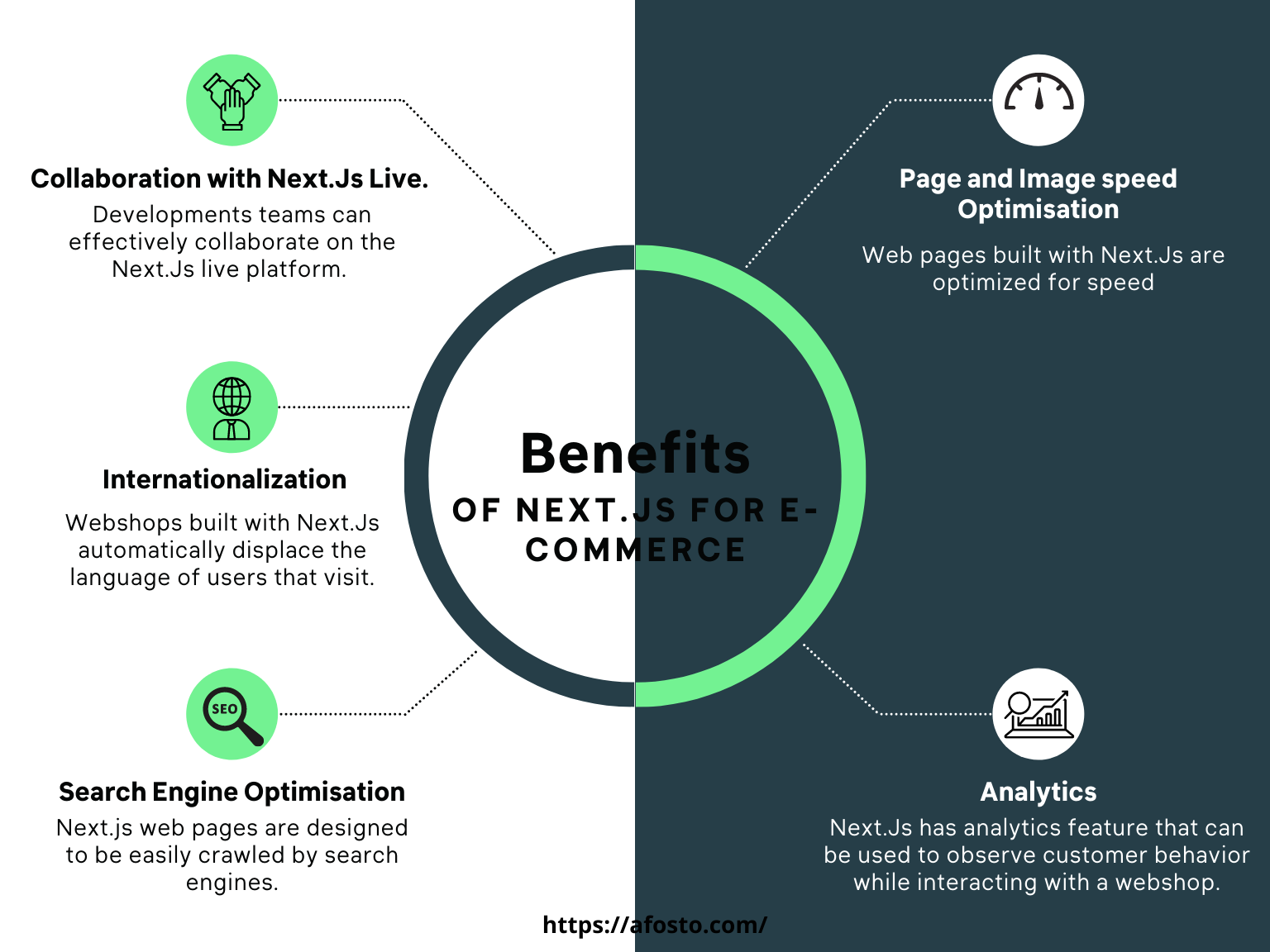\n\nNext.js has some features that help e-commerce businesses create quick and versatile websites and webshops. Here are some of the features and their applications.\n\n### 1. Collaboration with Next.js Live\n\n\n\nE-commerce ventures are more successful when marketing, design, and development teams collaborate seamlessly. Next.js lets you create a live URL for your project that you can share, discuss, draw on, and edit code directly from your browser.\n\nEverything possible when you execute Next.js on your workstation is now also possible in the context of remote collaboration. Next.js Live tightens and speeds up feedback loops for e-commerce teams, and even supports offline collaboration.\n\nWith this advanced collaboration benefit, development teams can reduce the time spent to create a fully functional store and effectively implement iterations based on feedback.\n\n### 2. Page and Image Speed Optimization\n\n\n\nDid you know that the [first five seconds of page load time](https://www.portent.com/blog/analytics/research-site-speed-hurting-everyones-revenue.htm#:~:text=The%20first%205%20seconds%20of,(between%20seconds%200%2D5)) have the highest impact on conversion rates? \n\n[Conversions drop by 7%](https://neilpatel.com/blog/loading-time/) for every second it takes for a page to load, implying that page speed is money for e-commerce businesses. Next.js image loading and performance are now considered world-class in every project. [Automatic Image Optimization ](https://nextjs.org/docs/basic-features/image-optimization)works with any image source (CMS, data source, etc.), optimizes images on-demand, and only loads images when the client requests them.\n\nNext.js handles image optimizations with performance in mind, ensuring that websites are always quick to load, resulting in a better product discovery experience for customers and improved conversion rates.\n\n\n### 3. Internationalization\n\n\n\nE-commerce businesses have excellent access to a global audience of customers. However, for an e-commerce website to be relevant to a global market, the content, products, and checkout forms must be available in the consumer's native language.\n\nIn Next.js, the built-in internationalization routing allows you to statically serve different languages on your site at build time with lightning speed. \n\nFor example, the [Ferrari](https://www.ferrari.com/) website is built with Next.js and would automatically detect the language of anyone who visits. For instance, when a French person visits the website, the language on the site's pages is automatically changed to French, giving the visitor a uniquely customized experience. \n\n\n\n### 4. Search Engine Traffic and Analytics\n\n\n\nMore visitors to your website equals more purchases. Next.js caters to the on-page UX factors that affect SEO and make your site easier to crawl for search engines. Images, for example, are always rendered to avoid [Cumulative Layout Shift](https://web.dev/cls/), a Core Web Vital that Google has begun to [use in search ranking.](https://webmasters.googleblog.com/2020/05/evaluating-page-experience.html)\n\nBeyond SEO, Next.js provides analytics to help you understand how your customers are interacting with your online store. You'll see customer interactions through metrics like:\n\n\n\n* Time to Interactive (TTI)\n* User experience score.\n* Speed index. \n\nThe Next.js team collaborated closely with Google and the [Web Performance Group to bring analytics to life.](https://web.dev/vitals/)\n\nNext.js Analytics takes this data and creates a Real Experience Score, which shows your app's performance and ease of use. The Next.js support for application analytics gives your e-commerce business an advantage. It allows you to immediately discover where improvements are needed so that customers continue to enjoy the best shopping experience possible.\n\n\n### Bonus: Hybrid Pre-rendering\n\nIn Next.js, each page is pre-rendered. This implies that, rather than relying on client-side JavaScript to build HTML for each page, Next.js does so ahead of time. \n\nThe benefit of pre-rendering for your online store is apparent when a prospect browses through your store. In this case, content from another page will be pre-rendered in anticipation that the prospect will go there next. If the prospect visits the anticipated page, the page loads very quickly because some of its elements were rendered ahead of time.\n\n\n#### Two types of Pre-rendering\n\nStatic generation and server-side rendering are the two forms of pre-rendering. The key difference is at the point where the HTML for a page is rendered. Static rendering generates pages at build time and is reused for each request, while in the server-side rendering, the HTML is created for each client request.\n\n \n\nWith Next.js, you can choose which type of rendering to use on each application page. You can build hybrid apps that use static generation for some pages and server-side rendering for others. This is one of the reasons developers prefer to use Next.js.\n\n\n## Which companies use next.js?\n\nWith all the incredible benefits listed above, it's no surprise that Next.js is used in building some of the world's biggest e-commerce brands. These are websites with a large number of users, a high volume of traffic, and data generated in real-time. Here are some of the companies that built their platforms with Next.js: \n\n\n\n***[AT&T](https://www.att.com/)**\n\n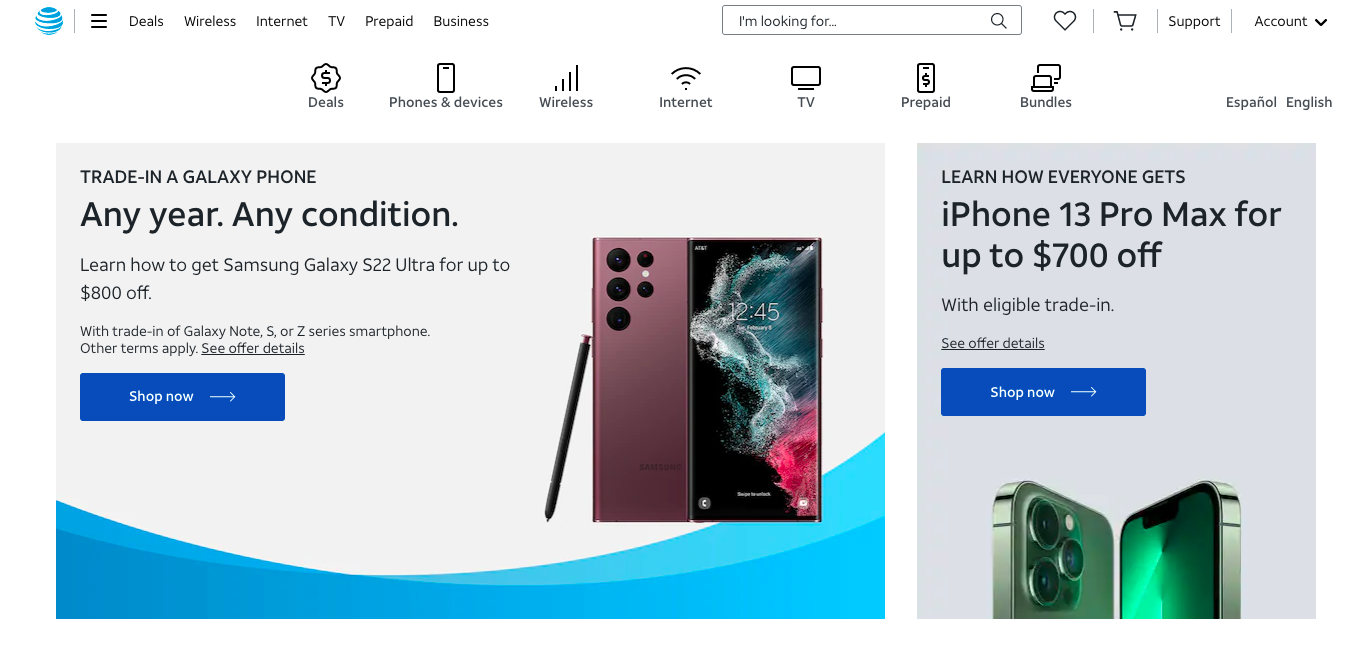\n\nThe telecommunications behemoth AT&T uses Next.js to power its online storefronts across the United States. The brand utilizes the architecture of Next.js to integrate its online stores with third-party systems like CMS, PIM, and ERP.\n\n***[Walmart](https://www.walmart.com/)**\n\n\n\nWalmart also benefits from the blazing-fast speed of Next.js. The store hosts thousands of products that visitors can interact with in real-time. Next.js also enables Walmart to integrate personalization capabilities and data security features into the platform.\n\n***[Nike](https://www.nike.com/women)**\n\n\n\nNike uses fast websites since it intends to convert visitors into customers. Next.js powers Nike's website, giving them the features and performance advantages to attract and convert new visitors.\n\n## Why we like using Next.js at Afosto.\n\nNext.js utilizes an organized and systematic approach to help teams produce faster websites. We like the direction Next.js is taking, and their emphasis on e-commerce is a big bonus. Thanks to their rapidly growing community, developers of modern web applications have access to many tools and support. \n\nThe ability to enable headless architectural design is a feature of Next.js that we've particularly enjoyed using. Instead of creating a webshop with a single code base that handles both the frontend and the backend, this feature allows us to create the frontend and backend as separate pieces of software that communicate via APIs.\n\nThe frontend and backend run separately and can even be installed on different servers. After that, an API client will act as a link between the two. [Endpoints in the API ](https://nextjs.org/docs/api-routes/introduction)are linked to each other. The key advantages of having a headless architecture are improved performance and a flexible software stack. \n\n[Quicq](https://afosto.com/apps/quicq/) and Instant search are two fantastic products we made using Next.js' headless functionality. When [Quicq](https://afosto.com/apps/quicq/) is integrated on a webshop, the tool ensures that all images load quickly and are optimized to fit the visitor's device, regardless of image size.\n\n[Instant search](https://afosto.com/apps/instant-search/), on the other hand, makes finding products or help articles in a webshop much easier. Visitors looking for a product or assistance can find results under two seconds with [Instant search](https://afosto.com/apps/instant-search/). \n\nThe results are displayed in real-time as customers write in the search field, keeping them interested throughout the process. \n\nAnother benefit of using Instant search for webshops is that the tool displays a history of all visitors' searches on a dashboard. You can see what they couldn't find and what they clicked. You can work to enhance your search settings using this information.\n\nWe've enjoyed building [impressive e-commerce stores](https://afosto.com/customers/) with the Next.js framework and eagerly await updates. With Afosto, you can quickly launch a next-gen e-commerce experience.[ Schedule a free demo with us today! ](https://afosto.com/request-demo/)\n\n**FAQs**","locale":"en","primary_image":{"url":"https://qcqcdn.com/afosto/Saas_explained_in_5min_blog_5_3f48eabd44/Saas_explained_in_5min_blog_5_3f48eabd44.jpg"}},{"author":"Ton Koop","title":"Headless Commerce: what is it?","published_at":"2022-04-15T09:28:16.882Z","reading_time":"00:06:00","seo_description":"In this blog we will explain the principle of headless commerce. We tell you what the advantages and considerations are for choosing headless. ","seo_title":"Headless Commerce - What is it? | Afosto","slug":"headless-commerce-what-is-it","body":"You've probably heard of headless commerce. It is one of the most discussed and least understood buzzwords in e-commerce. To clear things up a bit, this blog will explain the main elements of a headless commerce system. Plus, you'll see the benefits and considerations for choosing headless.\n \n## First, what is headless commerce?\n \nExplained in its simplest form, headless commerce means a separation between the front-end and the back-end of an ecommerce solution. By choosing headless commerce, you have the freedom to put together a best-of-breed solution that can provide a unique user experience.\n \nTo understand the concept of headless, it is important to understand the difference between front-end and back-end.\n \n**Front-end:** The front-end is the customer facing 'digital shop', also called the presentation layer. This is not just a website. Nowadays it can go as far as social media, mobile apps and the billions of devices we use in the Internet of Things (IoT). Think for example of in-store screens and voice technology.\n \n**Back-end:** All systems, processes and tools that run in the background to handle processes and make sure your business runs smoothly. These systems help you with activities such as order management, product management, fulfillment, integrations, data storage and so on.\n \nIf you are in e-commerce, you know that keeping up with emerging trends is not easy. COVID-19 only accelerates this, the market is evolving even faster. In a traditional e-commerce system, creating new experiences can require updates to both the front and back-end system. This can cause even small projects to become huge headaches.\n \nOne feature of headless is the use of APIs. The front-end and back-end communicate with each other through APIs, as do the back-end systems. Separating the front-end and back-end can provide a faster, customisable and consistent shopping experience. The back-end still performs all the crucial functions of an e-commerce solution without being dependent on a front-end (head). In addition, the front-end takes care of offering an optimal user experience, without being dependent on a back-end.\n \nWhere traditional e-commerce platforms can be restrictive with design and functionality, headless gives you more freedom to customise your front-end or \"presentation layer\". You can create a beautiful, memorable shopping experience - while keeping your existing back-end intact.\n \n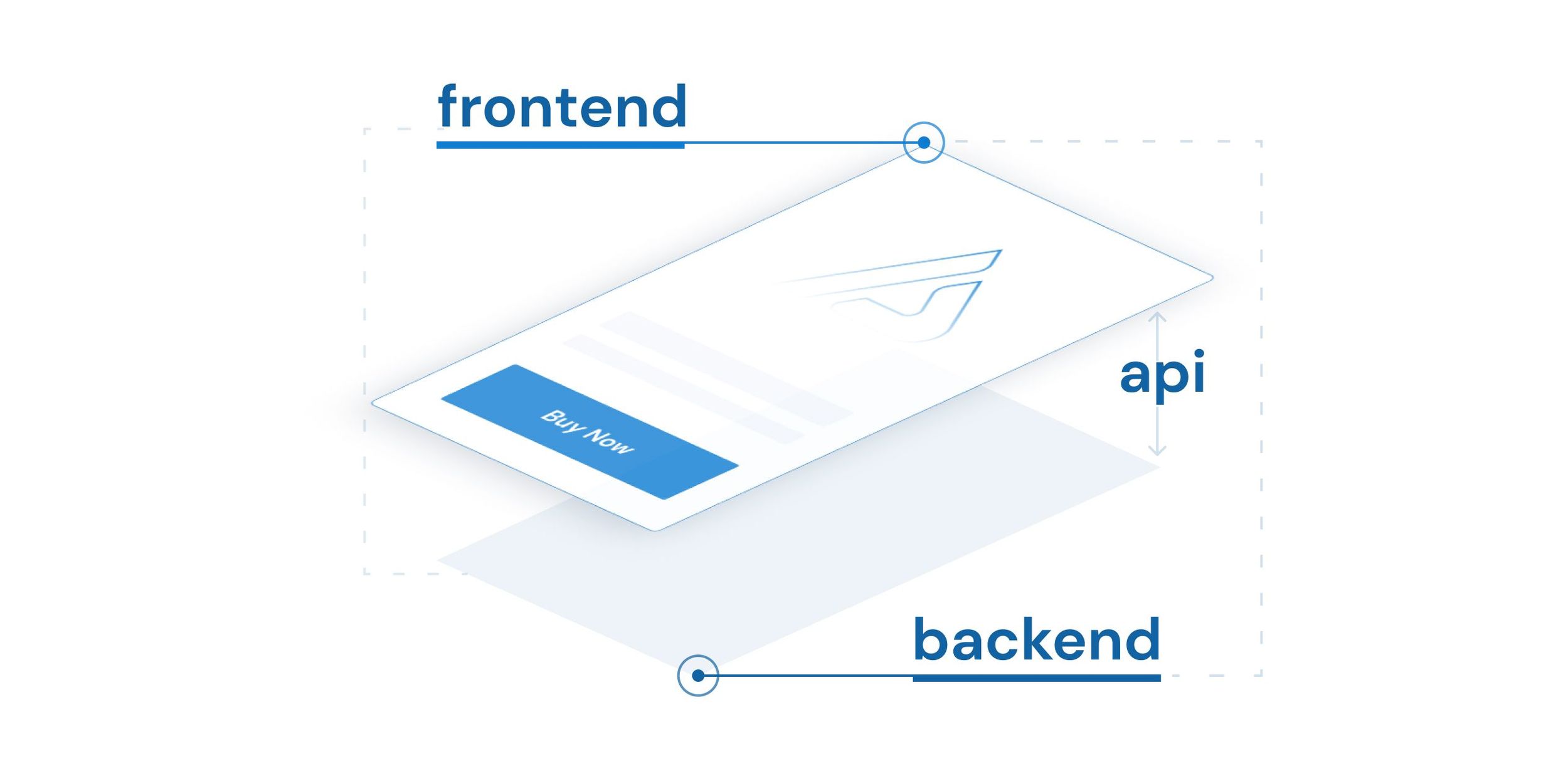\n \n## What are the benefits of headless commerce?\n \nHaving the two sides of an e-commerce system working as separate systems has several benefits, including:\n \n### Pages load in milliseconds, increasing mobile conversion\nPages in a headless structure no longer depend on immediate server-side input when you visit them. This means that a page has to connect less often and is ready when the visitor arrives. This results in a huge improvement in loading times, which your visitors will really appreciate. And not only visitors: also search engines like Google appreciate faster web shops. Because Google wants people to have the most relevant and best experience after using Google, fast web shops get a higher position in the search results.\n \n### A fully flexible/adaptable front end of your webshop\nThe commerce structures as they exist in current systems no longer apply. Adding a product to a shopping cart, for example, is done entirely via APIs and could even be done from a blog page. Headless architecture gives you the flexibility to choose how you want to build your front-end for your sales channels, as opposed to only using the front-end technology provided by your commerce or CMS platform.\n \n### Flexibility to set up your content management or CMS the way you want it\nA headless solution can consist of a best of breed solution of systems specialised in their own functions (e.g., Order Management, CMS, Search, Payment, Customers, PIM, Media Management). The specialised backends have APIs that allow the front-end channel to hook in and provide the customer experience required for that channel. In the case of a CMS, a [headless CMS](https://afosto.com/nl/blog/wat-is-headless-cms/) allows you to choose the CMS you need for each type of content.\n \n### Simplifies an omni/multi-channel strategy\nHeadless architecture helps you distribute your content across different platforms from a single back-end. You spend less time delivering the same content because it can all be delivered from 1 system and 1 API.\n \n### Future-proof\nIf your business prioritises technological innovation, then headless commerce is for you. In order to be ready for the future, many organisations are opting for a headless architecture early on. As a result, they benefit from the long-term efficiencies this model delivers to remain market leaders.\n \n## Headless commerce in practice\n \nChoosing headless means flexibility in choosing the technology for the front end of, for example, your webshop. For our clients, we choose to use Next.js. Next.js is an application of React (a modern framework) with which you can create modern digital (web) applications. By means of APIs, we get the data to the Next.js environment to create dynamic sites. We extract this from modern headless CMS systems, such as Prismic or Builder.io.\n \nThe content from the headless CMS systems is combined with Afosto's commerce engine. For example, we get prices from the API of our price group service and the stock status comes from the API of our WMS.\n \nBesides offering data, our commerce engine must also take care of receiving data. Think for example of adding a product to the shopping cart. This is also handled via an API between the web shop and the Afosto order service. The price of the product that is offered might depend on whether a customer is logged in or comes from a certain region. This context of the order is sent to the price rule engine (you guessed it, via an API) and this engine gives the right price for the added product in the given context.\n \nAs you can see, the whole front-end is driven by API connections which can be disconnected and possibly replaced by back-end systems that might cover a business process better.\n \n## Conclusion\nAs we move towards a marketing model based on content relationships and customer experience, it is important to be agile. This agility allows you to respond quickly to changing customer demands.\n \nHeadless e-commerce solutions enable you to adapt quickly to these changes. This while achieving a lower TCO, a faster time-to-market, better security, and everything else you need to provide a world-class online shopping experience.\n \nIf you want to learn more about how headless commerce is used to give your customers the best experience, check out the Afosto headless commerce solution.\n \n## Questions about Headless Commerce\n \n \n \n \n \n \n\n","locale":"en","primary_image":{"url":"https://qcqcdn.com/afosto/Saas_explained_in_5min_blog_1_80e4ce6593/Saas_explained_in_5min_blog_1_80e4ce6593.jpg"}},{"author":"Sander Kah","title":"The Best WordPress Image Optimizer Plugins 2022","published_at":"2022-03-11T14:04:08.789Z","reading_time":"00:06:00","seo_description":"The best image optimizer plugins for 2022 are: 1. Quicq 2. ShortPixel 3. EWWW 4. Smush 5. Imagify read this article for the full comparison!","seo_title":"BEST WordPress image optimizer plugins 2022 (TOP 5)","slug":"best-wordpress-image-optimizer-2022","body":"Adding images to your website can better user experience, enrich your brand, and give extra promotional content. On the other hand, unnecessarily large image files might slow down web pages loading times, impacting your SEO and frustrating visitors. \n\n\n## Benefits of Image Optimisation\n\nBy optimizing the images on your website, you can reduce their file size by up to 90%, dramatically increasing users' browsing speeds. Rather than removing images altogether, plugins allow you to provide high-definition yet smaller versions of them so the pictures won't harm your site's performance, but your users still get to see what you want them to see. This is perfect for reducing load times and improving content accessibility for different screen sizes! \n\nIn this post, we will be looking at the top five best WordPress image optimiser plugins and giving you the research-backed pros and cons of each solution. It will help you narrow down your choice so that you can start seeing results from your content marketing efforts today. \n\n\n## 5 Best WordPress Image Compression Plugins\n\nThe following are the five best image optimizers for WordPress that we'll evaluate and compare: \n\n\n1. [Quicq](https://afosto.com/apps/quicq/)\n2. ShortPixel image optimiser\n3. EWWW image optimiser\n4. Smush image compression and optimisation\n5. Imagify\n\n## 1. [Quicq](https://wordpress.org/plugins/quicq/)\n\n\nWhen it comes to image optimizer Wordpress plugins, then there's a new player on the market you can't ignore: [Quicq](https://afosto.com/apps/quicq/).\n\nUsing this plugin, you can optimize your WordPress images in a variety of ways. It is one of WordPress's finest image optimisers because of its user-friendly interface, no restrictions on file size limits, number of images and support for the newest image formats WebP and AVIF.\n\nReal-time picture optimisation ensures that your images are delivered in the best possible quality for every device. With a quick and painless installation, you can start improving your WordPress website right away.\n\nUsing Quicq, you don't have to be concerned about losing quality while compressing images. The plugin automatically compresses all your jpeg and png images into smaller formats after you’ve installed the plugin in your WordPress environment. \n\nAfter successfully installing the plugin will serve images from your website through a lightning fast Google Cloud CDN.\n\nQuicq is the all-encompassing solution for WordPress users who want to optimize their images. It's equipped with a broad range of features and options, so it can easily take care of image compression in WordPress, boost your site speed and make sure your homepage looks slick and sharp.\n\nWith the [free website inspection](https://afosto.com/apps/quicq/analyse/), you can discover right away how much you can save on your website's images. \n\nQuicq offers an enormous amount of free optimizations of up to 100.000 images in its free forever plan and 25GB of bandwidth. \n\nBecause this plugin has no file size limits, automation limits or other restrictions in its free tier opposed to the other plugins we can definitely say it has the most generous free tier which will give most website owners all of the benefits listed above for free. \n\nPaid versions begin if you optimize more than 100.000 images or use more than 25GB per month and work via a pay per use format. Prices start at €1 per month. \n\nDuring the free trial period you can access your dashboard to see your actual usage and check if you will surpass the free tier or not. On the website you can find an easy to use pricing tool: Here's a link to the [pricing](https://afosto.com/apps/quicq/pricing/). \n\n\n\n## 2. [ShortPixel Image Optimizer](https://wordpress.org/plugins/shortpixel-image-optimiser/)\n\n\nShortPixel, a freemium image compression plugin, provides lossless and lossy options. Lossy compression removes some data from a file, resulting in a smaller file but a little reduced picture quality. You can try ShortPixel if you're looking for a way to pick amongst these options. \n\nWith this plugin, you can quickly restore your image to its previous form since a copy of the original images are saved. It also provides CMK to RGB conversions and image resizing. Additionally, ShortPixel supports compression of all popular image formats, including JPG, PNG, GIF, WebP, AVIF, and PDF.\n\nThere is a monthly fee for extra images on ShortPixel, which allows users to optimize up to 100 images for free. It's possible to get 7,000 photographs for $3.99 per month, or 16,000 images at $8.33 per month, and so on. \n\n\n\n## 3. [EWWW Image Optimizer](https://wordpress.org/plugins/ewww-image-optimizer/)\n\n\nAnother good pick for Image compression in WordPress is EWWW Image Optimizer. It's simple to use and can optimize images as they're uploaded.\n\nIt can also batch compress and optimize the photographs you've already uploaded.\n\nAdditionally, the compression and optimization process is fully automated. It includes automatically resized images for the correct page and device size, slow loading, and conversion to the next-generation WebP image format.\n\nIt can also optimize photos created by other WordPress plugins and saved in locations other than your media library directories. This plugin can optimize JPG, PNG, GIF, and even PDF files.\n\nThe plugin also comes with a free version that allows you to optimize images on your own server.\n\nHowever, sites with a lot of photos or high traffic should choose the premium plan, which includes an image optimizing CDN that compresses and converts images as they are viewed.\n\nPlans start at $7 a month and include unlimited photos as part of the package. You'll need a more expensive plan if you have more than one website.\n\nYour package includes a cache engine, CSS/JS optimisation, and Google Font optimisation to make your site load even quicker. \n\n\n\n## 4. [Smush Image Compression and Optimization](https://wordpress.org/plugins/wp-smushit/)\n\n\nSmush is another popular WordPress image optimisation plugin. Lossless compression (meaning no quality is lost from the picture file) reduces the size of your image by up to 5 MB. Additionally, it takes additional measures to optimize page speed, such as lazy loading and auto-resizing.\n\nSmush is an easy-to-use plugin for newbies. If you install this plugin on an already-existing site, all you have to do is access the plugin's settings to enable it. It will then optimize all of your current images. The plugin will automatically optimize the fresh photos you upload as long as it is installed.\n\nAn all-around alternative for WordPress users who don't have time to compress their photos individually is Smush, which is available in both a free and a premium edition (Smush Pro). More than the free version, Smush Pro ($6 a month) decreases file sizes much more and also eliminates file size restrictions (the free version restricts you to images under 1 MB). \n\n\n\n## 5. [Imagify](https://wordpress.org/plugins/imagify/)\n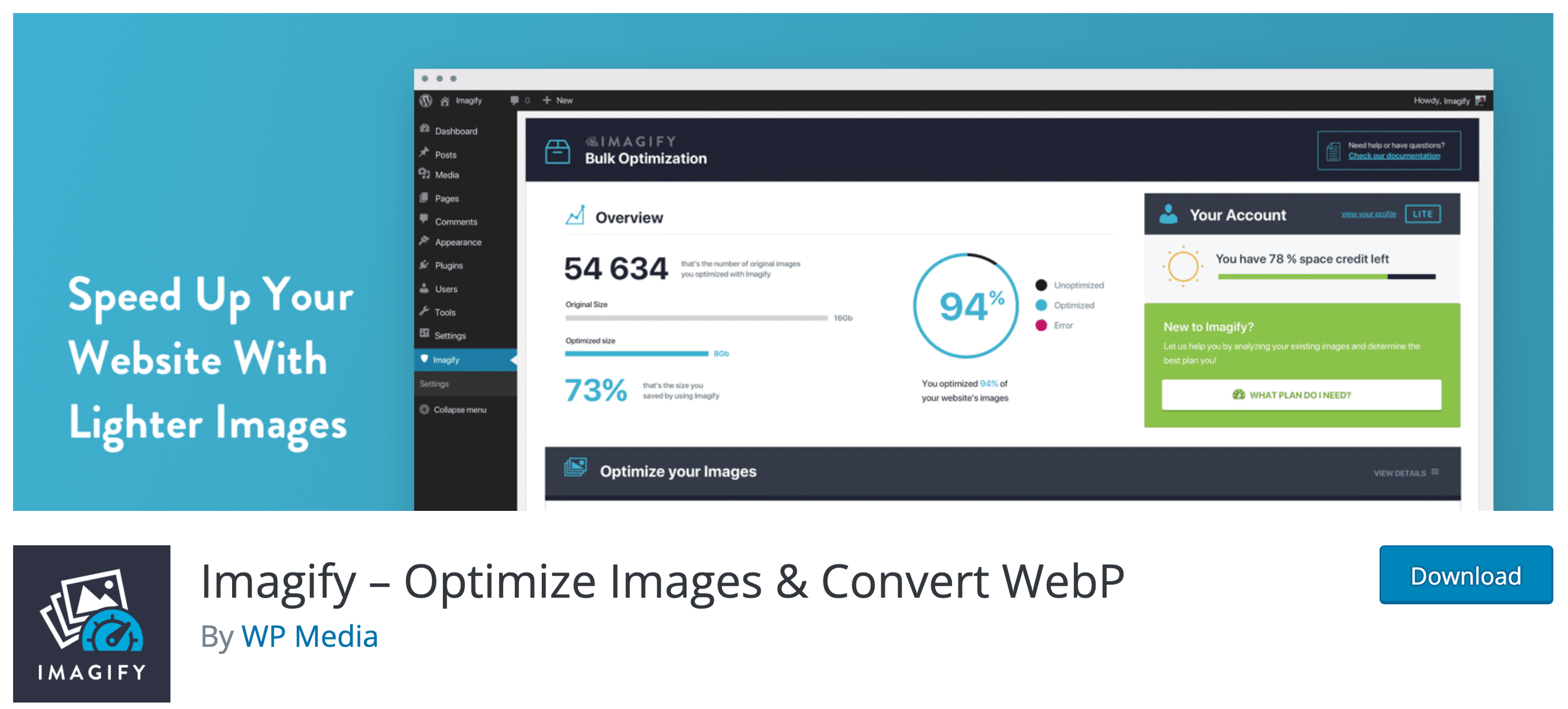\n\nImagify compresses both newly uploaded images and images already in your WordPress media directory, similar to some of the other solutions on our list. You'll save time and have a more efficient workflow since everything is handled automatically.\n\nImagify has three levels of optimization that you can switch on and off in the plugin's options. If you want the shortest file size but the lowest quality, you can choose between lossless compression, lossy compression, or even strong lossy compression. Imagify provides you with greater control over the quality and file size of the output.\n\nAs a result, Imagify is a better addition for sites with a large number of photos that need to be compressed, such as WooCommerce and NextGen Gallery. In addition, Imagify has a backup feature that lets you roll back to an earlier version and start again. \n\n\n## Which Plugin Has The Best Compression? \n\nQuicq, with a compression rate of 98.81%, has offered an impressive image compression rate, which is more than its competitors. \n\n\n## Which plugin has the best support? \n\nThe EWWW Image Optimiser plugin offers excellent support, easy-to-use, and automatic optimisation when uploading new images. \n\n\n## Which plugin is easiest to install? \n\nQuicq, EWWW, and Smush are very easy to install as they can be enabled through WordPress. On the other hand, ShortPixel and Imagify require that you get your API keys before you can enable the plugin in the dashboard which might spook some people. \n\n\n## Which plugin has the best price?\n\nQuicq provides customers with the most generous free tier for up to 100,000 images with up to 25 GB of storage in its free teer. With a starting price of $1.14 per month if you go over this free tier and fair pay per use policy you will never pay more than you use. \n\n\n## Wrapping it up \n\nThe plugins mentioned above are based on quality and come loaded with great features and functionalities. If you want to have a fast website, you must ensure that your images are optimized correctly. The plugins we've listed will help you optimize all types of images quickly and effectively. Each plugin excels in certain areas, so it's essential to find one that best fits your needs. A good image optimizer is just as crucial as any theme or plugin in order to ensure faster load times on your site!","locale":"en","primary_image":{"url":"https://qcqcdn.com/afosto/quicq_banner_en_4x_fe5ee7867c/quicq_banner_en_4x_fe5ee7867c.png"}},{"author":"Sander","title":"What does SEO mean?","published_at":"2022-02-13T10:34:38.246Z","reading_time":"00:04:00","seo_description":"What is SEO? What does it mean, how does it work and why is SEO so important for your results. In this article, we'll explain it in a simple and actionable format.","seo_title":"What does SEO mean? (Easy and FREE SEO Beginner Guide 2022)","slug":"what-does-seo-mean","body":"You have probably heard of it: SEO. This acronym stands for **Search Engine Optimization**. In this article, we explain what it is and how you can use it to your advantage to attract more visitors to your website. Do you already know what SEO is but want to know how to write the perfect meta titles and descriptions? Then read [this article](/blog/perfect-meta-titles-and-descriptions/ \"Write the perfect meta title & description\")!\n\n### In this article you will find the following topics: \n\n- [What does SEO mean?](#so-what-does-seo/search-engine-optimization-mean?)\n- [Commonly used abbreviations in SEO](#seo-what!)\n- [Which SEO tools to use](#seo,-i-know-what-it-is-and-now?)\n- [Writing quality content](#writing-good-seo-content)\n- [How to acquire backlinks](#how-do-i-obtain-backlinks?)\n- [SEO & Socials](#seo-&-socials)\n- [Technical SEO](#technical-seo,-how-do-i-do-that?)\n- [Speeding up your website](#speed-for-better-ranking)\n\n## So what does SEO/Search engine optimization mean?\nSearch engine optimization is a collective term for activities you perform to improve your position in the various search engines on the Internet. In other words, Search Engine Optimization. This consists of many different parts where you do your best to rank as high as possible in search engines. The main one is of course Google but there are also other search engines such as Bing.\n\nBelow is an overview of some of the activities related to search engine optimization:\n\n1. Content: An important factor for search engines to determine which words you should be shown in the search engine results (SERP: Search Engine Result Page). Content are all texts, titles, images, videos etc. what you put on a page.\n2. Backlinks: The number of links a page receives from you and other sites on the internet determines how important a page is.\n3. Socials: In the world, the various social media apps are impossible to imagine life without, and this certainly applies to SEO as well. The number of likes, shares and comments on your article is an increasingly important factor in determining your SEO score.\n4. Technology: How the structure of your website is built, whether your page loads quickly and whether you have your sitemap and robots.txt file set up properly are very important factors. If you do not have this right, all the time you put into writing good content can be wasted. So make sure you check this properly.\n5. Speed: The loading time of a page is an important factor in determining your ranking. Because many visitors on a mobile site view the site via a 3G or 4G connection, it is important to look critically at your page size.\n\n## SEO What!\nRobots, Sitemaps, SERP, Pagerank and backlinks it is logical that the first time you read an article about SEO you get confused about all the different terms. Below is an overview of commonly used SEO terms and their meanings:\n\n- **Black Hat SEO**: Search engine optimization that breaks Google's rules.\n- **Backlinks**: Links from other pages inside or outside your own domain to a page.\n- **Crawling**: The process by which search engines discover your web pages.\n- **CTR**: Click Through Rate\n- **External Links**: Links from another domain to your domain. For example, a link from another website's blog to a page on your website.\n- **Featured Snippets**: Portions at the top of organic results that highlight certain things for certain searches.\n- **Indexing**: The storage and organization of crawled pages by search engines.\n- **Intention**: Intention refers to what a visitor is trying to achieve when they type a search term into the search bar.\n- **Internal Links**: Links within a particular domain. So for example, links from one page within your site to another page within your site.\n- **KPI**: Key Performance Indicator - This is an indicator that allows you to measure how well an activity is achieving its goal.\n- **Organic**: Organic traffic or organic search results refers to non-paid visitors or search results. This is in contrast to paid traffic.\n- **Pagerank**: By pagerank is meant your position of a specific page on a specific search term in the search results.\n- **PPC**: Pay per Click - Paying for clicks by means of PPC campaigns.\n- **SEA**: Search Engine Advertising - paying for positions in search engines in order to bring in traffic.\n- **SERP**: Search Engine Result Page - the page you see after doing a search in a search engine.\n- **Traffic**: The visitors to a website.\n- **URL**: Uniform Resource Locators the path you type into the bar of your browser to visit a site.\n\n## SEO, I know what it is and now?\n\nNow that you know what SEO means you can get to work improving your pages to get a higher ranking in the search engines. But before you start doing this, you'd better pick up on a few other things first. Of course, you would like to know whether all that effort is paying off. Therefore it is good to set up a number of tools so you can see where you stand and whether you are making progress.\n\n### Google Search Console\nGoogle Search Console is a great tool that allows you to track your position in Google for the search terms that your pages are showing for. The best part about this tool? It's free :) From [this link](https://search.google.com/search-console/ \"Google Search Console\") you can create an account and set up the Google Search Console.\n\n### Google Analytics\nGoogle Analytics is a tool that allows you to do a thorough analysis of the traffic on your website. You'll find answers to questions like: Where do your visitors come from? What are they doing on your site? What are my best-performing pages? What are my best-selling products? To use Google Analytics, you need to set up a pixel on your website. [Click here](https://analytics.google.com/analytics/web/ \"Google Analytics\") to create a Google Analytics account to analyze your website traffic. \n\n### Use an SEO tool\nThere are numerous paid tools on the Internet that allow you to see how often a particular keyword is being searched for. This gives you valuable information with which you can optimize your pages, also you can often use these tools to do an analysis of your competitors. Besides paid tools such as Semrush and Ahrefs, you can also use the free [Google Adwords keyword planner](https://ads.google.com/home/tools/keyword-planner/) to get insights if you have a Google ads account. \n\n## Writing good SEO content\nWriting good SEO content is one of the most important things to get a better ranking in search engines. The search engines are getting smarter and the competition is getting bigger. To achieve a good position you need to write very good content but what is good content?\n\nGood content is written by putting yourself in the position of the user. What problem do they have? What questions do they have? And how do I make sure that a page explains these questions and problems in a good and structured way so that the user has a pleasant experience with the site. The moment you help your visitors solve their problems; And do this in an efficient and clear way. They will stay longer on your page, come back more often, and maybe even recommend their friends to check out your page.\n\n## How do I obtain backlinks?\nSo backlinks are external or internal links to a page. How do you get people to link to your page? Again, that starts with the previous paragraph, writing good content. This ensures that your page is valuable and if you do that well enough then maybe even other sites will find your content so valuable that they will add a link to your explanation on their site.\n\n## SEO & Socials\nNowadays, social media is an integral part of today's world. You have the established channels, of course: Facebook, Twitter, Instagram, LinkedIn & YouTube. But also newer platforms like TikTok and Clubhouse are becoming increasingly important in everyday life. So this also has a big influence on how you are found in the search engines. Choose one or more platforms that suit your business and communication style and make sure you share the content you create on them. This can of course be done in many different ways so find the ways that suits you best!\n\n## Technical SEO, how do I do that?\nThe technical side of SEO is the part that is usually done by the web builder. Think of menu structures, URL structure, metadata, product data, the proper use of breadcrumbs, and internal link structure. In addition, if all goes well, you have set up a sitemap on your website that indicates to search engines how your site is structured and you indicate through a robots.txt file which pages may and may not be indexed.\n\nIt is important to understand at least the basics of this and to be able to check if these things are set up correctly. This way you know for sure that the effort you put into creating good content is not lost due to a technical problem.\n\n## Speed for better ranking\nToday, website visitors are impatient creatures ;) This means that they don't want to wait for a page to load. So speed is hugely important for good SEO. So make sure your pages can be loaded quickly. You can do this by keeping your page size as small as possible, not running unnecessary scripts and [compress your images and videos](https://afosto.com/apps/quicq/ \"Reduce your imagesize with Quicq\"). You can find a number of tools to test the speed and size of a page. The ones we often use ourselves are [WebPageTest.org](https://www.webpagetest.org/ \"Webpagetest\") and [Google Pagespeed Insights](https://developers.google.com/speed/pagespeed/insights/ \"Google Pagespeed Test\").\n\n## And now it's your turn!\nIn this article, we've outlined the principles of SEO to help you take the first steps towards ranking better within the various search engines, thereby driving more relevant traffic to your website. SEO optimization is an ongoing process and not a one-time investment. This means that you will have to include it regularly in your activities. Analyze with the tools mentioned above what works for you and what doesn't and also take a good look at what your competitors are doing. By constantly learning and optimizing you will steadily grow, good luck!","locale":"en","primary_image":{"url":"https://qcqcdn.com/afosto/wat_betekent_seo_7b591aee91/wat_betekent_seo_7b591aee91.jpg"}},{"author":"Sander","title":"What is SaaS? Software as a Service explained","published_at":"2022-02-13T09:40:05.535Z","reading_time":"00:05:00","seo_description":"Software as a Service; Offering software services through applications via the cloud. In this article, you will learn within 5 minutes how it works.","seo_title":"What is SaaS? Software as a Service explained (in 5 min)","slug":"what-is-saas","body":"**Software-as-a-Service (SaaS)** is a model where software solutions are delivered over the Internet as a service. This means that, unlike the earlier models, you purchase a license with usually a monthly or annual subscription. \n\n\nYou see SaaS solutions popping up more and more. Where it was first mainly used for CRM and e-mail you now also see that in all kinds of other applications such as[ E-commerce](/apps/webshop/), [Order management](/orders/ecommerce-order-management/), accounting modules, and marketing solutions SaaS is becoming the standard. \n\n\nIn this article you will find the following sections:\n\n\n1. [The history of SaaS](#the-history-of-saa-s)\n2. [The benefits of SaaS](#the-benefits-of-saa-s)\n3. [SaaS alternatives](#saa-s-alternatives)\n4. [What does a SaaS solution look like?](#what-does-a-saa-s-solution-look-like?)\n5. [The difference between on-premises and cloud](#the-difference-between-on-premise-and-cloud)\n6. [The SaaS model explained](#the-saa-s-model-explained)\n7. [The future of SaaS](#the-future-of-saa-s)\n8. [Frequently asked questions about SaaS](#frequently-asked-questions-about-saa-s)\n\n\n## The History of SaaS\nYou may not believe it, but SaaS had its origins back in the 1960s. Because computers in the 1960s were expensive, large, and heavy machines, the first form of SaaS software was born in the form of the predecessor of today's Internet: a time-sharing system in which several users could access the same system at the same time. \n\n\nThis resulted in the emergence of the first SaaS software that served as a time-sharing system. This system is the predecessor of today's Internet. It allowed multiple users to access the system simultaneously.\n\n\nIn the 1990s, the rise of the Internet led to the emergence of Application Service Providers (ASPs). These were companies that took on the management and hosting of external software providers. Even though the management and hosting were outsourced, an application still had to be installed on the user's computer.\n\n\nToday's SaaS solution is an improved version of this ASP model. Because these SaaS solutions operate entirely in the cloud, users of SaaS applications no longer need to install the software. \n\n\nNowadays (almost) every phone has access to the internet and almost all people have a good and fast internet connection at home as well, which makes these services available on all kinds of devices and from (almost) any location.\n\n\n\n## The benefits of SaaS\nThere are numerous advantages to using SaaS platforms, some examples are: Scalability, flexibility, cost-effectiveness, access anywhere, no in-house hosting, and automatic updates. \n\n\nBelow are the 10 most frequently cited benefits for using SaaS:\n\n**Low implementation costs**\n\nBecause the vast majority of the solution is already in place, you usually only have to pay for configuration and customization when implementing a SaaS solution.\n\n\n**Quick onboarding**\n\nSaaS solutions are designed to be used by many different users, so extensive documentation and onboarding assistance are often available in contrast to custom-made solutions.\n\n\n**Try before you buy**\n\nMany SaaS products have a freemium model where you can first use the software for free for a certain period or up to a certain level before you decide to pay for it.\n\n\n**Working from home or anywhere else**\n\nBecause most of the apps can be accessed from any device with an internet connection, it is easy to access the software at home or other remote locations. \n\n\n**Free Updates**\n\nWith SaaS platforms, the monthly fee includes updates, this ensures that the platforms keep up with innovations and updates are made. \n\n\n**Scalable**\n\nBecause there is almost always a choice of packages with SaaS companies, the functionalities can grow with the user. For example, the software is not too complicated for smaller companies and contains more complicated features for larger companies.\n\n\n**Flexible**\n\nSaaS solutions are generic solutions designed for flexibility. The best SaaS companies look for generic solutions to specific problems of their customers. By deploying a solution more broadly than the customer's initial request, it is more flexible and more deployable as circumstances change.\n\n\n**Cost-Effective**\n\nThe costs of SaaS software are often based on use. (Pay per Use) This means that if you make little or no use of a particular component, you will also incur fewer or no costs. You only pay for software you actually use. \n\n\n**No hosting costs**\n\nHosting costs are included with SaaS software.\n\n\n**Lots of links and integrations**\n\nBecause SaaS companies benefit greatly from linking with other software solutions, you often have a large choice of links and integrations.\n \n \n\n## SaaS alternatives\n\nSaaS is one of the three main models for cloud services, along with IaaS and PaaS. All three models involve cloud providers delivering their own hosted data center resources to customers over the Internet.\n\nWhere the models differ is in the completeness of the product. SaaS products are complete and fully managed applications. IaaS is largely outsourcing data center resources, and PaaS provides a development platform and other tools hosted by the provider's data center.\n\nUsers of SaaS applications do not have to download software, manage existing IT infrastructure or deal with any aspect of software management. Providers take care of maintenance, upgrades, support, security, and all other aspects of managing the software.\n\n### IaaS (Infrastructure as a Service)\nIaaS (Infrastructure as a Service) is used by companies that want to outsource their data centers and computing resources to a cloud provider. IaaS providers host infrastructure components such as servers, storage, and network hardware. Organizations using IaaS services still need to manage their own data usage, applications, and operating systems.\n\n### PaaS (Platform as a Service).\nPaaS provides a framework of resources for an organization's internal developers. This hosted platform allows developers to create custom applications. The vendor manages the data center resources that support the tools. Companies using PaaS services do not need to manage their operating systems, but they do need to manage the applications and data usage.\n\n\n\n## What does a SaaS solution look like?\nA SaaS solution is a cloud solution which means no software needs to be installed on the user's computer. The solution is often ready to use and only needs to be configured, usually by the user themselves or in collaboration with a consultant. \n\n\nThe application can be accessed from any device with a fast enough internet connection and can therefore be accessed from any location. Because the users log into a shared infrastructure, operations are visible and, depending on the logging, it is also possible to see who has changed what and when. \n\n\nBecause saas applications benefit from the fact that the users of the software can onboard and teach themselves, a lot of time is invested in clear interfaces and documentation. This often allows you to teach yourself how to use an application.\n\n\n\n## The difference between on-premises and cloud\nIt's no surprise that cloud solutions have grown so much in popularity. Since cloud solutions offer companies new flexibility, time and money savings, and improved agility and scalability.\n\n\nOn the other hand, on-premises software (software installed on a company's own servers and behind the firewall) has long been the only offering for organizations and can still adequately meet a company's needs (\"if it ain't broke then don't fix it\"). \n\n\nHowever, most IT professionals agree that in addition to their on-premises and legacy systems, they need to leverage new cloud and SaaS applications to achieve their business goals.\n\n### On-premise software\nFor companies in highly regulated industries, the decision to house their applications on-premises may have been made for them. \n\n\nOn-premise software requires an enterprise to purchase a license or copy of the software in order to use it. Because the software itself is licensed and the entire instance of the software is on an organization's premises, there is generally more protection than with a cloud computing infrastructure. So if a company needs all this extra security, why would it stick its proverbial toes in the cloud?\n\n\nThe downside of on-premises environments is that the cost of managing and maintaining the solution can be exponentially higher than with a cloud computing environment. An on-premises setup requires in-house server hardware, software licensing, integration capabilities, and IT staff to provide support and resolve potential issues. Not to mention the amount of maintenance a company is responsible for if something breaks or doesn't work.\n\n### Cloud Solutions\nOne of the main differences between on-premises solutions and cloud solutions is hosting. A company hosts everything internally in an on-premises environment, whereas in a cloud environment an external provider hosts everything for you. This allows companies to pay as needed and effectively scale up or down depending on overall usage, user needs, and a company's growth.\n\nA cloud-based server uses virtual technology to host a company's or site's applications. There are no capital expenditures, data can be backed up regularly, and companies only have to pay for the resources they use. For organizations that have international ambitions, the cloud is even more attractive because it allows you to connect to customers, partners, and other businesses anywhere with minimal effort. Also, by using a cloud solution, you don't need an in-house IT staff and you have the flexibility to combine or compare different cloud solutions.\n\n## The SaaS model explained.\n\nSaaS applications and services typically use a multi-tenant approach. This means that a single instance of the SaaS application runs on the servers, and that single instance serves each user or tenant. \n\n\nBasically, the application runs on a single version and configuration for all users. Although different users run on the same application with common infrastructure and platform, different clients' data is still separate.\n\n\nThe typical multi-tenant architecture of SaaS applications means that the service provider can manage maintenance, updates, and bug fixes faster, easier, and more efficiently. Instead of having to make changes in multiple instances, developers can make the necessary changes for all clients by maintaining this shared instance.\n\n\nIn addition, multi-tenancy allows a larger pool of resources to be made available to a larger group of people, without compromising important cloud features such as security, speed, and privacy.\n\n## The Future of SaaS\nArtificial Intelligence, Machine learning, and comprehensive data analysis. The 3 biggest trends we expect to see in SaaS.\n\n\n### 1) Artificial Intelligence\n\nArtificial Intelligence (AI) is playing an increasingly important role in the software world. Within various business scenarios, artificial intelligence (and in many cases machine learning) is providing advanced levels of responsiveness and interaction between businesses, customers, and technology, taking AI-based SaaS trends to a new level in the near future.\n\n### 2) Machine Learning\n\nMachine Learning (ML), a subset of AI, is used in SaaS to automate responsiveness in customer service reports and applications, such as AI-driven chat operations with live chatbots. It will also play a role in the onboarding process of SaaS applications, for example. \n\n### 3) Comprehensive Data Analysis\n\n\nAs digital transformation accelerates across industries, companies in all sectors are looking to data to streamline their organization while gaining a deeper understanding of their customers or users. Investments in software-as-a-service innovations based on analytics are expected to grow significantly.\n\n\n### Frequently asked questions about SaaS\n\nBelow is an overview of the most frequently asked questions about SaaS. Want to know more about how Afosto uses SaaS to improve business processes? Then read more on our website about our different [solutions](/solutions/) or [create a free Afosto account](/register/) to get an idea of the possibilities!\n","locale":"en","primary_image":{"url":"https://qcqcdn.com/afosto/Saas_explained_in_5min_blog_b2244ffcbb/Saas_explained_in_5min_blog_b2244ffcbb.png"}},{"author":"Ton","title":"AVIF vs WEBP","published_at":"2022-01-17T11:59:31.365Z","reading_time":"00:03:00","seo_description":"AVIF is a state-of-the-art file format with better performance than WebP. In this blog, we'll explain the differences and why we think AVIF is the better choice.","seo_title":"AVIF vs WebP - Which File Format is Better? (Spoiler: AVIF)","slug":"avif-vs-webp-format","body":"There are two clear frontrunners in the battle for the smallest image format. [WebP](/blog/what-is-webp/) and AVIF. Where JPEG used to be the most important and dominant image format, in the future it is going to be WebP or AVIF. Both formats surpass JPEG in many important ways.\n\n \n\nBut why is AVIF better than WebP? This question is the focus of this blog. Which format has the better image compression and thus the smaller file size? Which format has the best browser support? With this article we want to answer these questions by comparing the performance and properties of these two advanced image formats.\n\n \n\nWe are going to compare the formats in three areas:\n\n \n\n- Quality\n- Compression\n- Browser Support\n\n \n\n\n\n \n\n## Quality of AVIF vs WebP\n\nAVIF is a format derived from frames of video with the AV1 codec, and there are some image size limitations that users should be aware of. AVIF has an image resolution limit of 65536 x 65536 pixels.\n\n \n\nBy default, AVIF has a limit of 8K (7,680 x 4,320 pixels), but it is possible to exceed this limit by rendering independently encoded tiles. However, with artifacts at the edges of each tile, AVIF is uns Transparent for large resolution images.\n\n \n\nWebP also has a hard limit on the resolution of an image. WebP's maximum size is 16,383 x 16,383. While this is an improvement over the standard AVIF limit, there is no way to improve it like AVIF can. Neither format compares to the limitations of PNG and JPEG 2000 with 2500 meg Transparent and 5000 megapixels as limits, respectively.\n\n \n\nWebP has many limitations compared to AVIF because of the wide color gamut and precision support that AVIF provides. WebP only supports a maximum bit depth of 8 bits and does support wide color range/HDR images. In contrast, WebP does not support images without chroma subsampling.\n\n \n\nAVIF has a maximum bit depth of 10, supports 4:4:4, and interactive supports HDR images. Despite WebP's advantage with max dimension, we feel WebP's color limitations are too great to give the win in this category to WebP.\n \n\n## Compression AVIF vs WebP\n\nThe WebP format was designed to provide better quality images with a file size comparable to JPEG. While WebP certainly achieves this, the newer and more advanced AVIF format still has an edge in compression at the same quality. Both in lossless compression and lossy compression. High-quality images with AVIF do not contain annoying compression side effects such as color-banding or blockiness that can occur with WebP.\n\n \n\nWebP performs only marginally better than JPEG in file size for low-fidelity compression, but with significant improvements in attractiveness. A low-fidelity JPEG image of 68.3kb is converted to a WebP file of 67.7kb.\n\n \n\nThe same image converted to the AVIF format gives a similar 67.6kb file. However, this AVIF image has much higher quality and attractiveness than the equivalent WebP file. It has much less blockiness and color-banding. So if you were to slightly decrease the quality of AVIF, equal to WebP then the file size of AVIF becomes significantly smaller. With the same look, AVIF is 30% smaller.\n\n \n\n## Browser support of AVIF compared to WebP\n\n \n\nAs a new file format, the AVIF image lags behind other older image formats in terms of browser support. WEBP is, across the board, currently more supported than AVIF. However, the surprising level of support for its age bodes well for the future support of AVIF in browsers.\n\n \n\nOn desktop, both Chrome and Opera are the first to offer full support for AVIF. Firefox users can enable AVIF support in the about: config page. However, this does not include support for animated images. Support is still missing for Safari and Microsoft Edge, however.\n\n \n\nOn mobile, Chrome for Android, Samsung Internet, and the Android Browser fully support AVIF. Support is unfortunately currently missing for Safari on iOS.\n\n \n\nWEBP is supported across the board by Edge, Firefox, Chrome, Safari, and Opera. All major mobile browsers also support WEBP.\n\n \n\n## Conclusion\n\n\n \n\nWEBP, when it came out in 2010, was a compelling replacement for the tired and outdated JPEG and PNG formats. But now, eleven years later, WEBP lacks important features that are strongly represented and necessary in the modern image format landscape. These include, for example, HDR images. Therefore, despite its extensive browser support, it is hard to imagine that WEBP will become a dominant image format.\n\n \n\nWith generally better compression and excellent performance in low-fidelity and high appeal images (the most popular type of images used on the web), AVIF is a more versatile image format. Its compression and optimization goes even further than WebP. AVIF is slightly behind WEBP in terms of browser support. But we expect Firefox and Safari to follow soon and provide full support for AVIF soon. Once this happens, AVIF will become the dominant image format for both still and animated images for the web.\n\n\n## Awesome! How do you get AVIF images on your website?\n\nIf you would like to get AVIF on your website you can [create a free Quicq account](/apps/quicq/register/). With [Quicq](/apps/quicq/) your images will be served via the Quicq CDN in AVIF format (if the browser supports it) with a fallback to WebP format. \n\nIf you would like to know more about this subject you might like these articles as well:\n\n- [What is a WebP File? How to Open and Convert WebP](/blog/what-is-webp/)\n- [Lossy vs Lossless compression](/blog/lossy-vs-lossless-image-compression/)\n","locale":"en","primary_image":{"url":"https://qcqcdn.com/afosto/pexels_adrian_newell_9725979_4d1071c677/pexels_adrian_newell_9725979_4d1071c677.jpg"}},{"author":"Ton Koop","title":"Lossy vs Lossless compression","published_at":"2022-01-12T09:51:20.851Z","reading_time":"00:02:00","seo_description":"Images comprise up to 60%-65% of the bytes on most websites. In this article, we explain the difference between lossy and losless compression of images to improve your site speed. ","seo_title":"Lossy vs Lossless compression ","slug":"lossy-vs-lossless-image-compression","body":"Images comprise up to 60%-65% of the bytes on most websites. Page size is a major factor in the total time it takes a browser to display a page. Page size is especially important for mobile devices, where smaller images save both bandwidth and battery life.\n\nLossy and lossless compressions are the two most common methods used to reduce the size of images. It is highly recommended to use 1 of these methods when using images on your website. In this article, we will take a closer look at the reasons why this is recommended and what the impact will be on the speed of your website.\n\n## Why should you compress images at all?\nImages that are too large decrease the performance of your website, which can harm the experience of visitors and SEO rankings. It is therefore advisable to start [resizing your images](https://afosto.com/apps/quicq/) as soon as possible.\n\nA study by Google shows that 45% of visitors are less likely to visit the same website if they are confronted with a bad experience such as a slow-loading website.\n\n## Lossy compression images\nLossy compression of images is a process that removes some of the data from your image. This reduces the file size. This process is irreversible, meaning that the data taken away is permanently deleted. This affects the quality, the more you remove from the image the more you lose quality.\n\nThis technique can significantly reduce the size of the original image, but you should always weigh up how much of the quality you want to sacrifice. In many cases you can indicate on a scale from 0 to 100 how much compression you want to use in a lossy manner. Although the image can become very small with large values, the image will also become pixelated (lower quality). Therefore, it is always good to have a backup file before you start lossy compression.\n\nJPEG and GIF formats are the best-known formats suitable for lossy compression. JPEGs are suitable for images/photos with no transparent background, while GIFs are your best choice for animated/moving images. These are great options for a site that needs faster load times because you can adjust the size and quality if desired.\n\n## Lossless image compression\nUnlike lossy compression, lossless compression will not reduce the quality of an image. That's because this method only removes additional, non-essential metadata. For example, the data is automatically generated by the device used to take the photo or by the software used to edit the image.\n\nThe downside of this is that you will often not see a significant reduction in file size, with the size sometimes remaining close to the original. As a result, this will generally be a lesser saving.\n\n## WebP file format\nFinally, I would like to highlight WebP as a special form of lossless compression. The results we get with this file format mentioned by Google are very good. If you would llike to know about what WebP is and how you could benefit from it you might be interested in this article: [What is WebP?](/blog/what-is-webp/)","locale":"en","primary_image":{"url":"https://qcqcdn.com/afosto/jeshoots_com_p8ka_V_Re4ed_M_unsplash_1_9e59e19072/jeshoots_com_p8ka_V_Re4ed_M_unsplash_1_9e59e19072.jpg"}},{"author":"Sander Kah","title":"What is a WebP File? How to Open and Convert WebP","published_at":"2022-01-12T09:19:26.880Z","reading_time":"00:06:00","seo_description":"WebP is a modern image format that Google has developed that provides massive compression for images compared to traditional formats. (JPG,PNG,GIF)","seo_title":"What is a WebP File? How to Open and Convert WebP","slug":"what-is-webp","body":"As you may have noticed while browsing the web, images may be displayed as a WebP file. WebP is a file extension that is used to replace JPEG’s lossless format and is used in the JPEG 2000 image format. WebP is also used for a specific purpose, as it is a new image format that has a minimal loss of quality, which is around 35% compared to the older lossless format. This is a useful tool to make web pages load faster.\n\n\n## What is a WebP File?\n\nA WebP image is a file format developed by Google with the goal of reducing the size of images while at the same time being able to maintain image quality. WebP images are designed to make the web faster and richer by providing smaller, higher quality images that can be used by developers.\n\nSo in short, WebP is a modern image format for the web. It provides better compression for images than the traditional formats like JPG, PNG and GIF images. The reduction in file size compared to a normal JPG file is normally around 30%.\n\n\n## How do I save a WebP file?\n\nWebP is developed by Google and is royalty-free. Many apps already have integrated support for WebP. \n\nWebP is almost indistinguishable from PNG and JPEG, and you can save it like you save any other image from the Internet. \n\nWebP has already been integrated into many web browsers, and almost all web browsers have the required plugin to handle the format. You can save a WebP image to your computer the same way you save any normal image off the Internet by right-clicking the image and clicking “Save Image As.” \n\n\n## How to check if an image is a WebP image?\n\nWebP images can have different extensions, like JPG, PNG and GIF while still being a WebP image. \n\nTo check if an image is in WebP format follow these steps (Google Chrome):\n\n\n\n1. Open up the page which you want to check in Google Chrome\n2. Open up inspector by right clicking on the page and click on inspect: 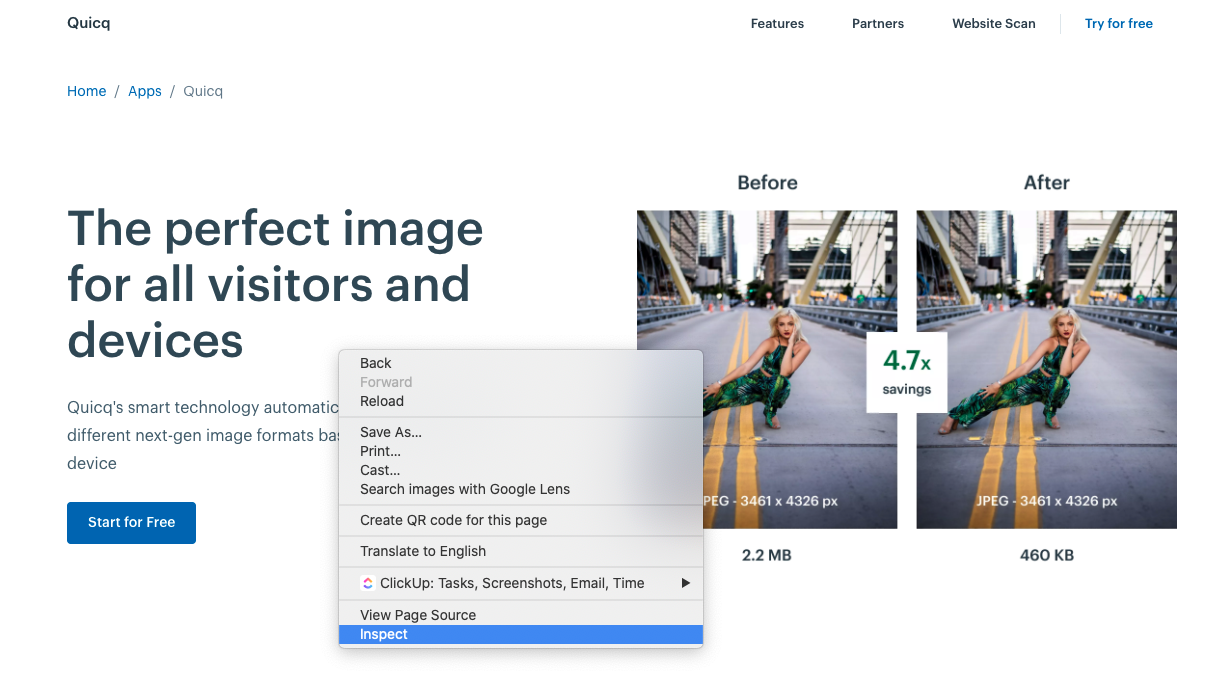\n3. Select the network tab in the Chrome inspector\n4. Reload the page this will load all the elements in from the page in the network view of the inspector\n5. Select the image file which you want to check in the list of files\n6. Select the headers tab\n7. In the **Response Headers** tab you will find a line **content-type** this should say image/webp\n8. In the example below from our [Quicq page](https://afosto.com/apps/quicq/) you can see that the image extension is .png however the content type is image/webp: \n\n## How to open/view WebP files?\n\nAfter saving the image you can open it with one of the software tools listed below.\n\n\n### Software that opens WEBP files\n\n\n### Mac\n\n\n\n* Google Chrome\n* Mozilla Firefox\n* Adobe Photoshop with WebP File Format plug-in\n* Pixelmator Classic\n* XnViewMP\n* ImageMagick\n* Opera\n* WebP Codec\n\n\n### Windows\n\n\n\n* File Viewer Plus — Get it from Microsoft\n* Microsoft Edge\n* Google Chrome\n* Mozilla Firefox\n* Adobe Photoshop with WebP File Format plug-in\n* Opera\n* XnViewMP\n* ImageMagick\n* WebP Codec\n\n\n### Linux\n\n\n\n* Google Chrome\n* Mozilla Firefox\n* Opera\n* XnViewMP\n* ImageMagick\n* WebP Codec\n\n\n## How do I edit them?\n\nOn Windows, you can edit WebP files with graphics applications such as GIMP, ImageMagick, or Microsoft Paint, which natively open WebP files. \n\nIf you want to open the file with a different application on Mac and Windows, use Google Chrome to download WebP images as JPEG or PNG in the first place. Tools like Adobe Photoshop require a plugin to work with WebP files.\n\n\n## Which browsers support WebP?\n\nCurrently [according to Google](https://developers.google.com/speed/webp) these browsers support the WebP file extension:\n\n\n### WebP lossy support\n\n\n\n* Google Chrome (desktop) 17+\n* Google Chrome for Android version 25+\n* Microsoft Edge 18+\n* Firefox 65+\n* Opera 11.10+\n* Native web browser, Android 4.0+ (ICS)\n\n\n### WebP lossy, lossless & alpha support\n\n\n\n* Google Chrome (desktop) 23+\n* Google Chrome for Android version 25+\n* Microsoft Edge 18+\n* Firefox 65+\n* Opera 12.10+\n* Native web browser, Android 4.2+ (JB-MR1)\n* Pale Moon 26+\n\n\n### WebP Animation support\n\n\n\n* Google Chrome (desktop and Android) 32+\n* Microsoft Edge 18+\n* Firefox 65+\n* Opera 19+\n\n\n## How to convert a Webp into other formats? (JPG, PNG,GIF)\n\nTo convert WebP images back to original file formats you would need a conversion tool. There are various online tools which provide such a service. Below we will list the most popular per file format. These tools can transform any WebP file to JPG, PNG or GIF file as you like.\n\n\n### Online Webp Convert Tools\n\n\n\n* [Ezgif](https://ezgif.com/webp-to-jpg) \n* [Cloudconvert](https://cloudconvert.com/webp-to-jpg) \n* [Convertico](https://convertio.co/webp-jpg/) \n* [Online-Convert](https://image.online-convert.com/convert/webp-to-jpg) \n* [FreeConvert ](https://www.freeconvert.com/webp-to-jpg)\n\n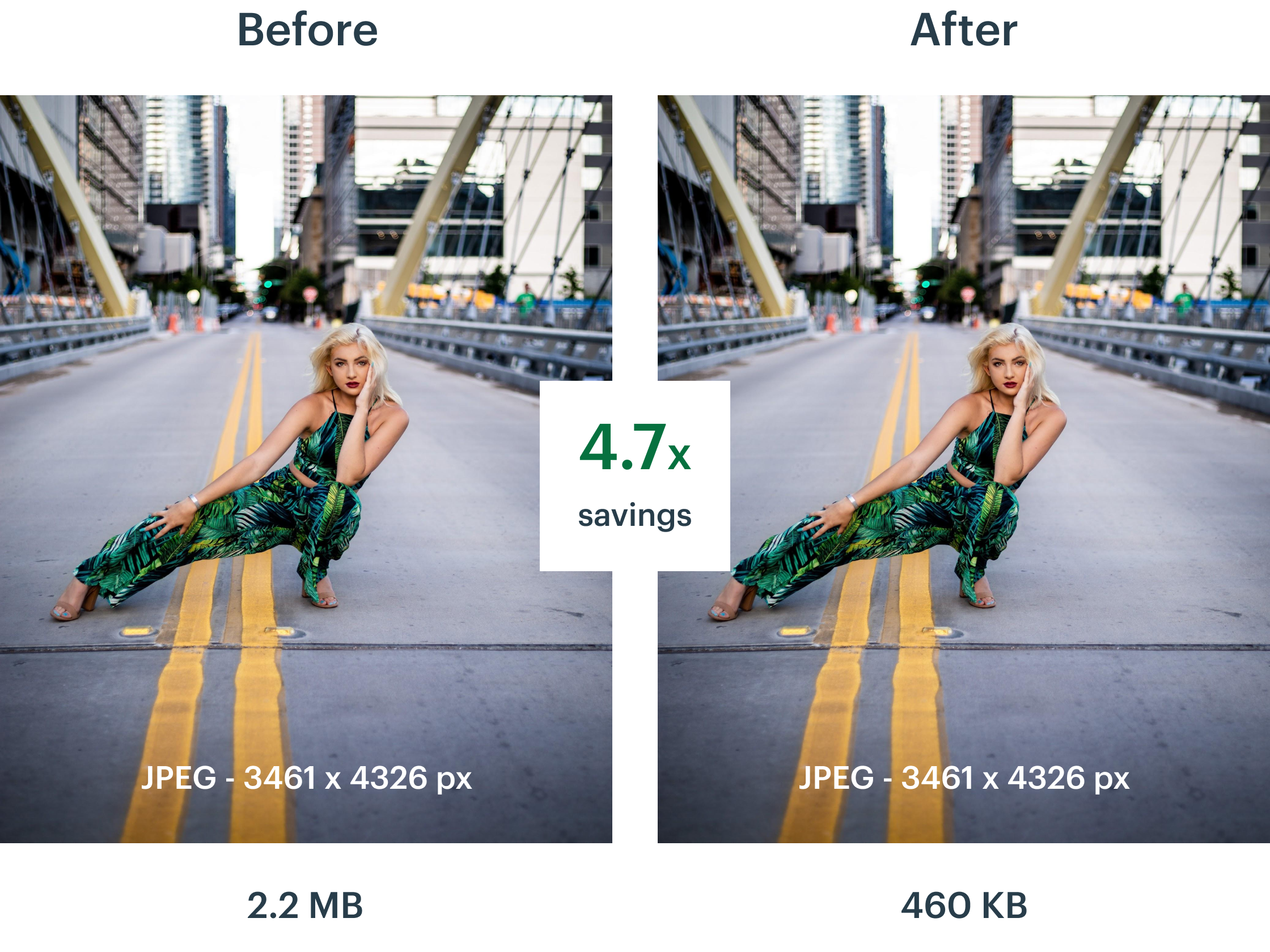\n\n## Why should you use WebP on your website?\n\nBy using WebP images on your website the filesize of your images will be massively reduced. This ensures that the loading time of your web pages is drastically improved, which in turn ensures a better user experience, longer time on your pages and better SEO scores for your website. \n\nI probably don’t have to tell you anymore that [over 50% of the users](https://www.statista.com/statistics/277125/share-of-website-traffic-coming-from-mobile-devices/) on your website are currently on a mobile device. For mobile devices images which aren’t optimised can take forever to load. \n\nWith WebP images you are able to reduce the file size of these images while maintaining the same quality. \n\nWant to know how much you would save when using WebP instead of your current image format? Check your website using this handy tool to see exactly how much you will save on a specific page of your website: [Scan your website](https://afosto.com/apps/quicq/analyse/)\n\n\n## How can I get WebP images on my website?\n\nDepending on what kind of website you run there are tools you can use to update the file format of the images to WebP. At Afosto we developed a tool named [Quicq](https://afosto.com/apps/quicq/). \n\nQuicq is an easy to use image optimization tool for website owners. It uses a Google Cloud CDN to offer images at lightning speed to the visitors of your website in the smallest file size possible. \n\nIf you would like to check out the tool and see what it does for you, you can create a totally free account here: [Start with Quicq](https://afosto.com/apps/quicq/register/) \n\nWe have a free tier which will allow you to optimize 100.000 images and 25 GB of bandwith without any costs. For most websites this is sufficient for all their website visitors.\n\n\n## Are there any other image file extensions I should know about?\n\nYes there are! The internet is constantly looking to see how they can improve things like loading time and other key metrics which help people find what they are looking for and provide them with the best user experience. \n\nImages are still a big part of the content found online these days and file formats like AVIF are already launched which should provide even better compression then WebP. At the moment we are currently developing features for Quicq to support this new format. \n\nWe will soon update all our subscribers about this new feature.\n\nIf you would like to stay updated about these topics please subscribe to our blog and we will ping you when we write a new article!\n","locale":"en","primary_image":{"url":"https://qcqcdn.com/afosto/Web_P_Logo_0750bae89d/Web_P_Logo_0750bae89d.png"}},{"author":"Sander Kah","title":"How to write perfect meta titles & descriptions for SEO","published_at":"2021-12-27T15:39:10.617Z","reading_time":"00:09:00","seo_description":"In this article, read in 10 minutes how to stay ahead of your competition in Google by adding good meta titles and descriptions to your pages.","seo_title":"Perfect Meta Titles and Descriptions the ULTIMATE GUIDE (& Cheatsheet)","slug":"perfect-meta-titles-and-descriptions","body":"In this article, we explain how to create the perfect meta titles and descriptions for better SEO rankings. A handy step-by-step explanation where we take you through the usefulness and necessity of good meta titles and descriptions (also known as SEO titles and descriptions) for better ranking in the search engines. \n\n## What are SEO titles and descriptions? \n\nIn the image above, you can see the meta title and description of [Afosto](https://afosto.com). The meta title is the title of the page that is displayed in the search results. The meta description is the (short) description of that same page. Search engines use this title and description, among other things, to determine for which keywords they should display your page. You can see it as a kind of advertisement for your page.\n\n## How do you write a good Meta Title?\nA good meta title is essential for better ranking. Below is a list of some guidelines for better meta titles:\n- 50-60 characters (use [this tool](https://totheweb.com/learning_center/tool-test-google-title-meta-description-lengths/) to check how long your meta title is)\n- Write for people, not search engines\n- Make sure all title tags are unique (a unique title for each page)\n- Make sure there is a title tag on all pages\n- Focus on a descriptive title \n- Keep it short and sweet\n- Use the right keywords\n- ATTRACT the reader by adding EMOTION to your title\n- Add (brackets) to your title \n- Example: `Furnishing the attic: This is how you do it! (5 tips) `\n- Use \"curiosity\" to provoke a click on your title \n- Example: `5 Tips for the Best SEO Titles (Which Google Doesn't Want You to Know)`\n- Put your keyword at the front of the title\n\n### Step 1. Choose one PRIMARY keyword to focus on.\nThe primary keyword you focus on is the subject that is most important for the page to be found. Because the search engines are getting smarter we use the subject, because if you write a good page you will not only gather traffic for that one keyword but also for e.g. synonyms of the same word. \n\nWith **free tools** like [Google Keyword Planner](https://ads.google.com/intl/nl_nl/home/tools/keyword-planner/) and [Google Trends](https://trends.google.nl/trends/) you can see how often a particular word is searched for. \n\nIf you want to do even more extensive research then you can look at **paid tools** like [Semrush](https://semrush.com) and [Ahrefs](https://ahrefs.com/)\n\n### Step 2. Find LONG-TAIL variations of your primary keyword.\nIn addition to the primary keyword for the page, it usually makes sense to focus on one or two long-tail keywords.\n\nWhy? Because it can take a long time to rank for your main keyword if it is a competitive one. What gets results much sooner are long-tail keywords.\n\nThe great thing is that these longer variants can often be included well in your title tag giving your meta title a natural look. \n\n**Example:**\n\nPrimary keyword: \"seo tips\" (3,800 searches/month);\nLong-tail variation #1: \"seo tips for beginners\" (100 searches/month);\nLong-tail variation #2: \"small business seo tips\" (70 searches/month)\n\n*these estimate searches are based on results from a Semrush keyword research with target country The Netherlands \n\n### Step 3. Set your BASIC Meta Title\n\nThe next step is to create a basic title.\n\n1. Focus on descriptiveness: The title should accurately describe what the page/post is about and raise reader expectations that will be met;\n2. Keep it short and sweet: Your finished meta title should be no longer than 50-60 characters. \n3. Add your keywords: Make sure your primary keyword is in the title tag. And if possible, put the long-tail variation(s) in there too.\n\n### Step 4. Look at what is unique about the content of your page (and let it stand out!)\nThe moment people type something into Google they are looking for something.\n\n\nPeople tend to look for certain \"USPs\" (unique selling points) in search results - The exact USPs they are looking for will depend on the nature of the search.\n\n\nIf you have created your page/post around a specific search query/topic, it is likely that there is already overlap between the \"USPs\" that your page content contains and the USPs that people want to see.\n\nAll you have to do then is add these usp's to your meta title.\n\n\nHere are five examples of types of \"USPs\" that people value (and how you can make them clear in your meta title):\n\n**Depth / Thoroughness**\n\nPeople like thorough, in-depth sources of information. That's probably why there is a clear correlation between content length and ranking in search engine results. If your source is more thorough than other search results, don't hide that. Entice the click by adding words/phrases like these to your title tag: \"ultimate\", \"complete\", \"definitive\", \"study\", \"step-by-step\", etc.\n\n**Lists / Quantities**\n\nPeople love lists. We recommend that you always put a number in your title tag for posts that look like a list. For example: The top 5 tips, the 10 best ... and the number 1 ...\n\n**Speed / Conciseness**\n\nNo one wants to read endless articles and spend a lot of time learning or accomplishing something. If your content is concise and to the point, this is also a USP. \"Sell\" the content with words/phrases like these in your title tag: \"quick,\" \"easy,\" \"...in X minutes,\" \"today,\" \"now,\" etc. \n\nFor product pages, try things like, \"free shipping\" or \"next day delivery\" (if you can make this true, of course).\n\n**Topicality**\n\nSome searches (e.g., \"SEO tips 2018\") call for fresh results. No one will click on a result from 2012 for such searches. To communicate timeliness, add words and phrases like these to your title tag: \"...in 20XX\", \"last updated Jan. 18\", etc.\n\n**Brand**\n\nPeople are more likely to click on a search result from a brand they know and trust. So, if you're somewhat well-known in your industry, add your brand name to your title tag.\n\n## How do you write a good Meta Description?\n### What is the purpose of a meta description?\nThe main purpose of a page's meta description is to get visitors to SERPs (search engine pages) and social media to click on the link to your page. In essence, it attracts users and generates traffic to your page!\n\nIn this sense, you can think of the meta description as a \"mini-advertisement\" for your page, providing a preview of the page's content. Because there are so many results from a Google search, the meta description is your small (but valuable!) real estate space to succinctly explain what the page offers - in other words, if you do it right, it makes your ad stand out. \n\n### Why is the meta description important?\nThe meta description, if well written, helps to improve the **click-through rate (CTR)** to your website from the search engine pages (SERP). Google says that the meta description does not lead to direct page rank benefits, but there is an indirect benefit, a well-written meta description does lead to a higher CTR and Google does use this metric to determine the position of a page.\n\nUsers will click on content that appeals to them and answers their question, so make sure you write your meta description with the user in mind. Searchers will appreciate good content, you just need to entice them to go there first. You do that with a good, clear and enticing meta description.\n\nThe following outlines how to write a good meta description and then increase your organic search CTR.\n\n### How to Write Meta Descriptions for SEO\nNow that you know what a meta description is and why it's important to your site and content, let's talk about how to write one.\n \nA good meta description prioritizes the user experience and has the following three characteristics:\n1. Answer these 2 questions, \"What is the page about?\" and \"Why is the page the best choice for my search?\n2. Contains the primary keyword the page wants to rank for. \n3. Explains the benefits of visiting the page.\n\nTo write a good meta description and ensure a higher CTR, stick to these things:\n**Put the most important information first** \n\nEach meta description should quickly communicate the topic - and benefit - of the page. If the web page is for a specific product, brand or topic put those terms and keywords at the beginning.\n\n**Make your meta description conversational** \n\nWrite for people, not search engines or algorithms. Natural language communicates better.\n\n**Place all content in terms of the benefits to the user**\nEdit your meta descriptions several times. On a second or even third time, you'll often see better ways to put more benefits, details, and value into the available space. Also, don't be afraid to go back and update your meta descriptions from existing pages.\n\n### Guidelines for writing meta descriptions\n- The length may be up to 920 pixels on desktop and 680 pixels on mobile. This equates to approximately 158 characters for desktop approximately 120 characters on mobile\n- Use **CTAs ** (call to actions), which will generate additional clicks\n- Make it specific and relevant. Use the primary keyword anyway and long-tail keywords if possible\n- Do not create duplicate meta descriptions\n- Don't mislead searchers, this causes a high bounce rate and therefore worse rankings.\n- Offer a solution or benefit. Create value!\n\nWrite this way and meta descriptions become a more than important ranking factor for your pages. It makes clicking on your blog post, product or web page the only practical action. Hello, high CTR!\n\n### What to avoid when writing meta descriptions\n- Don't stuff your keywords. If you repeat your keyword too often, you will be penalized by both search engines and users. \n- Don't copy and paste a large portion of the content of the page or post as the meta description. Take the time to write a unique description to give your users and search engines a page description that serves as a mini-advertisement.\n- Don't use the same description on more than one page or post. This confuses the search engine and dilutes the effect. \n\nMissing or unoptimized meta descriptions are one of the most common technical SEO problems.\n\n### Examples of good meta descriptions\nBelow are some examples of good Meta descriptions and why they are good.\n\n**Youtube**\n\nEnjoy the videos and music you love, upload original content, and share it all with friends, family, and the world on YouTube.\n\nWhy? This meta description is written for the end user. It is informative and communicates the idea of fun and community while in a short and powerful way.\n\n**Airbnb**\n\nFind vacation rentals, cabins, beach houses, unique homes and experiences around the world - all made possible by hosts on Airbnb.\n\nWhy? It directly compares the brand to \"experiences.\" It also contains action-oriented verbs, which attract clicks.\n\n**LEGO**\n\nExplore the world of LEGO® through games, videos, products and more! Shop awesome LEGO® building toys and brick sets and find the perfect gift for your kid.\n\nWhy? Again, we see a well-written mini-advertisement with actionable verbs and good keywords.\n\n## Wrappin it up\nThe meta titles and description are a small but powerful aspect of search engine optimization - it's the chance to beat your competitors with it. Too many companies leave this out and in turn miss a crucial opportunity to improve CTR. \n\nMake sure you create an engaging meta description for your pages that convinces end users to click on you instead of your competitors. SEO is ultimately about creating the most positive search experience for visitors, not chasing Google's algorithm.\n\n","locale":"en","primary_image":{"url":"https://qcqcdn.com/afosto/banner_blog_afosto_meta_title_description_f00e69c388/banner_blog_afosto_meta_title_description_f00e69c388.jpg"}}]}},"pageContext":{}},"staticQueryHashes":["4130126704","494587200"]}